Teams · Admin
For school administrators
The office runs the school. Involve runs with it.
Registers, records, payments and communications in one window.
The school office touches every process in the building. Involve removes the tab-switching that makes that exhausting.
Relevant feature areas
9 key areas, one unified platform
01 — Feature area
People & admin
Contacts, permissions, invitations and audit trails for every adult and student in the school.
One place to decide who can see what, and a record of everything they did with it.
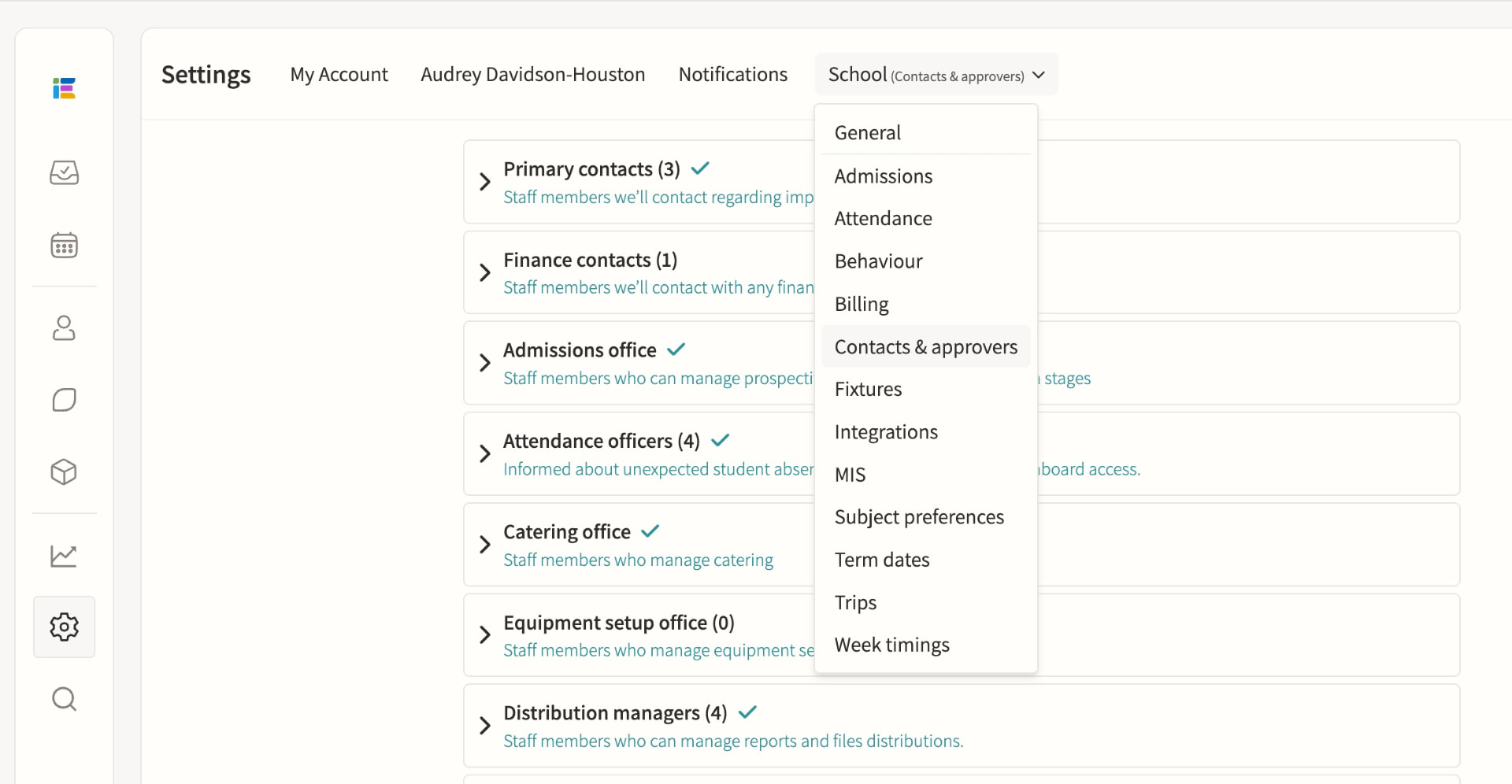
Contacts & approvers
Manage and export parent and staff contact details ready for comms and mail merge, and assign roles such as Event Approver, Message Approver and Attendance Officer. The parents list surfaces email delivery issues, parental responsibility and last login for every guardian, while special roles such as Attendance Officer, Duties Manager and Room Manager add capabilities on top of a staff member's base permission level without removing anything else.
Staff permissions
Fine-grained permissions, including special roles. Admin, Teacher and Restricted teacher levels set base access to events, calendars, students and settings, with department and division assignment narrowing what each person sees; a staff member can hold multiple special roles at once, and permission changes take effect immediately without needing to log out.
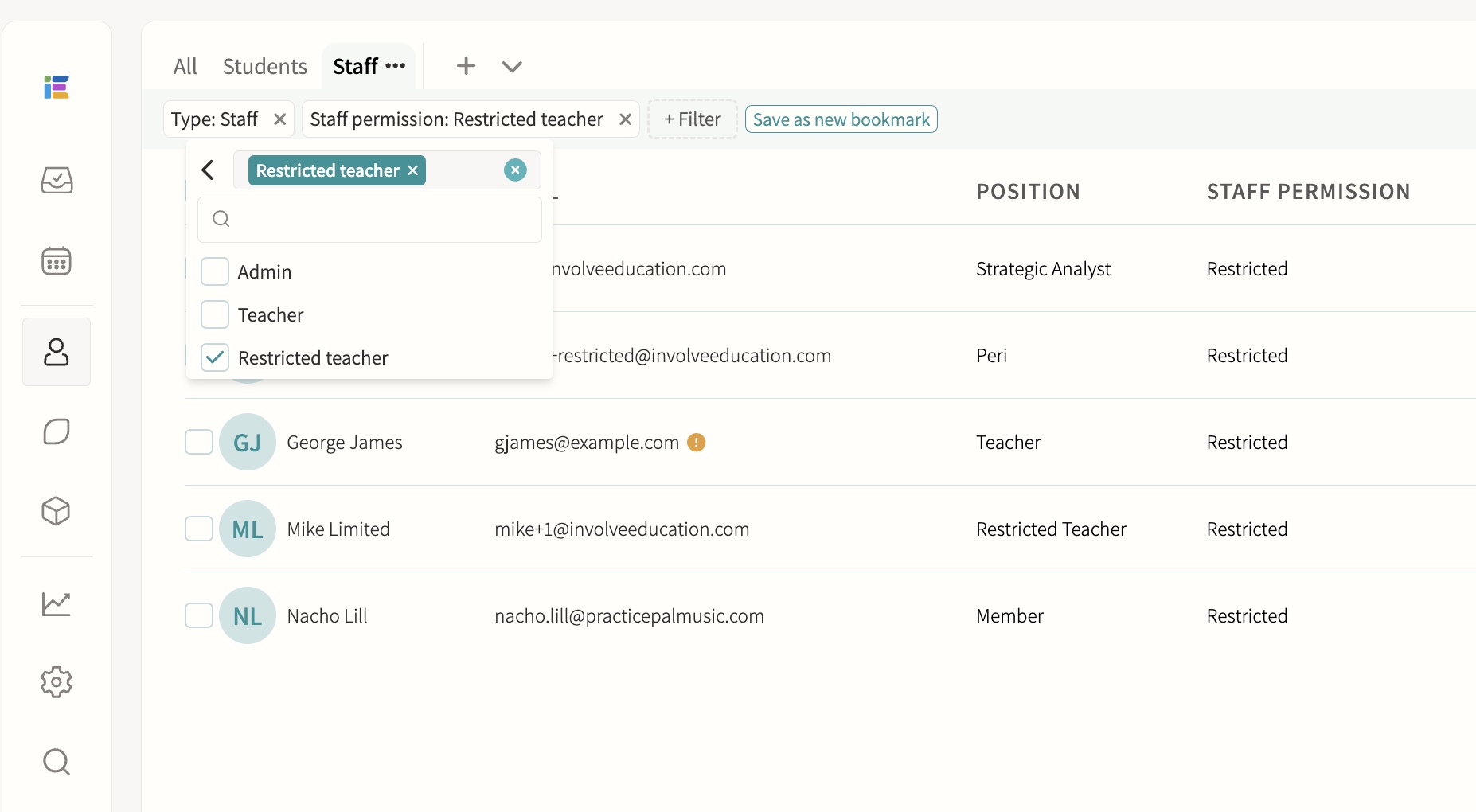
Staff users, including peripatetic/restricted teachers
Limited visibility and permissions for visiting staff. Restricted teachers can only see the groups and events where they are explicitly assigned as a teacher, with all data queries filtered automatically at that level, so they cannot browse the full student list, other staff's calendars or school-wide reports.
Account management & invites
Manage accounts and send invitations. Accounts can be created via MIS sync, manual entry or parent self-registration with a child's passcode, and support email/password, Microsoft or Google SSO; individual or bulk invitations can be sent and resent, and pending, active and inactive-email statuses are visible in the staff and student lists. Each contact record shows priority, title, relationship, phone, address and email, with a clear "Not yet registered" state and one-click options to send an invitation, send an email or trigger a notification.
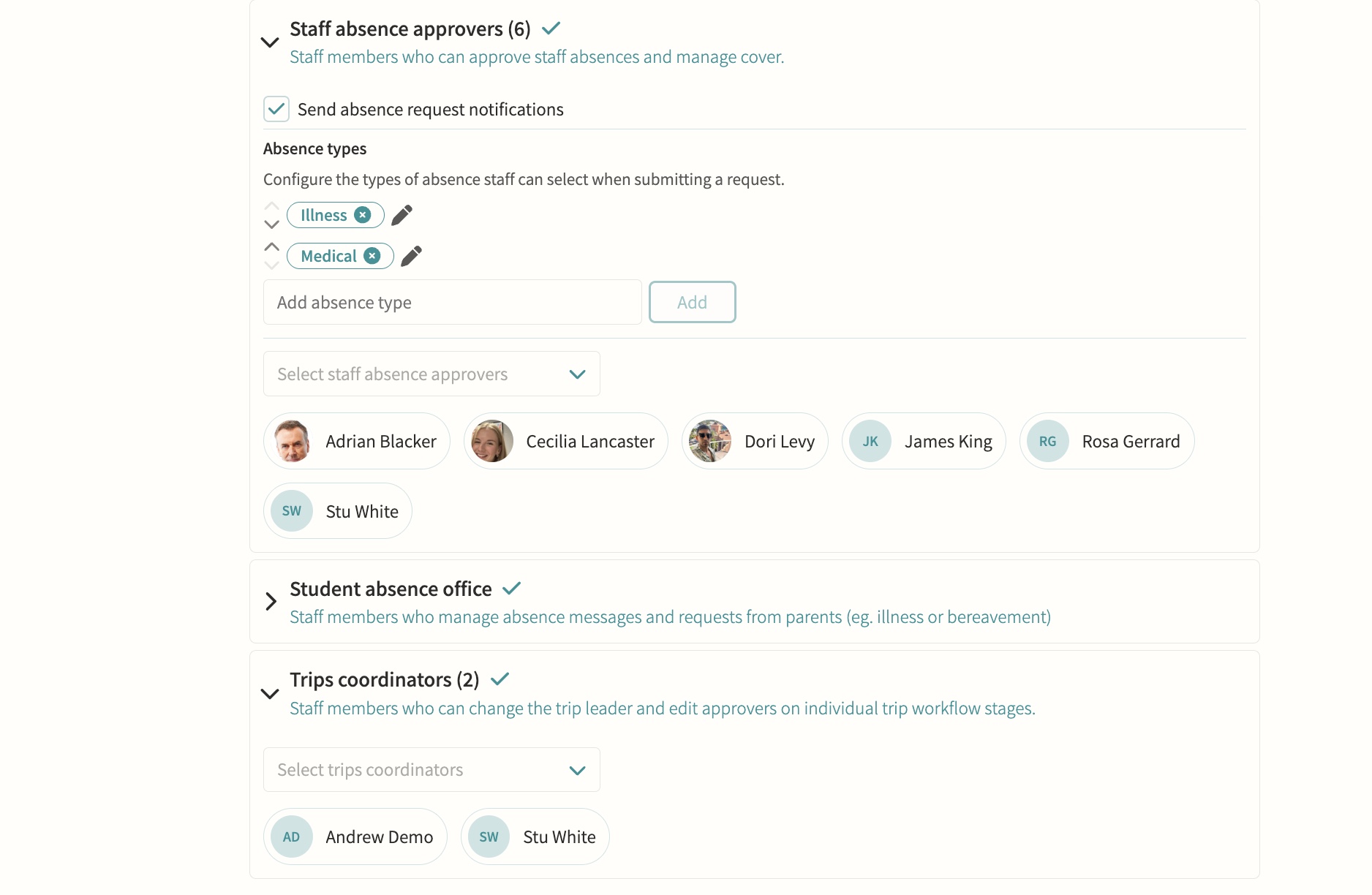
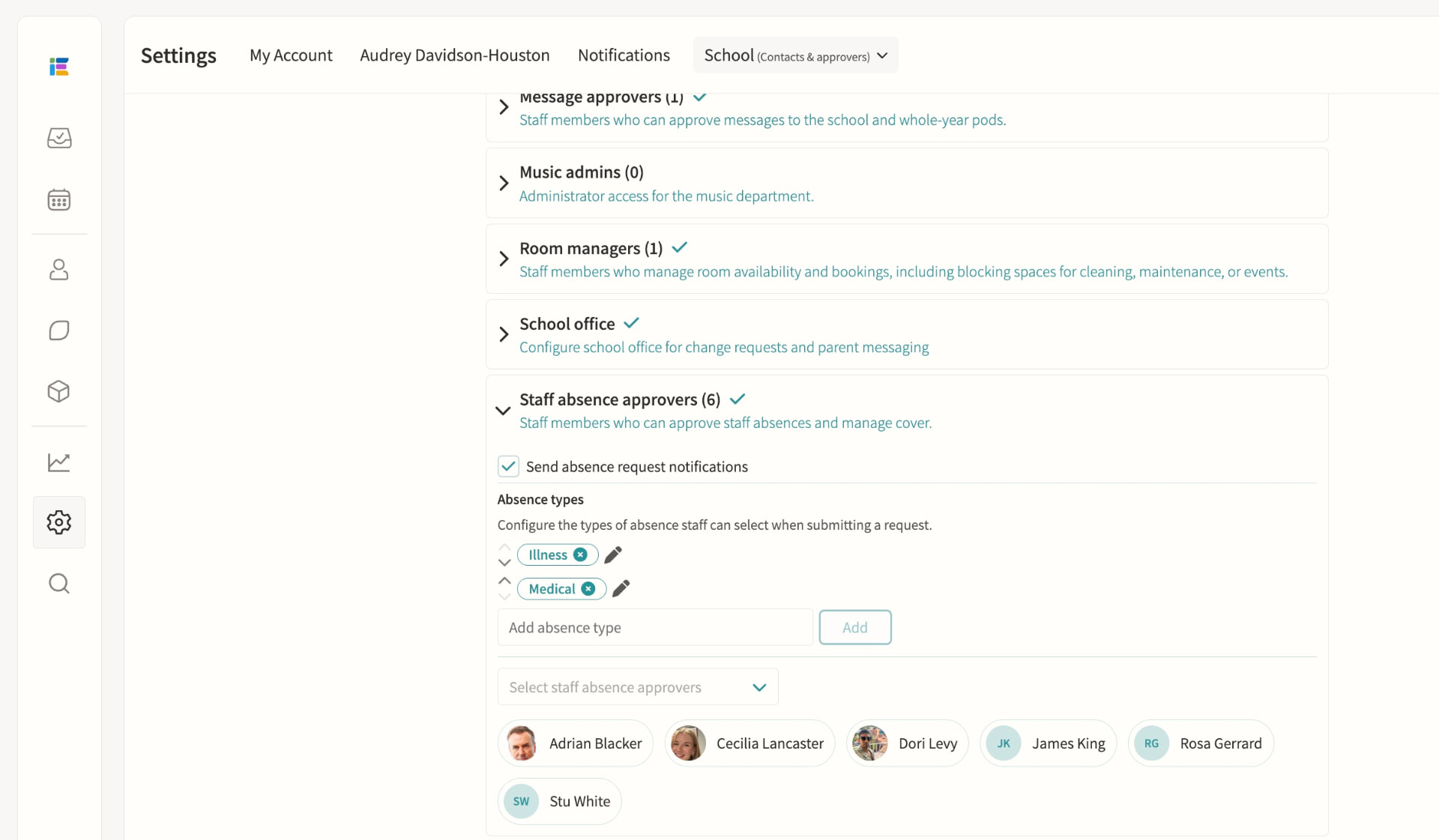
Staff absence & leave
HR and staff absence officers receive leave requests routed automatically by division, so each team only sees the cases it owns, and can approve or decline with a note and supporting documentation on the employee record. Approved absence flows straight into cover management, where cover is assigned from a ranked list showing each teacher's availability, weekly and yearly utilisation and when they last covered.
Admissions
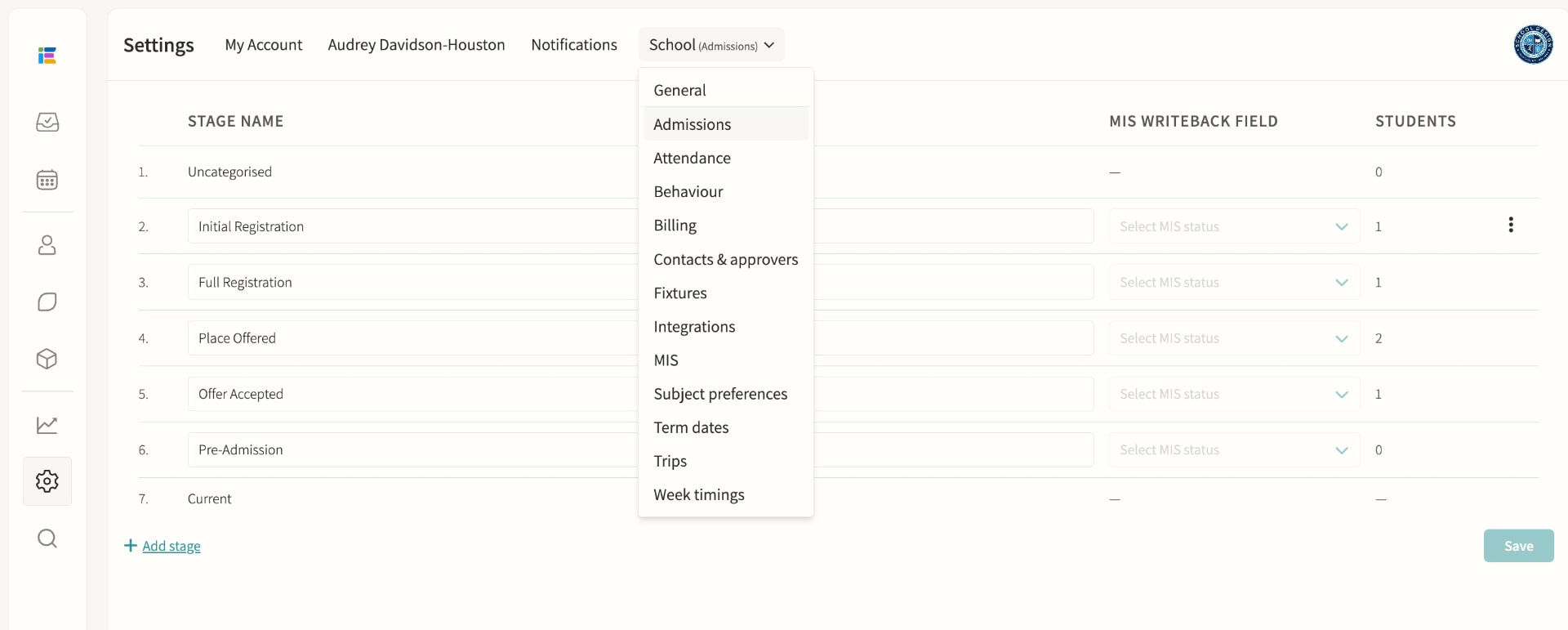
Manage the admissions process. Schools configure their own custom stages, each with an optional MIS writeback mapping, attached forms and a personalised email using merge fields; a public admissions form captures enquiries without a login, and iSAMS schools can sync prospective students and write status changes back to their MIS automatically.
Audit logs
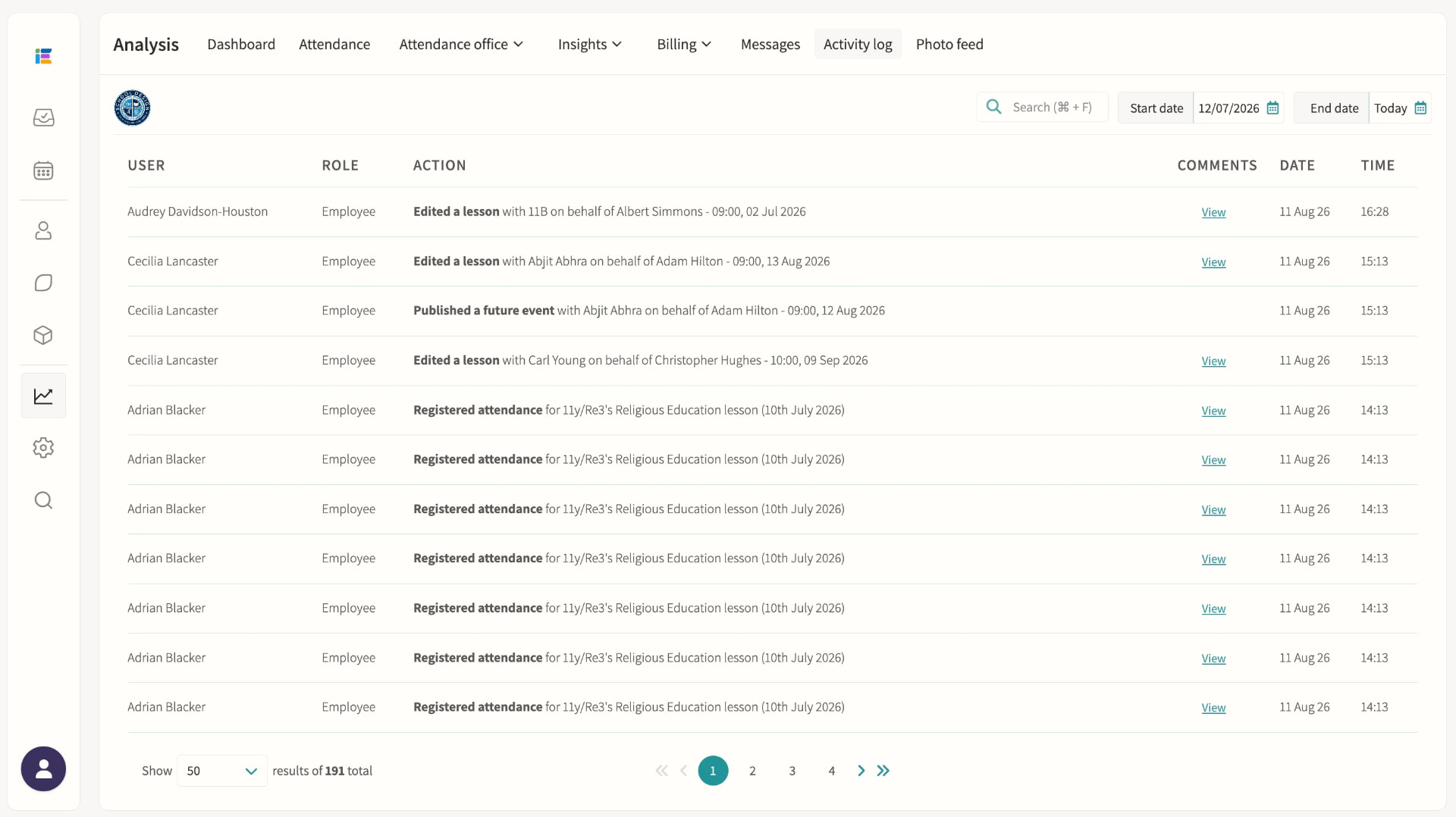
Attendance changes, messaging and approvals logged for accountability. The activity log records who did what and when, including lesson edits, attendance changes and group membership changes, with before-and-after detail available for many entries and filtering by date range or keyword search.
02 — Feature area
Attendance & safeguarding
Registration in seconds, live dashboards and automatic alerts, and the pastoral record that sits behind it.
Attendance data is only useful if it is complete and fast to record. Involve captures it live and puts the safeguarding context beside it, with strict need-to-know access.
Registration
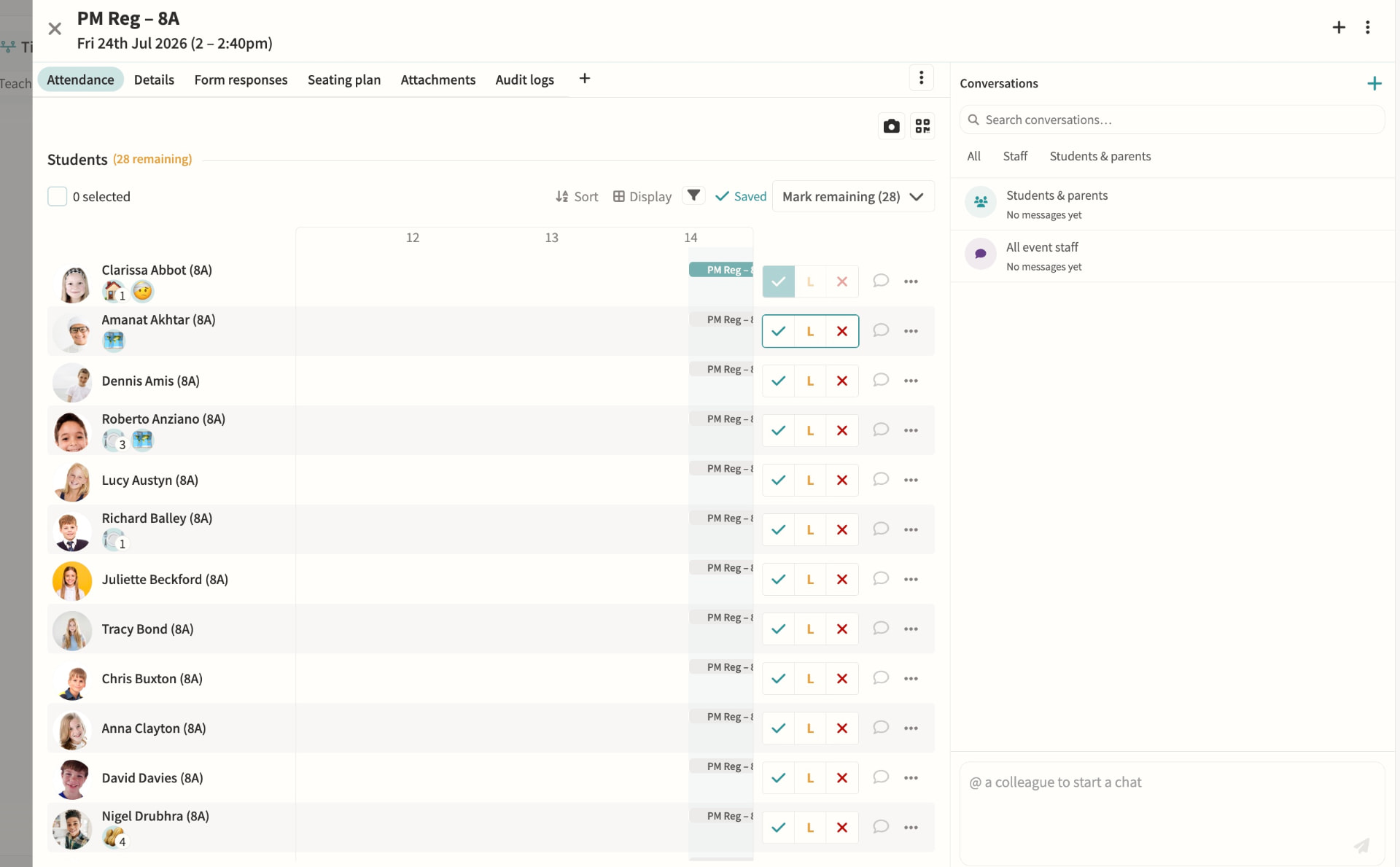
Teachers mark present, late or absent with a single tap or keyboard shortcut, with movements tracked as students arrive or leave mid-lesson and dismissal recorded for clubs, fixtures and performances. Marks sync back to your MIS automatically, while attendance officers can override codes and dashboards flag overdue registers and unaccounted students in real time.
Attendance dashboards & monitoring
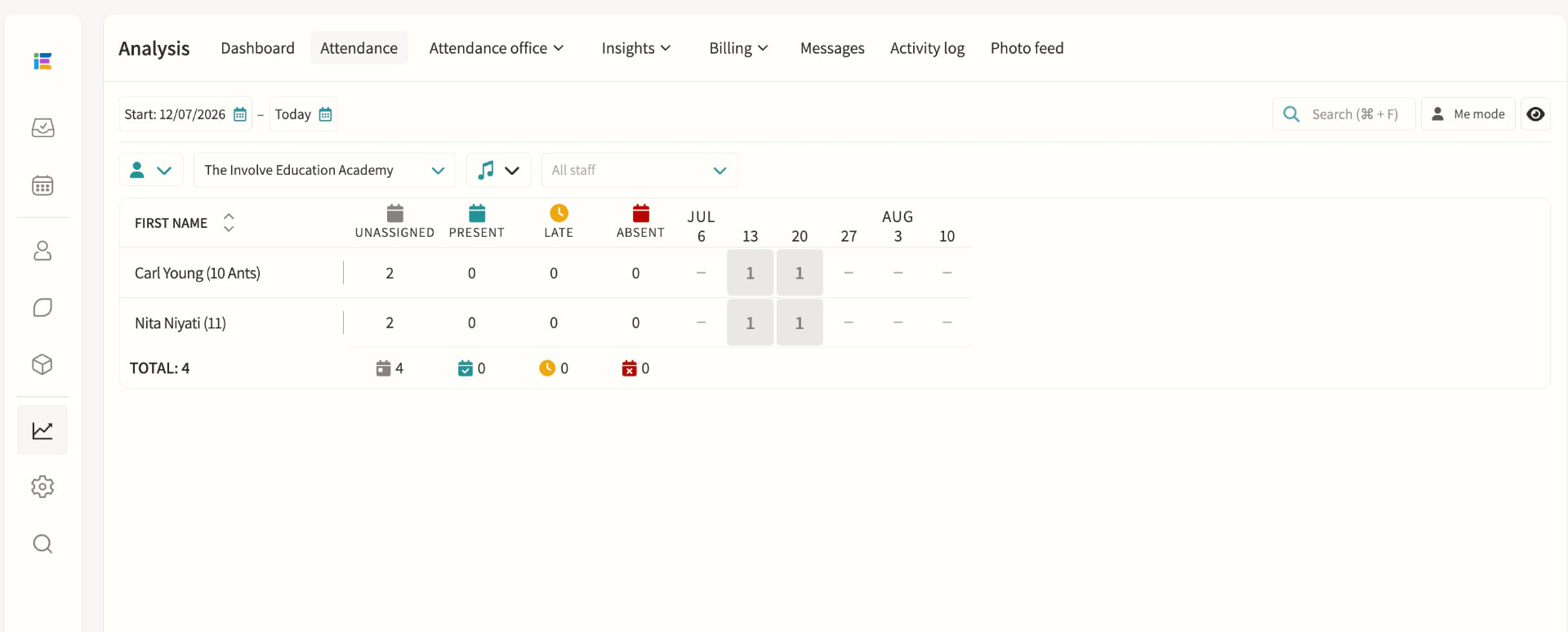
Attendance officers get a single view of incomplete registers, unaccounted students and unexplained absences, colour-coded by urgency and updating live through the school day. Filters by year group, house, session and attendance code make it quick to spot patterns, resolve a mark or message affected parents directly from the dashboard.
Student absence
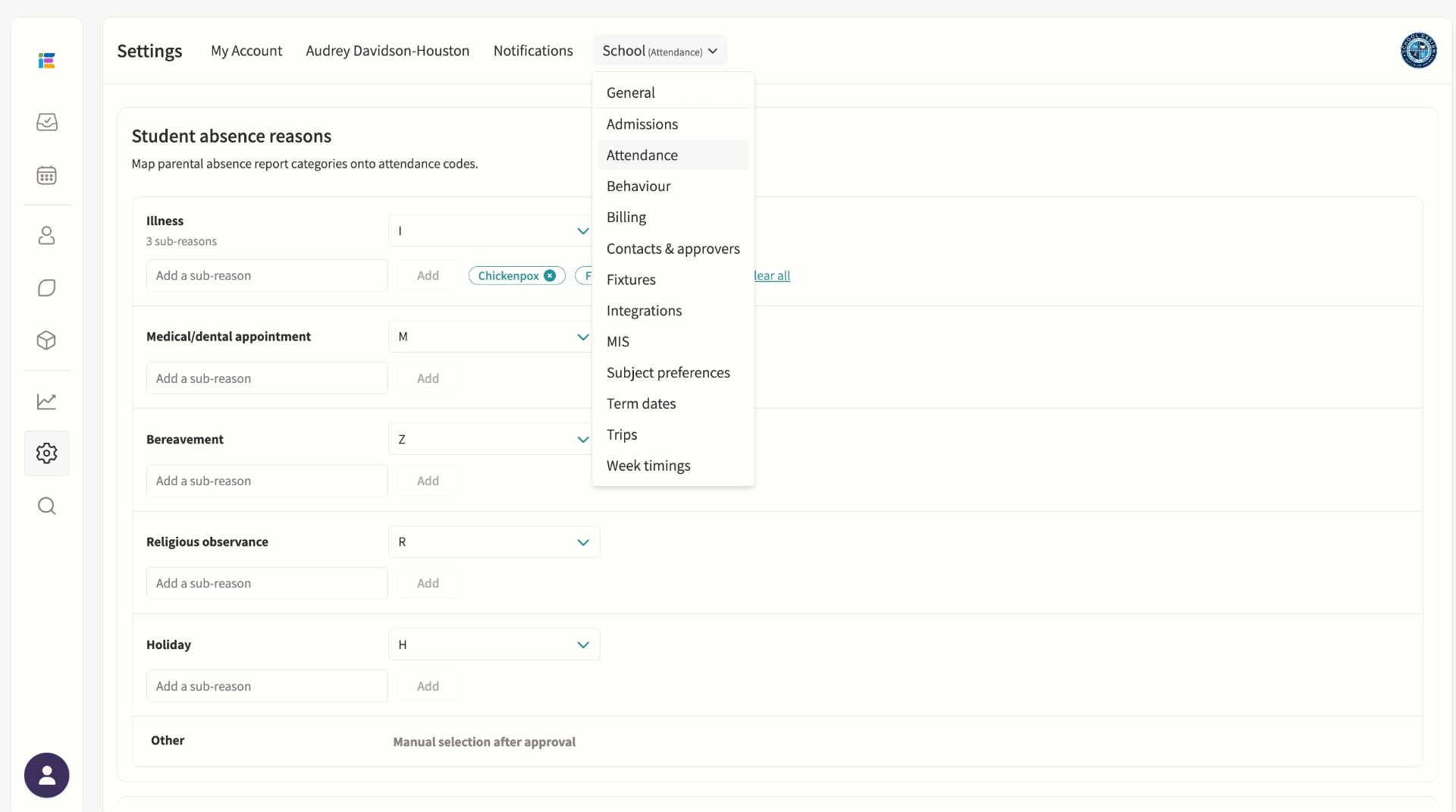
Parents submit absence requests with a reason and optional subcategory, which staff on the absence pod can approve or decline with a note sent straight back to the family. Once published, the absence writes the correct attendance code to every overlapping lesson and register, including recurring patterns for known ongoing appointments.
Staff absence & cover management
Staff submit leave requests for approval by staff absence officers, who are automatically routed by division so each team only sees relevant cases. Once approved, cover can be assigned from a ranked list showing each teacher's availability, weekly and yearly utilisation and when they last covered, including split cover across time segments for longer events.
Tag pods, including SEND
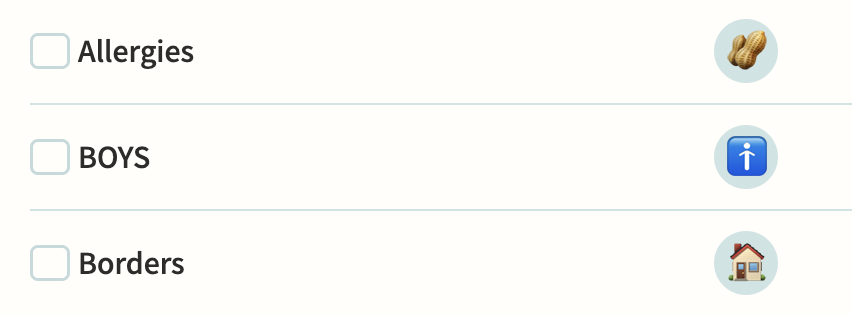
Tag pods flag shared attributes such as SEND, EAL or Pupil Premium, some synced automatically from your MIS, and can carry multiple attributes with their own levels and note history. Enable "Show in registers" so teachers see the relevant tags beside each student, and use tags to control eligibility for clubs or to target notifications to form tutors and heads of year.
Behaviour
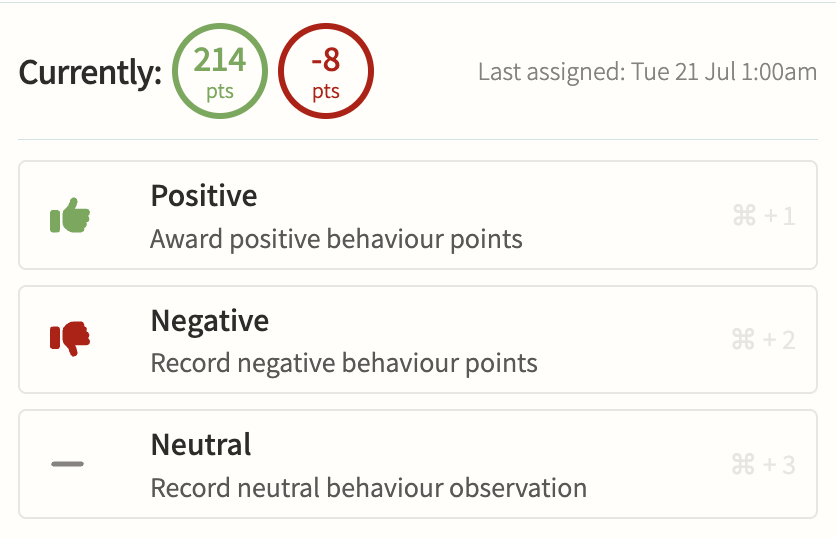
Record positive, negative and neutral behaviour points against a tag, score and optional note, with internal-only tags kept hidden from parents while still alerting safeguarding staff instantly when a serious tag is used. Points can trigger threshold alerts, link straight to a detention, and roll up into per-student and per-group reports for spotting patterns over a term.
Detentions
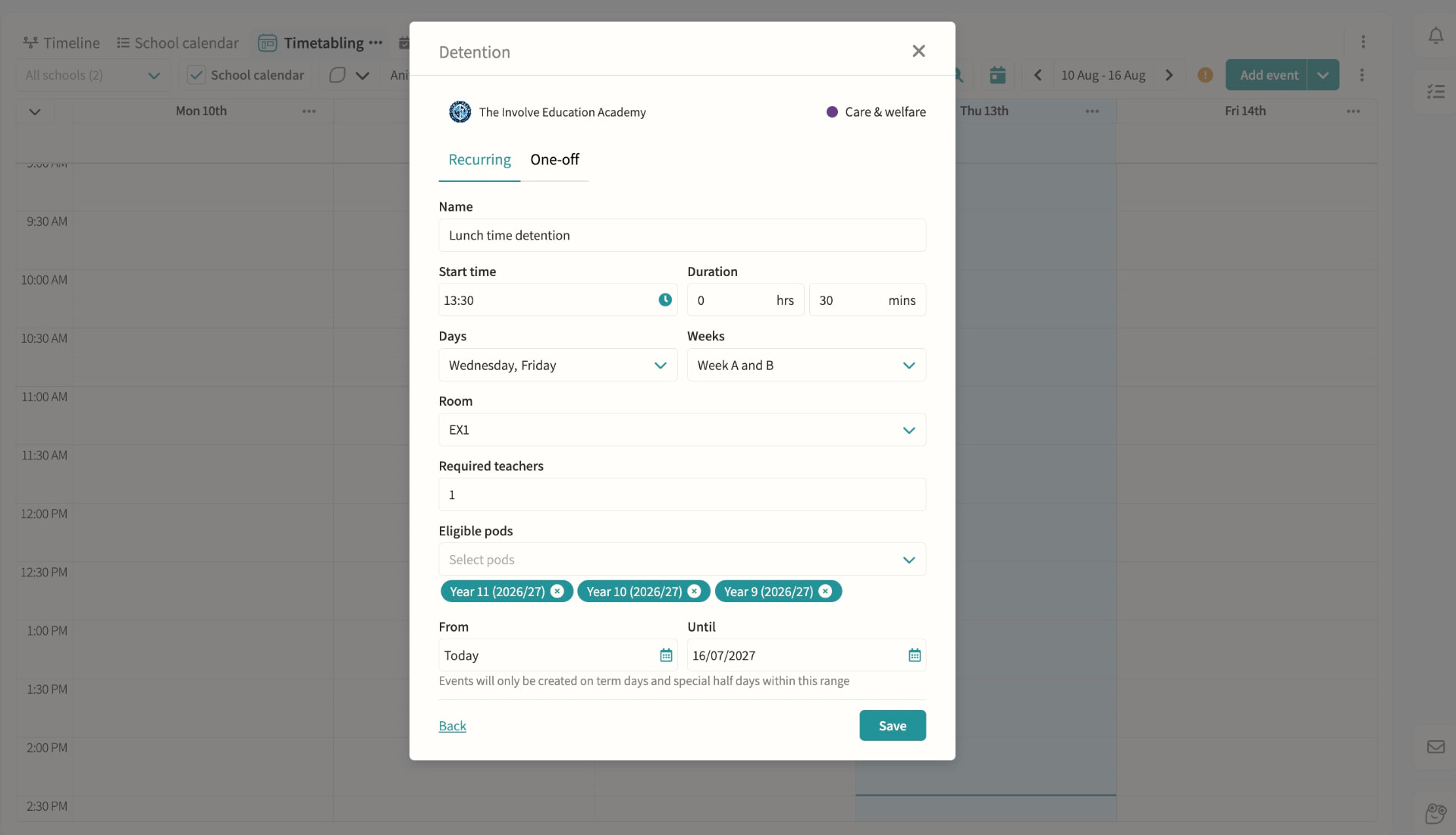
Create recurring or one-off detentions with a room and supervising staff, then add students manually, by pod, or straight from a behaviour record with automatic clash checking against their other commitments. Parents and students are notified with the reason, and attendance at the detention itself is tracked alongside cover if the supervisor is unavailable.
On-call requests
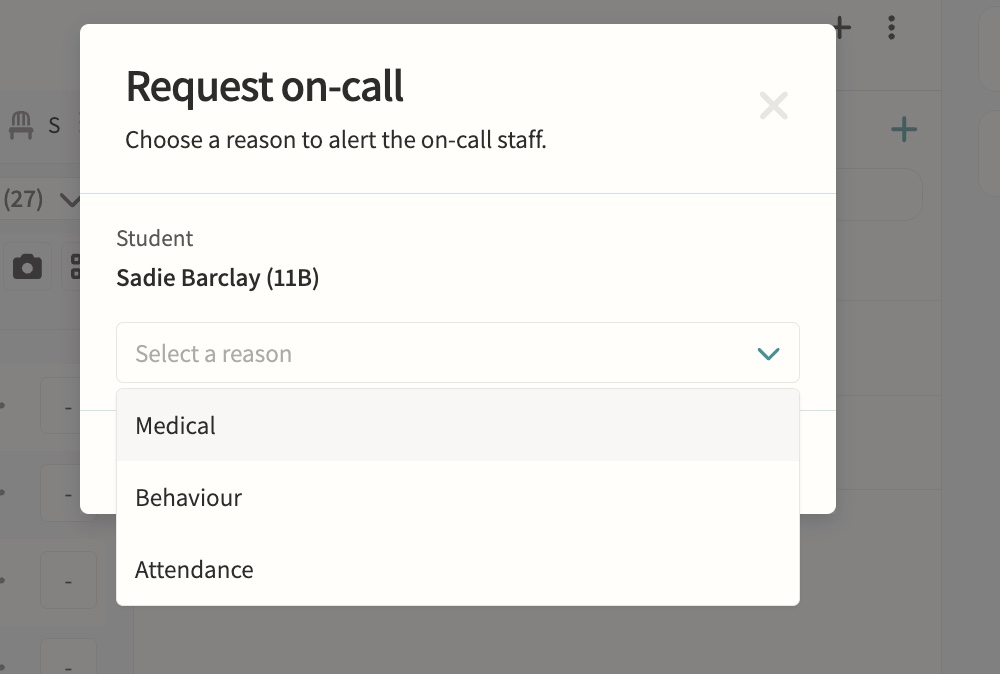
Teachers request medical, behaviour or attendance support during lessons directly from the register or seating plan.
Fire alarms
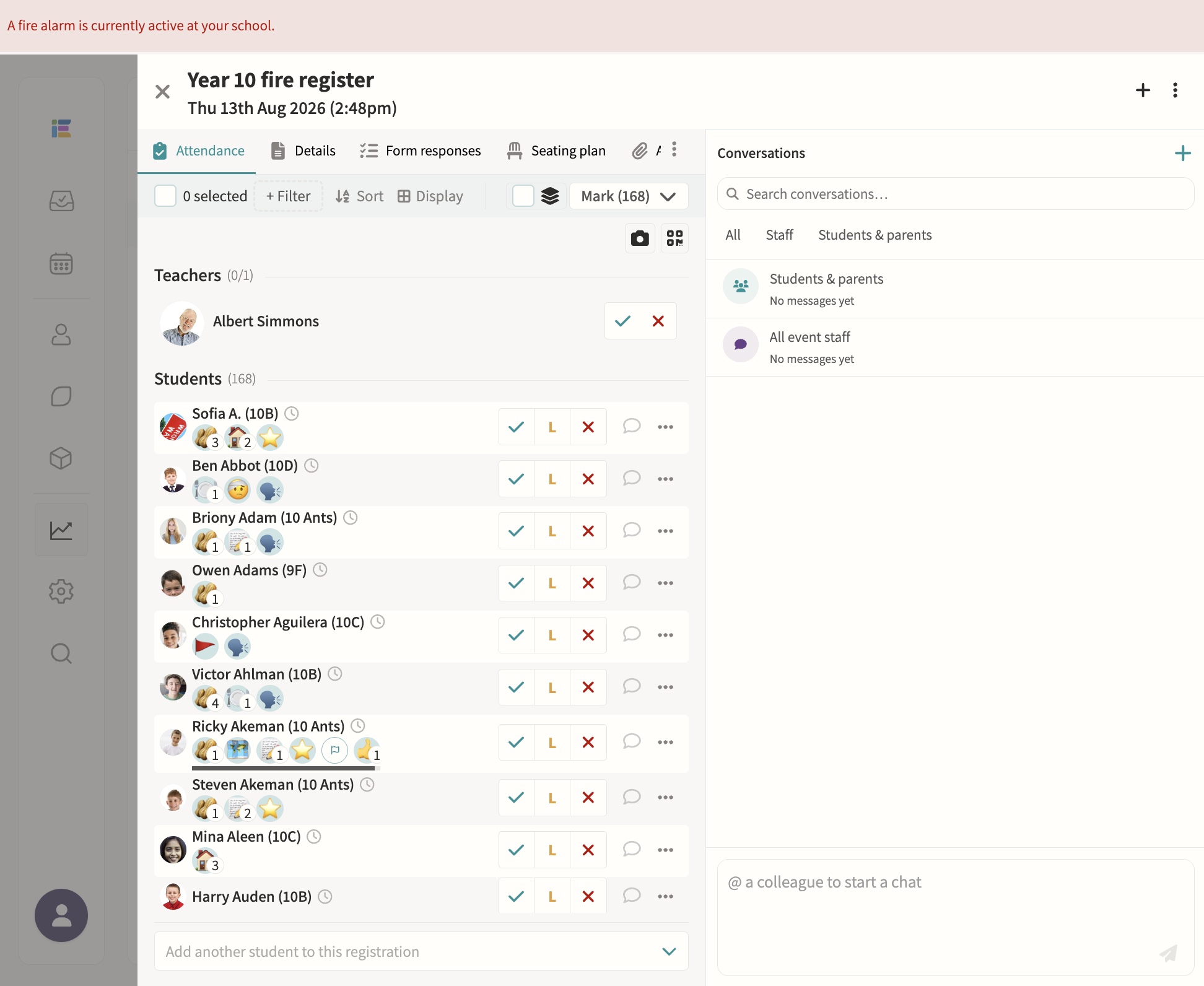
Starting a fire alarm bulk-creates roll-call registers for every pod and notifies the assigned teachers instantly, with a live dashboard showing who's present, absent or off-site, refreshing automatically until the register is complete. Blank registers can be printed at any time for backup, and every past alarm is kept with full completion times for review.
Safeguarding record keeping
Secure notes and records with access controls.
03 — Feature area
Communication & parent engagement
Messaging, bulletins, consent forms and a parent portal that keeps every conversation on the record.
Parents get one home for everything; staff get one outbox with an audit trail.
Communications
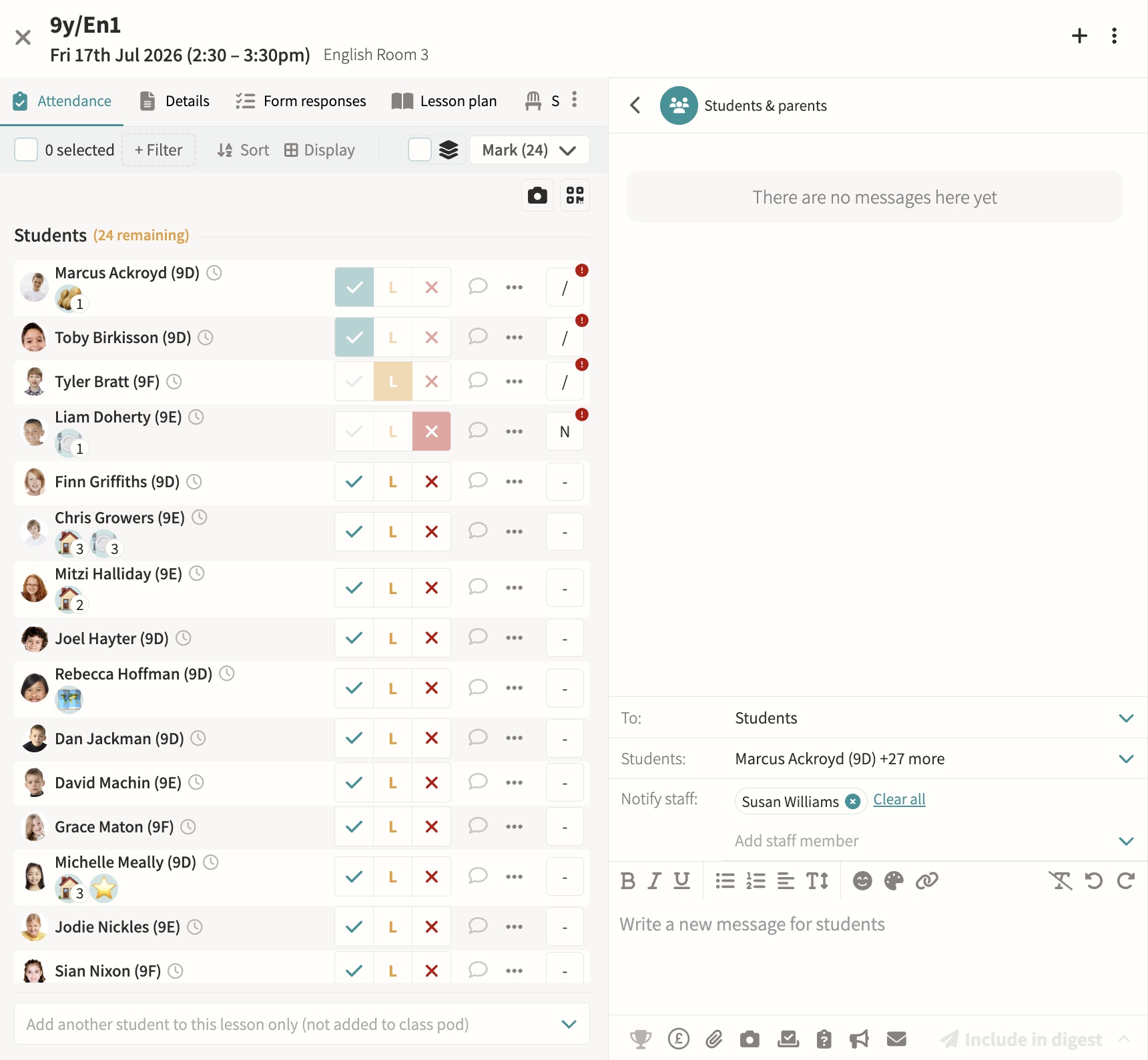
Direct or bulk teacher-to-parent and teacher-to-student messaging, kept on record, with parent bulletins, automated notifications and alerts, parent messaging offices, secure media and report sharing, consent forms, divisions for multi-division schools, and handbooks for staff, student and parent audiences. Every message is threaded, trackable per recipient, and can be scheduled in advance or bundled into a daily digest so parents get one email rather than a flood, with an option to switch off replies once a message has said what it needs to.
Parents' evenings & meetings
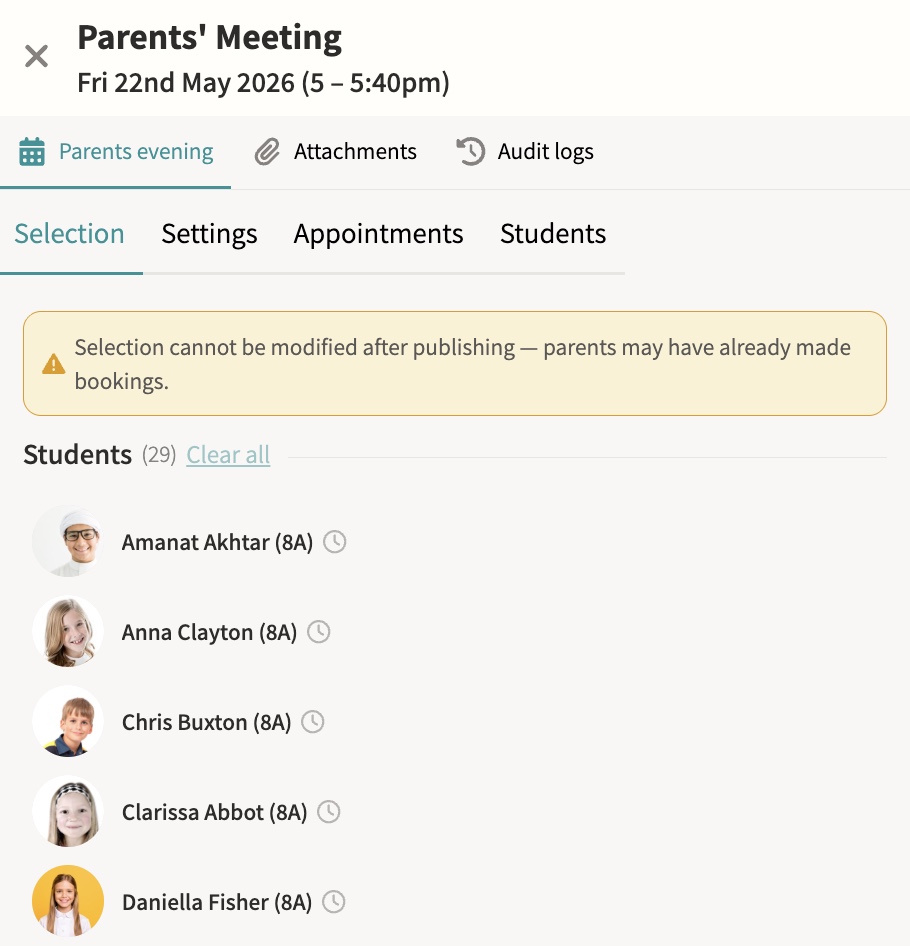
Schedule and manage meetings, with booking via shareable links. Meetings can run online, in person or as a hybrid of both, with back-to-back appointment slots, automatic reminders to parents who have not yet booked, and a travel gap on in-person days so a parent moving between several teachers is never double-booked.
Parent app / portal
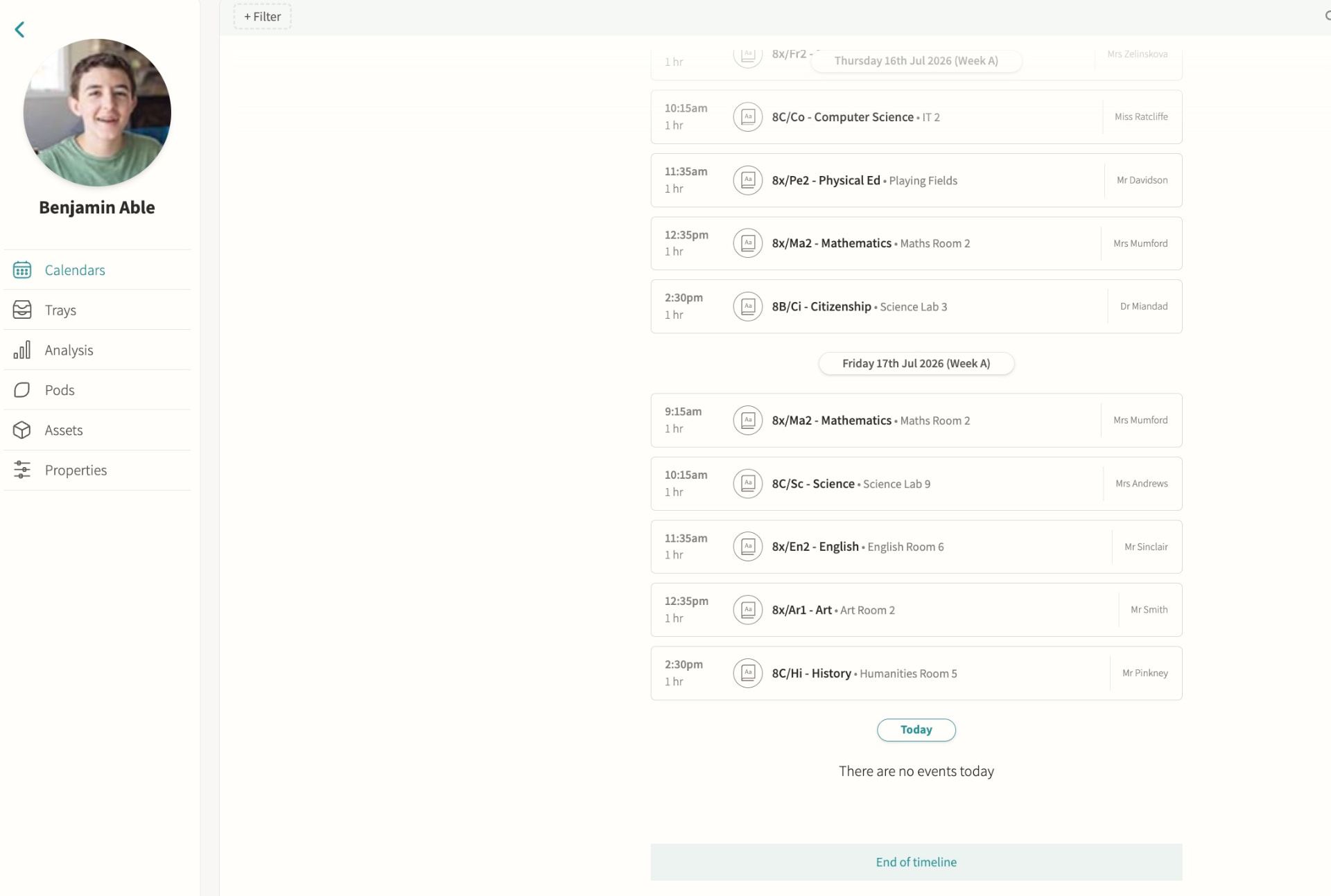
Calendars, attendance, reports and messages in one place, so a parent with several children at the school sees everything for every child without switching accounts or logging in separately for each one.
Staff chat
Internal staff-to-staff messaging, scoped to the event, pod or student it concerns rather than a single generic inbox, so a conversation about a trip, a class or a student stays attached to that context and any colleague who needs it can find it later.
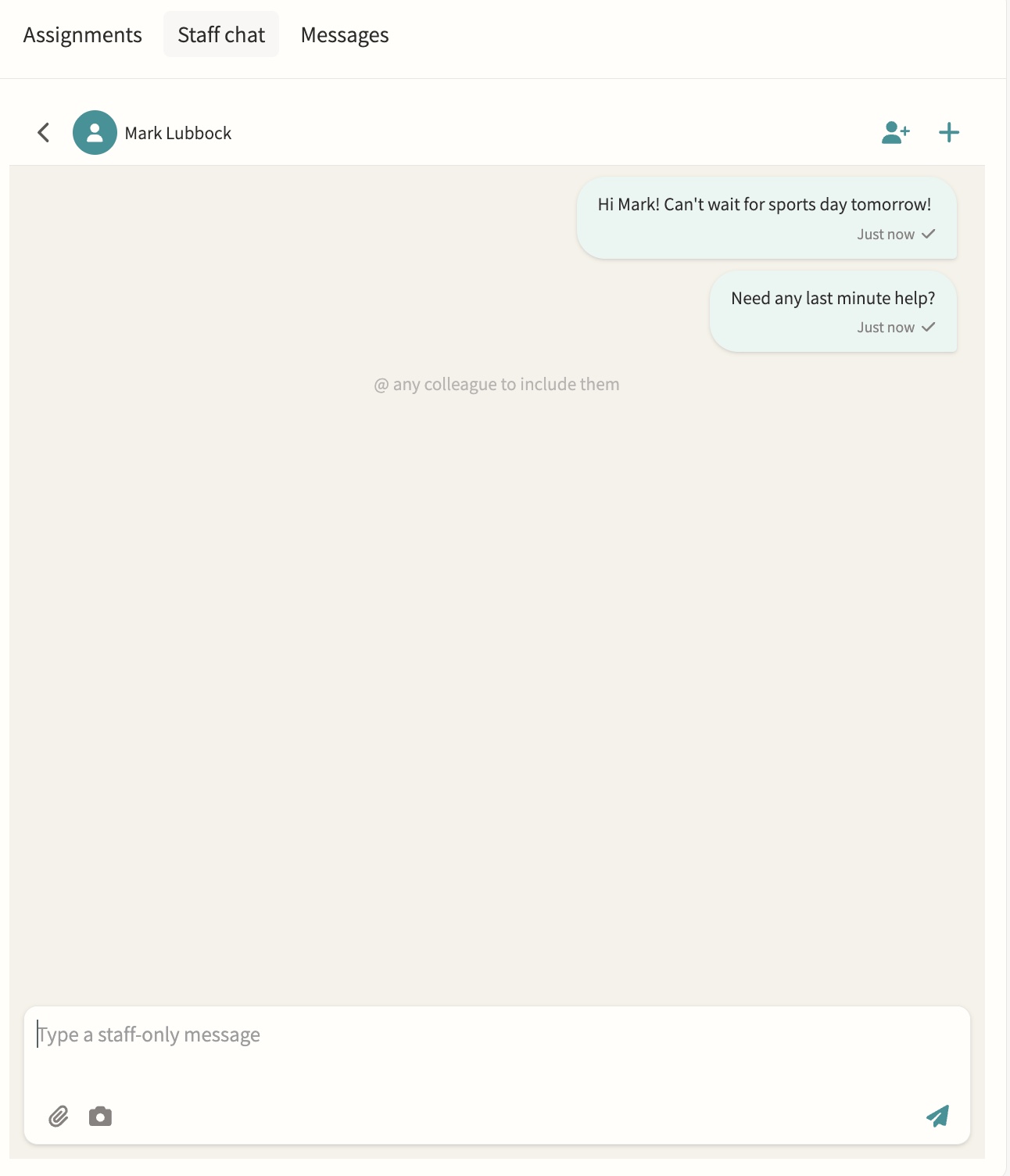
Photo feed
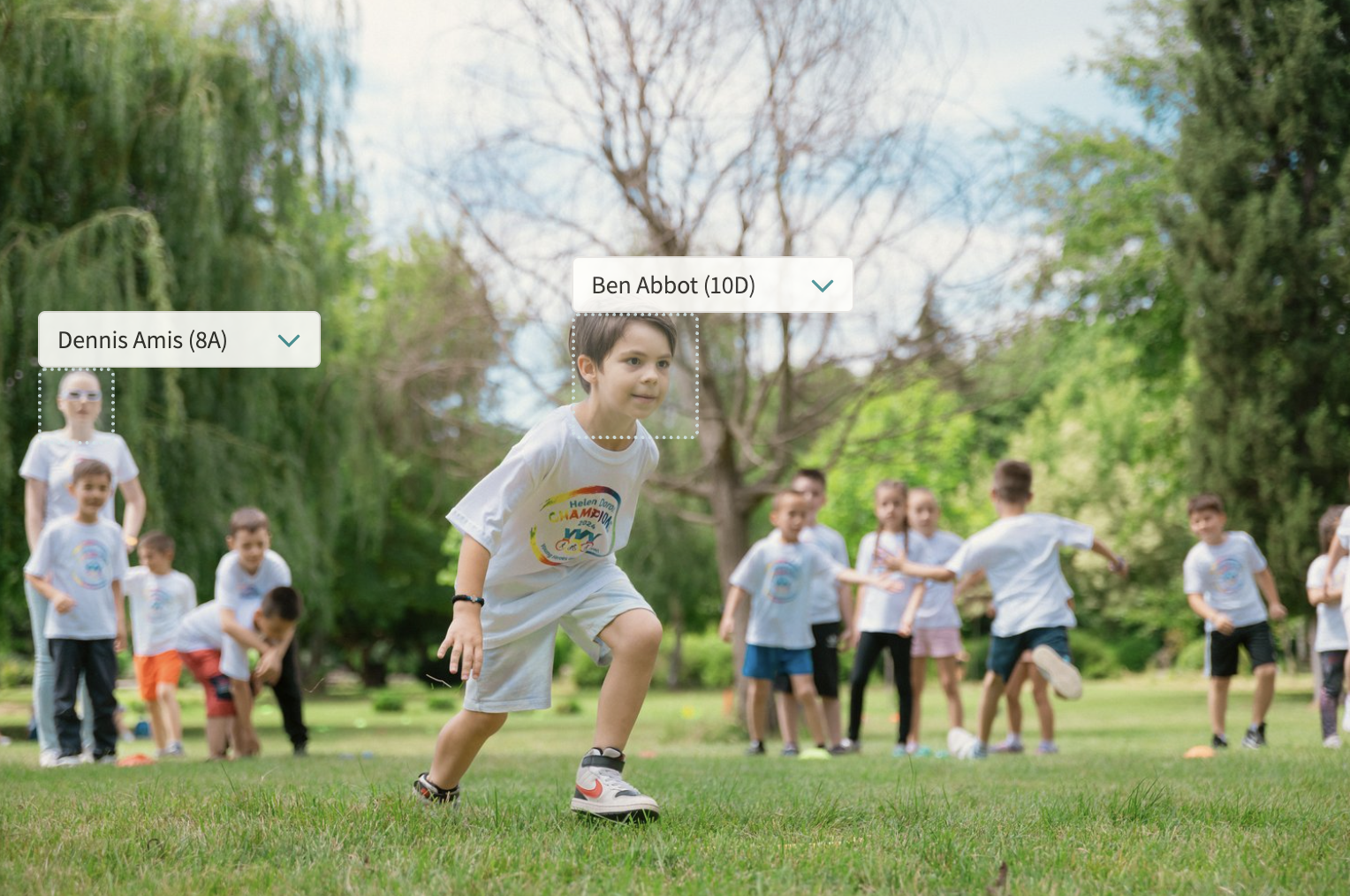
A shared feed for the school community, pulling together every photo uploaded to event notes with automatic face detection so students can be tagged quickly, and consent filters that only surface images for internal or marketing use once every tagged student's photo permission allows it.
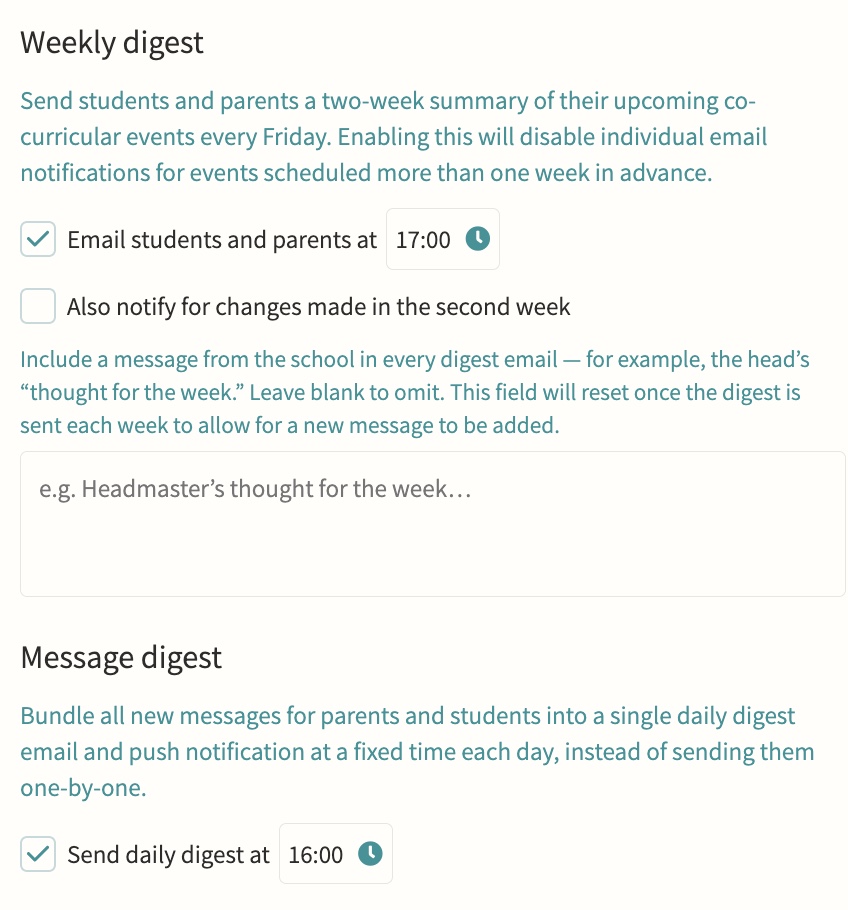
Digest emails
Automated clash and event digests showing what's coming, what clashes and who is leaving class, sent to staff on a schedule so a form tutor or head of year can see at a glance which of their students have an overlapping activity or are due out of a lesson, without checking every calendar individually.
04 — Feature area
Integrations
Direct, maintained connections to your MIS, sports and finance systems so data arrives once and stays right.
Involve sits on top of the systems you already run. Sync is two-way where it matters and audited throughout, configured in School Settings rather than a consultancy project.
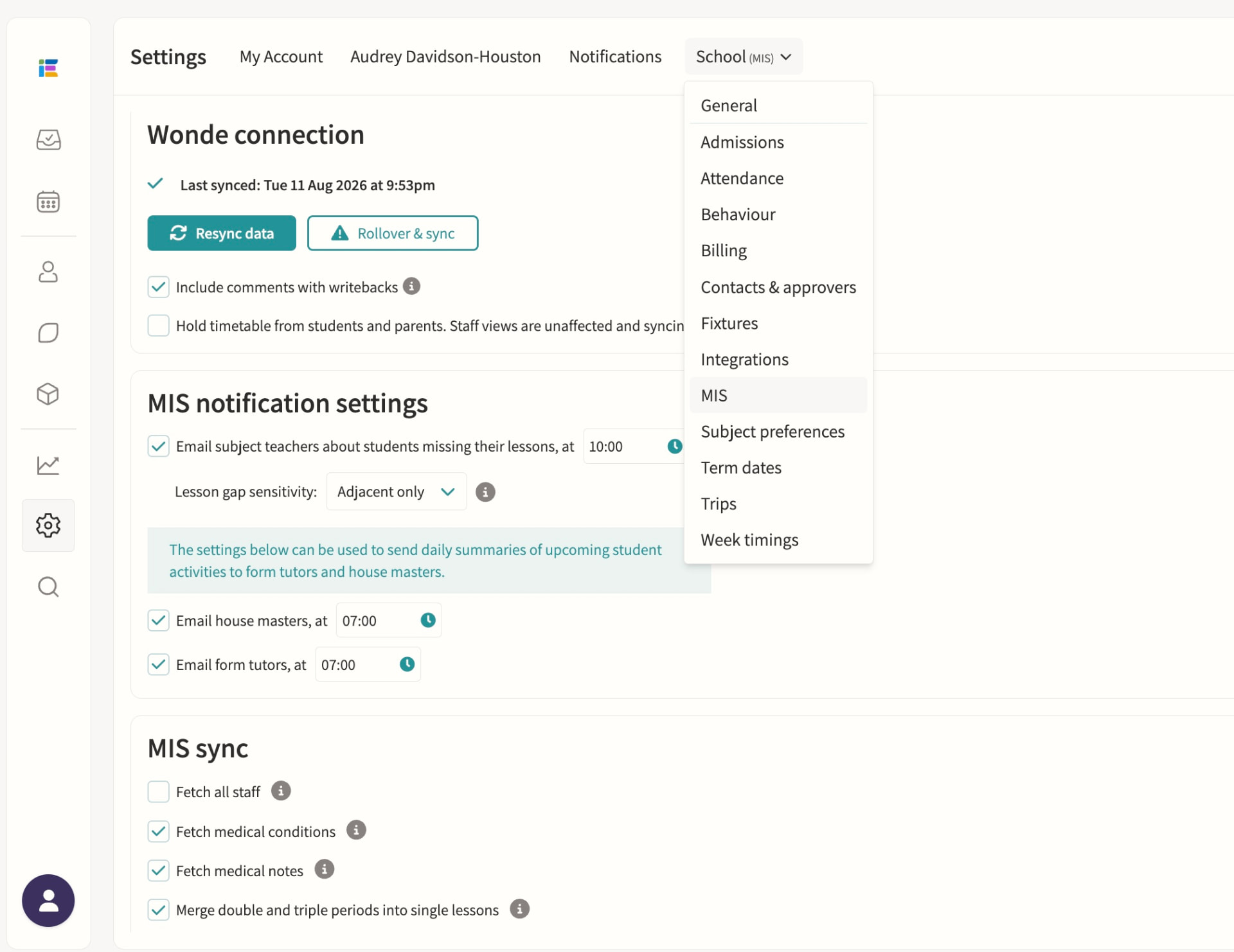
MIS integration
Direct integrations with iSAMS, Arbor, Bromcom and Wonde for syncing classes, students, staff, attendance, exams and reports. Wonde-connected schools get a daily overnight sync of students, staff, classes, timetables, groups and photos, with a manual resync available and academic-year rollover handled from School Settings; iSAMS, Arbor and Bromcom direct integrations add real-time attendance writeback so co-curricular attendance reaches the MIS without a second entry.
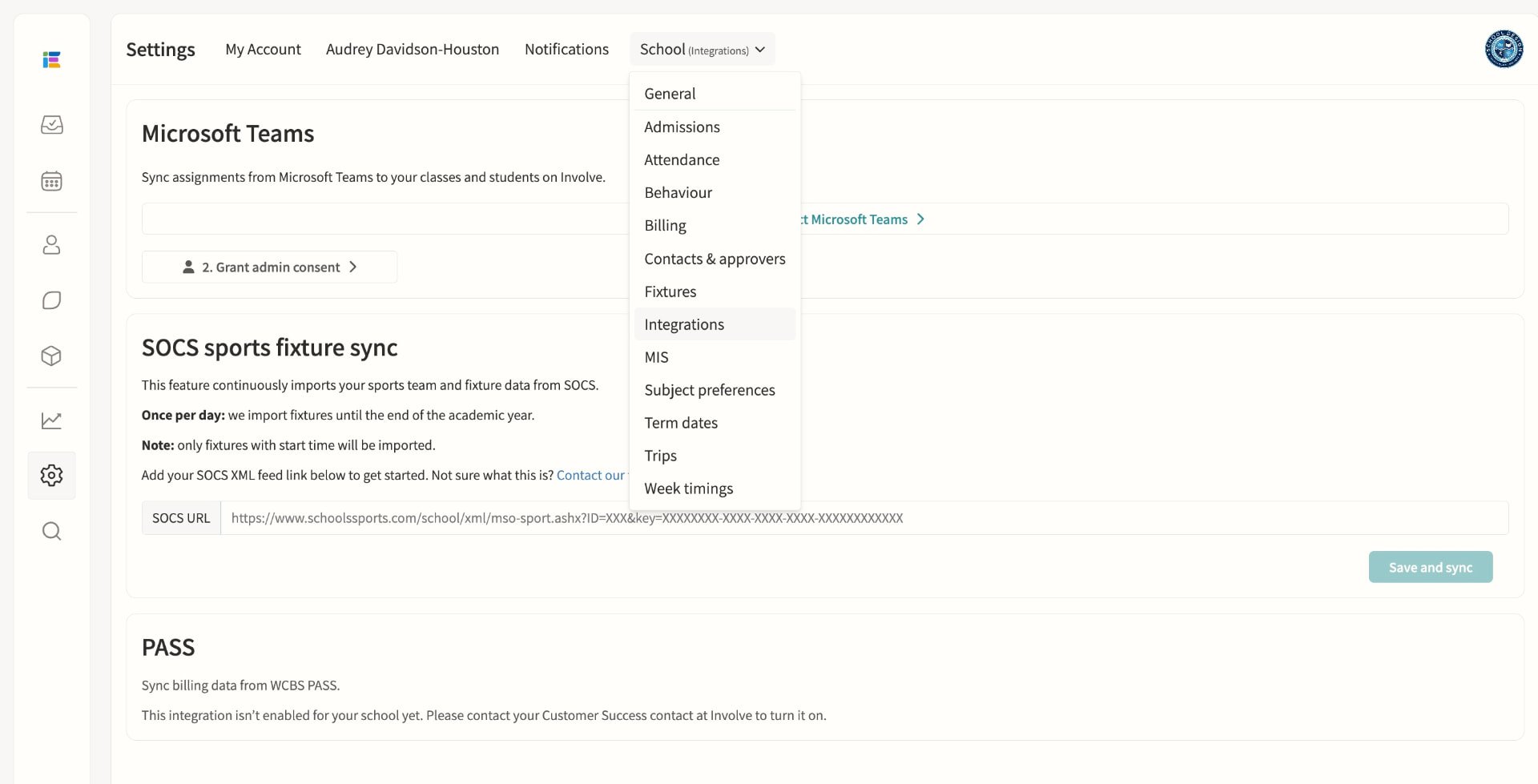
SOCS integration
Sports fixtures integration for opposition, venue and student list sync. Fixtures import automatically once a day for the rest of the academic year, matching teams, students and venues by ID and name; School Portal schools keep control of displayed timings in Involve while auto-updating date, location, result and team sheet, and teachers are notified whenever SOCS flags a change that needs review.
Billing integration (PASS/WCBS)
Syncs billing data from WCBS PASS. Monthly bill documents are collected automatically and grouped into one file distribution per month, each bill matched to a student by MIS identifier and shared only with the parents whose recorded email addresses match, ready for an administrator to publish once reviewed. If the integration is not enabled for your school, staff see a clear in-product message to contact their Customer Success contact at Involve to turn it on.
05 — Feature area
Scheduling & timetabling
Timetables, rotations, rooms, duties and one-off variations built on one grouping model with clash detection throughout.
Everything that occupies a person, a room or an hour lives in the same schedule, so clashes surface before they become someone's morning.
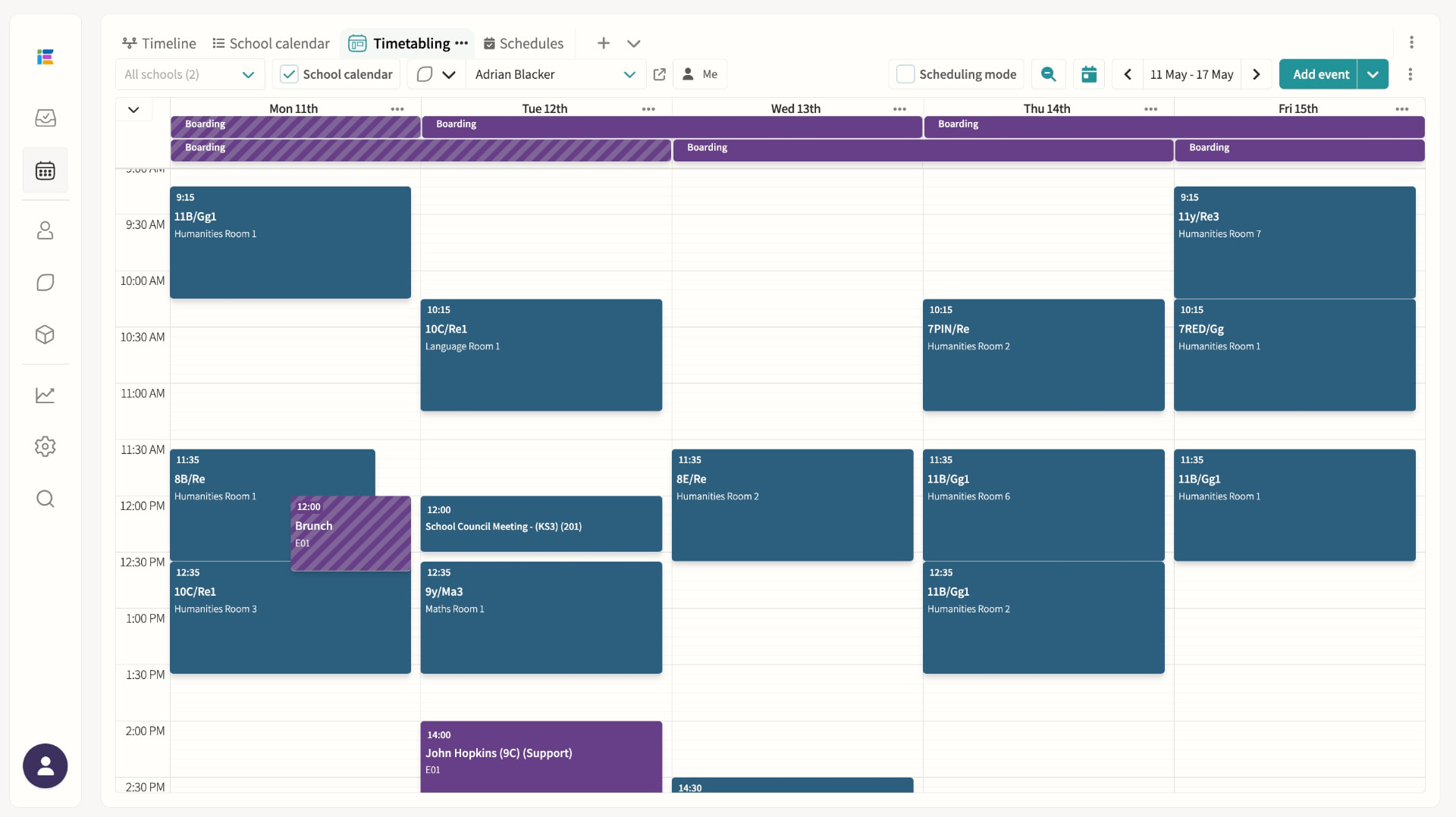
Timetables (MIS-synced)
Lessons, recurring events and clash detection in one place.
School calendar events / public calendar
Publish events for staff, students and parents, and share any saved calendar view — agenda, week, month or grid — as a read-only public link that anyone can open without logging in, always showing today automatically. Student and staff names on the public page follow your chosen name formats to protect privacy, and access can be switched off or the link reset at any time.
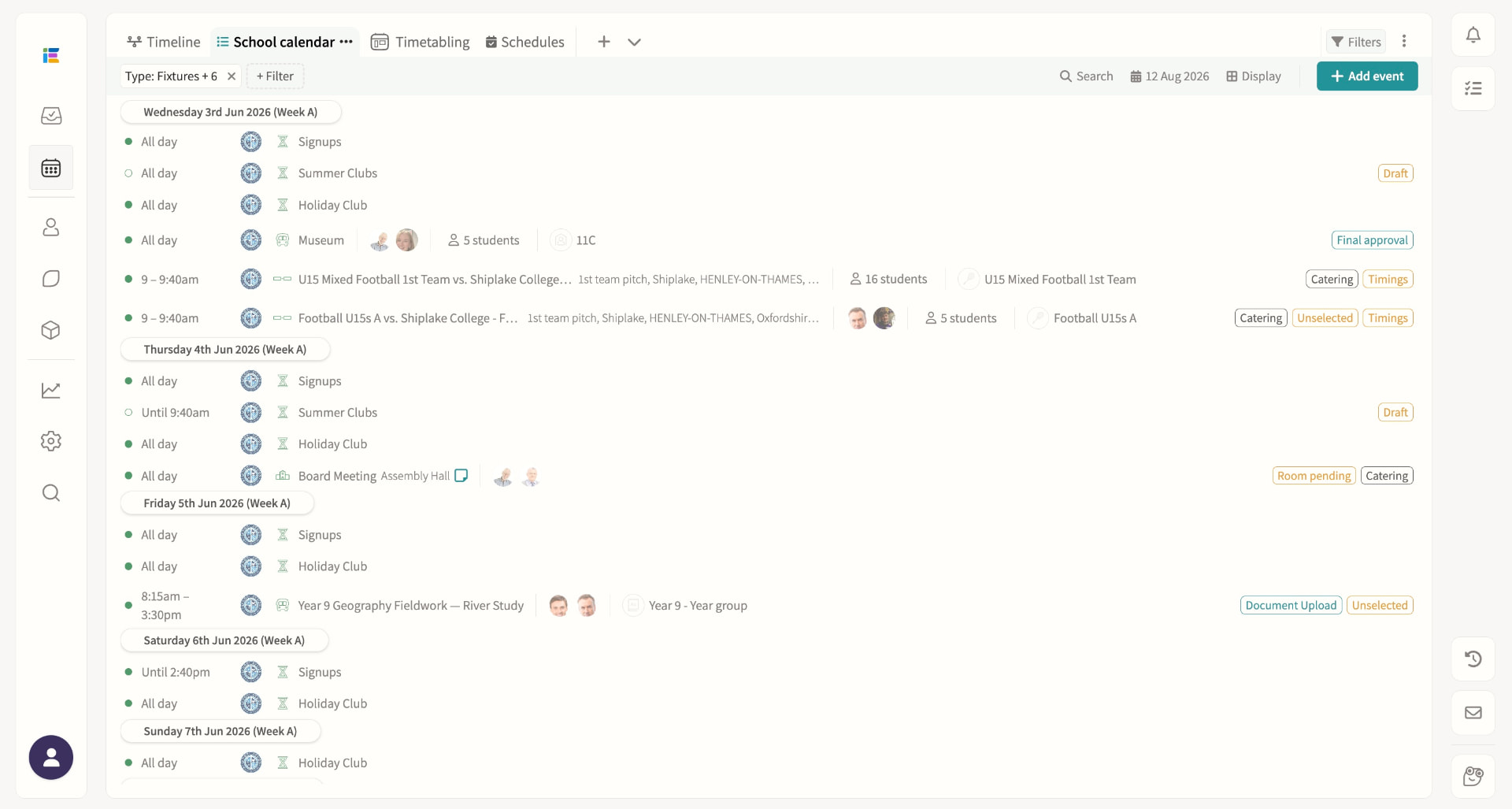
Room booking
Reserve a room for maintenance, exams or any period without an activity attached, spanning single days or multi-week ranges, with a "Whole school" flag for exam periods. If existing events already occupy the room, administrators and room managers can review every affected item and move each one to an alternative room in a single re-rooming pass, with clash overrides recorded in the event history.
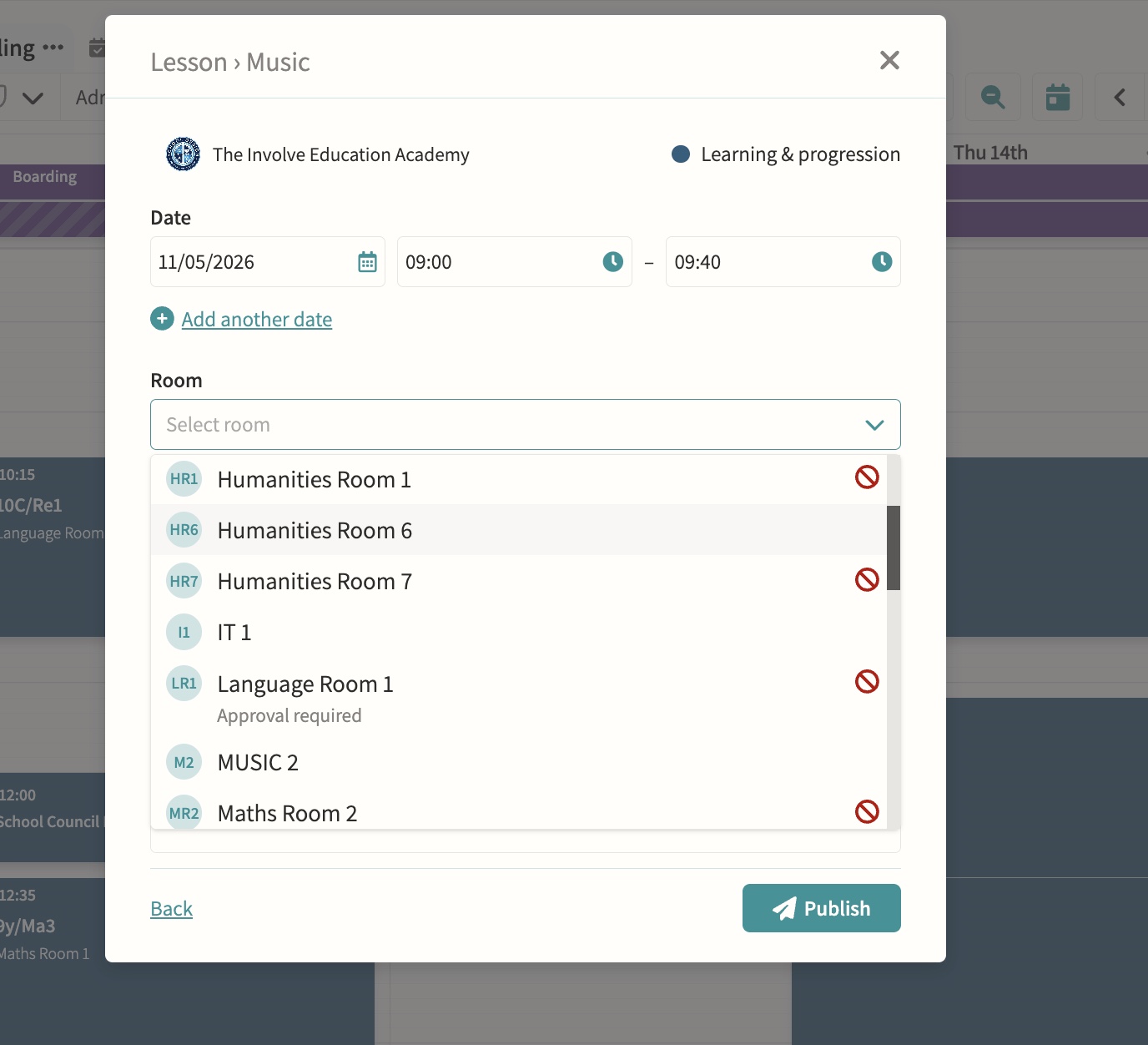
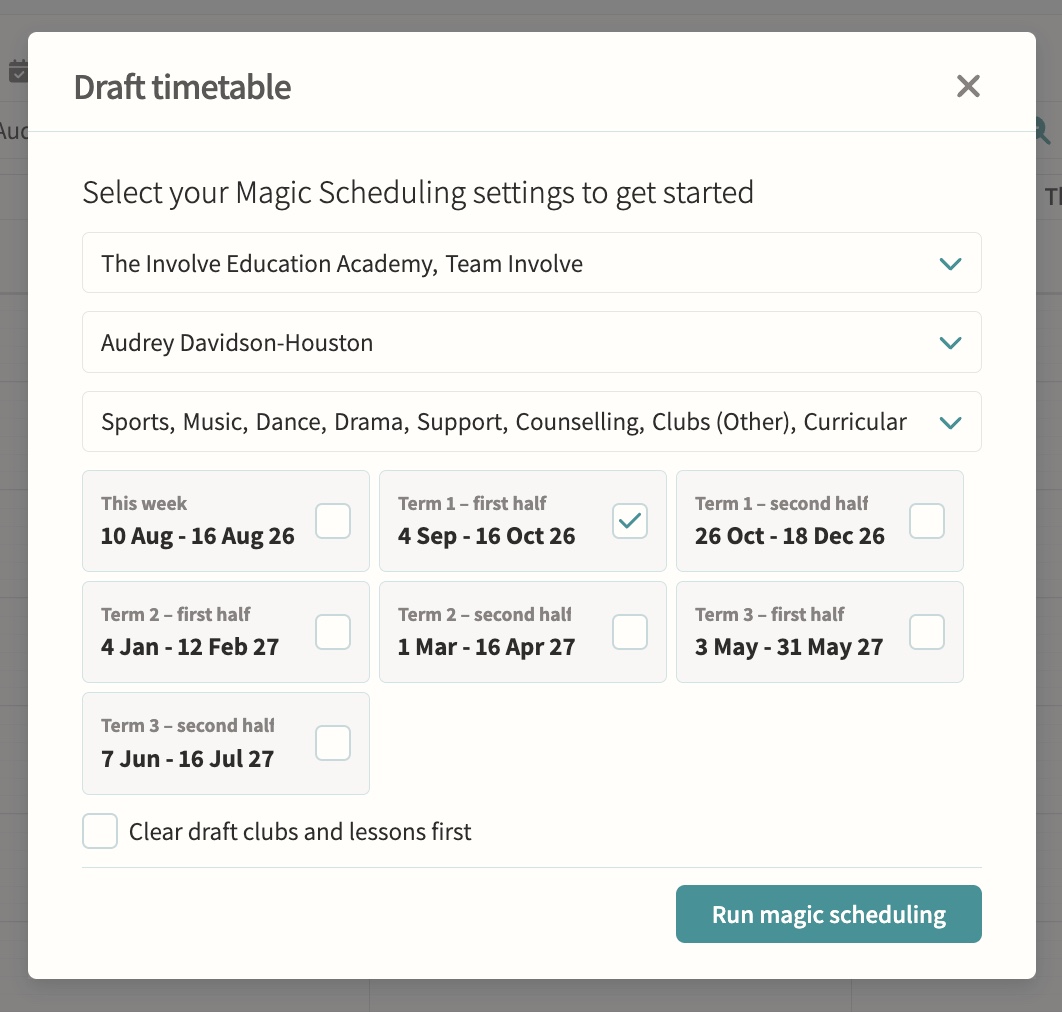
Magic Scheduling/rotation
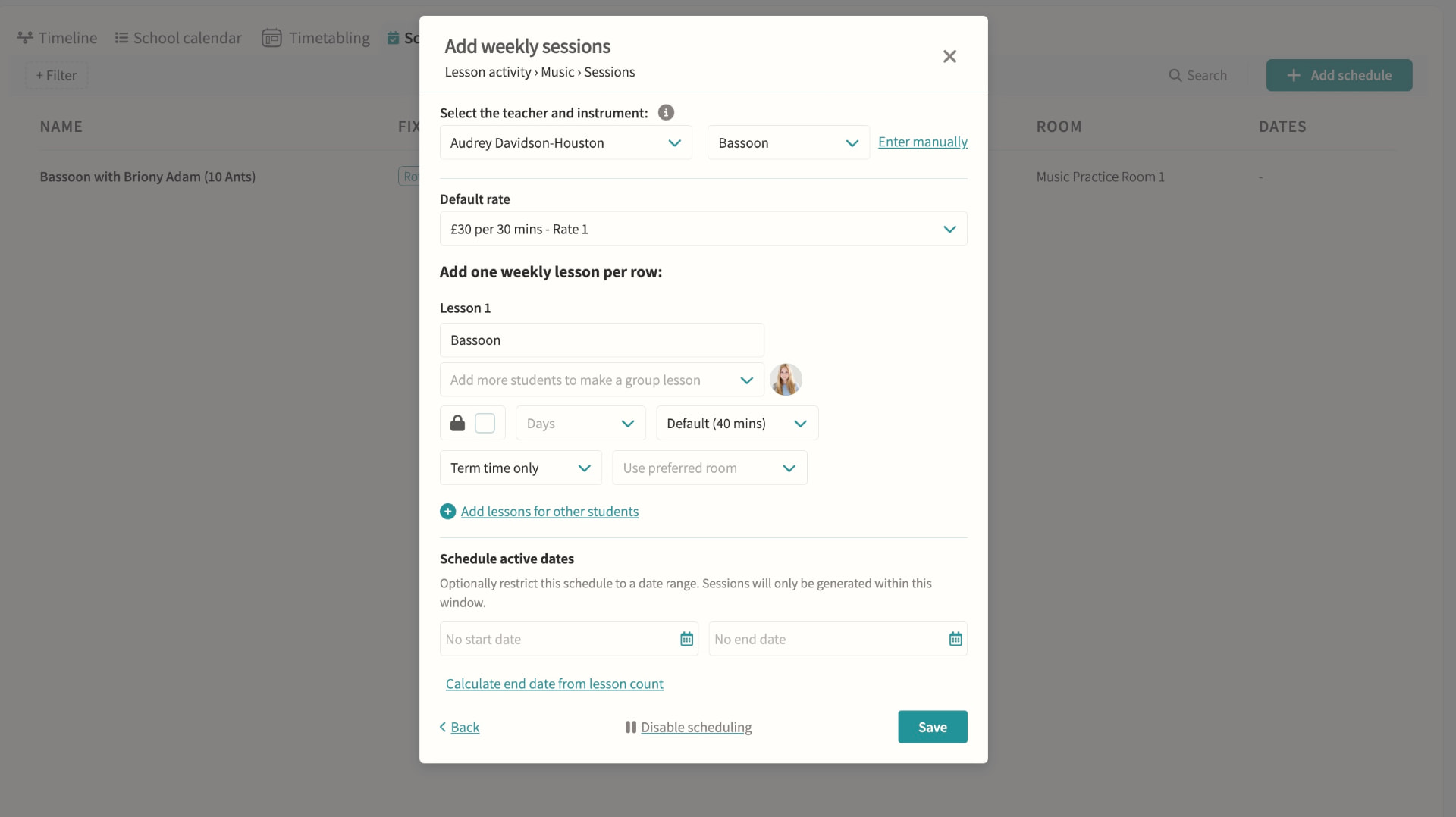
Reads the schedules already configured on lesson and club pods and generates draft events for a chosen term, department or teacher in one run, which must then be reviewed and published before students and parents see them. Schedules can carry their own start and end dates so a fixed block of lessons (say, ten music lessons) stops generating automatically once complete.
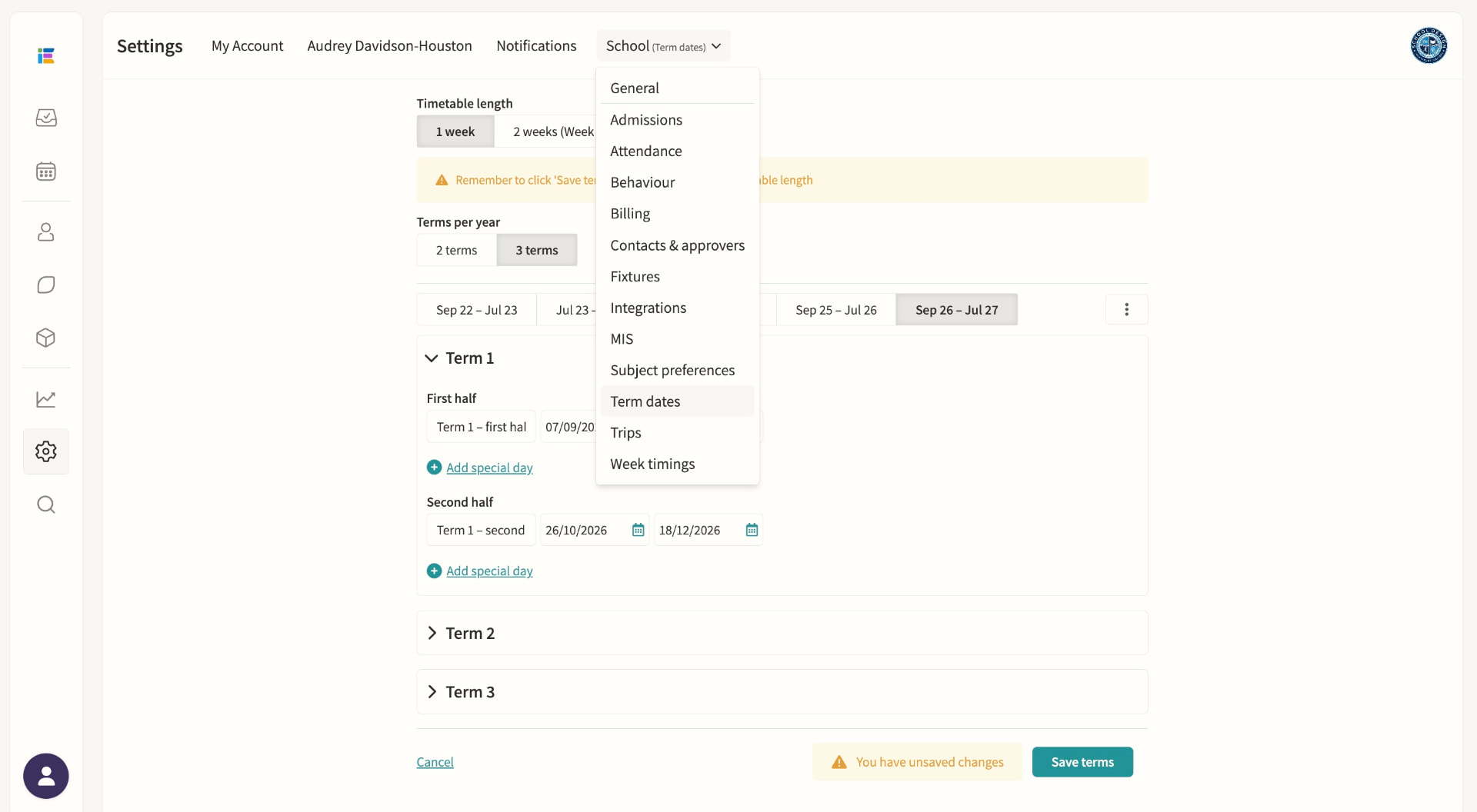
Term dates & important dates
Set and manage the school year.
Week timings
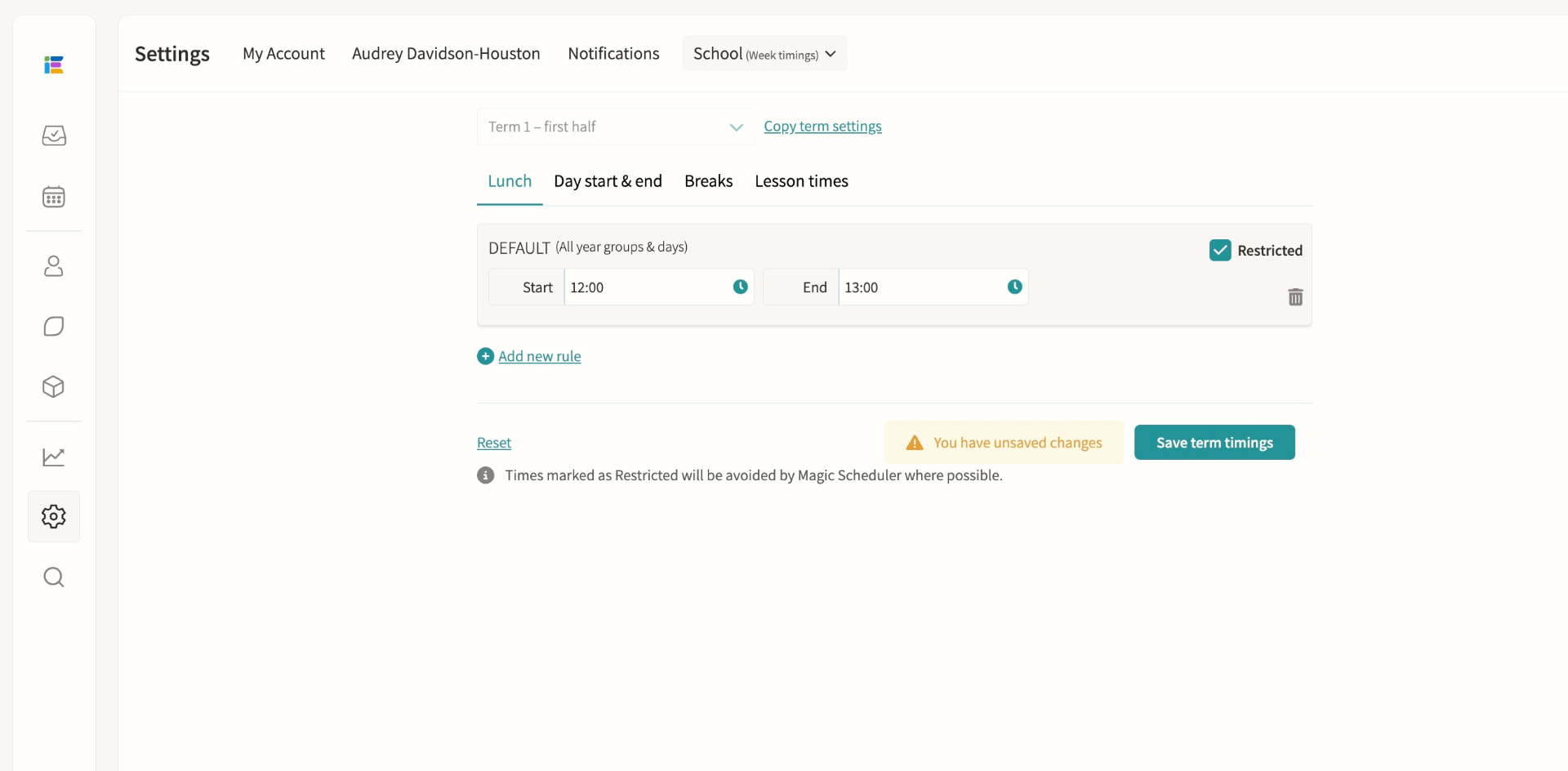
Define lunch, break, and day start/end times per term, with custom rules for specific days, pods or Week A/B, and mark any period as restricted so events can't be scheduled over it. A dedicated lesson-times setting constrains where Magic Scheduling places rotating lessons such as music lessons, without touching curricular lesson times imported from your MIS.
Staff duty rotas
Manage recurring responsibilities such as break duty, lunch supervision and detention cover from one rota, showing each slot as fully staffed, partially staffed or unstaffed. Draft assignments can be built and adjusted freely, then published in bulk so staff only see confirmed duties, with separate rotas supported for Week A and Week B.
Timetable variations calendar
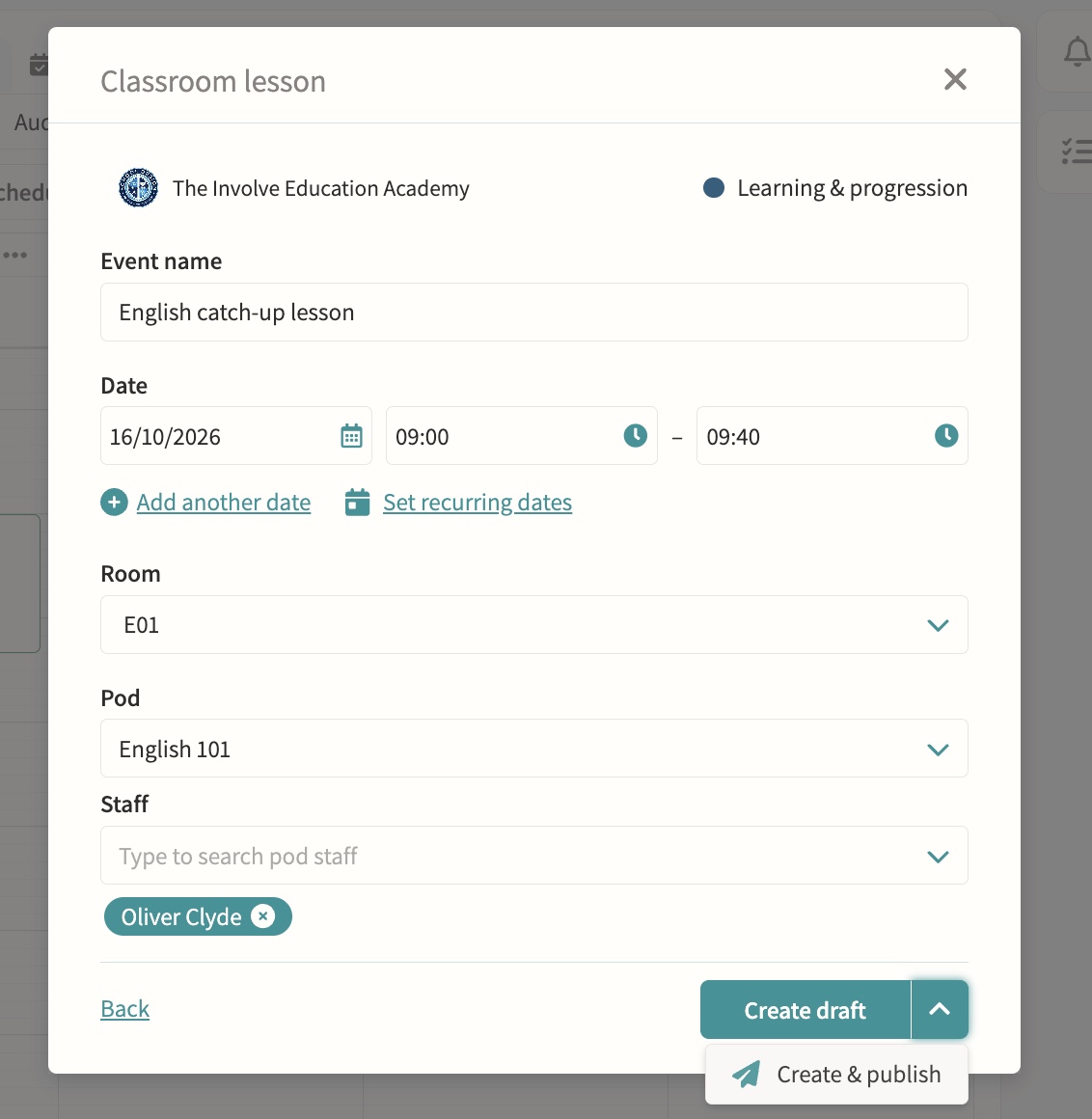
Cover, one-off changes and special events without touching the master timetable.
Science & practical lesson management
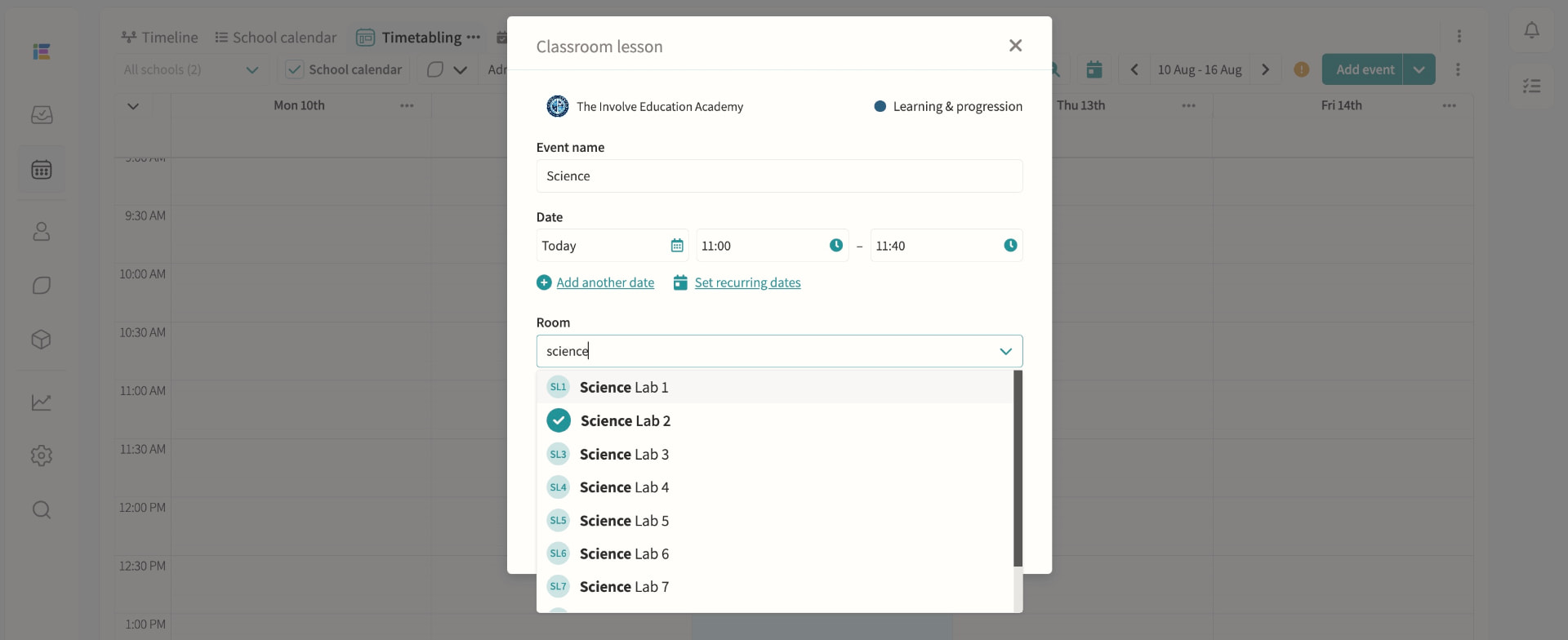
Schedule lab-based lessons as easily as standard classes.
Seating plans
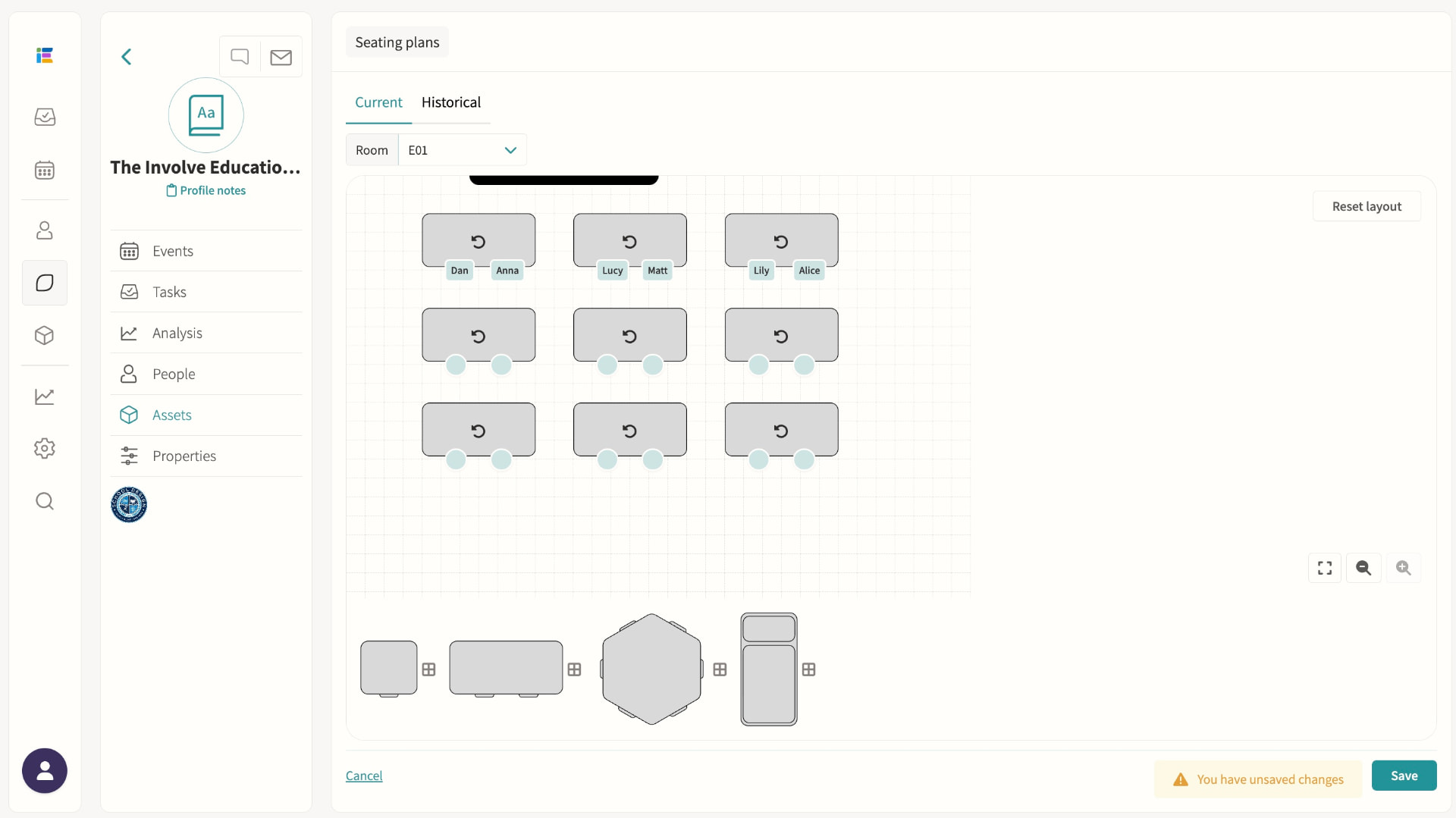
Build a room layout once — desks, shapes and orientation — then drag and drop students into seats for any group using that room, with plans saved per room-and-group combination. Fill a class alphabetically or randomly in one click, filter by register attributes such as SEND, spot scheduling clashes on the tile during attendance, and export a printable plan or seating list in seconds.
Music lesson scheduling
Scheduled to minimise clash impact, visible to teachers, parents and students.
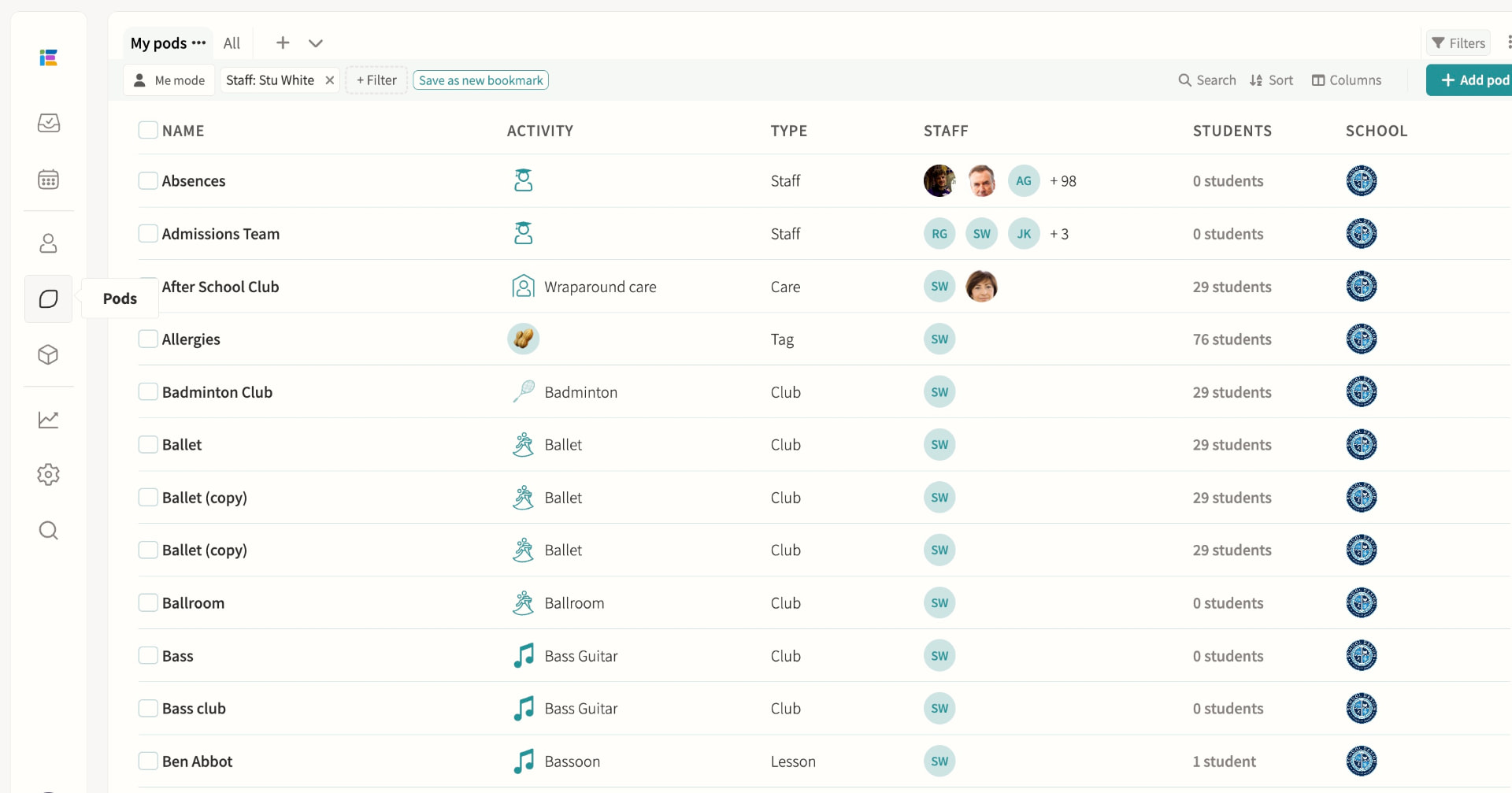
Pods
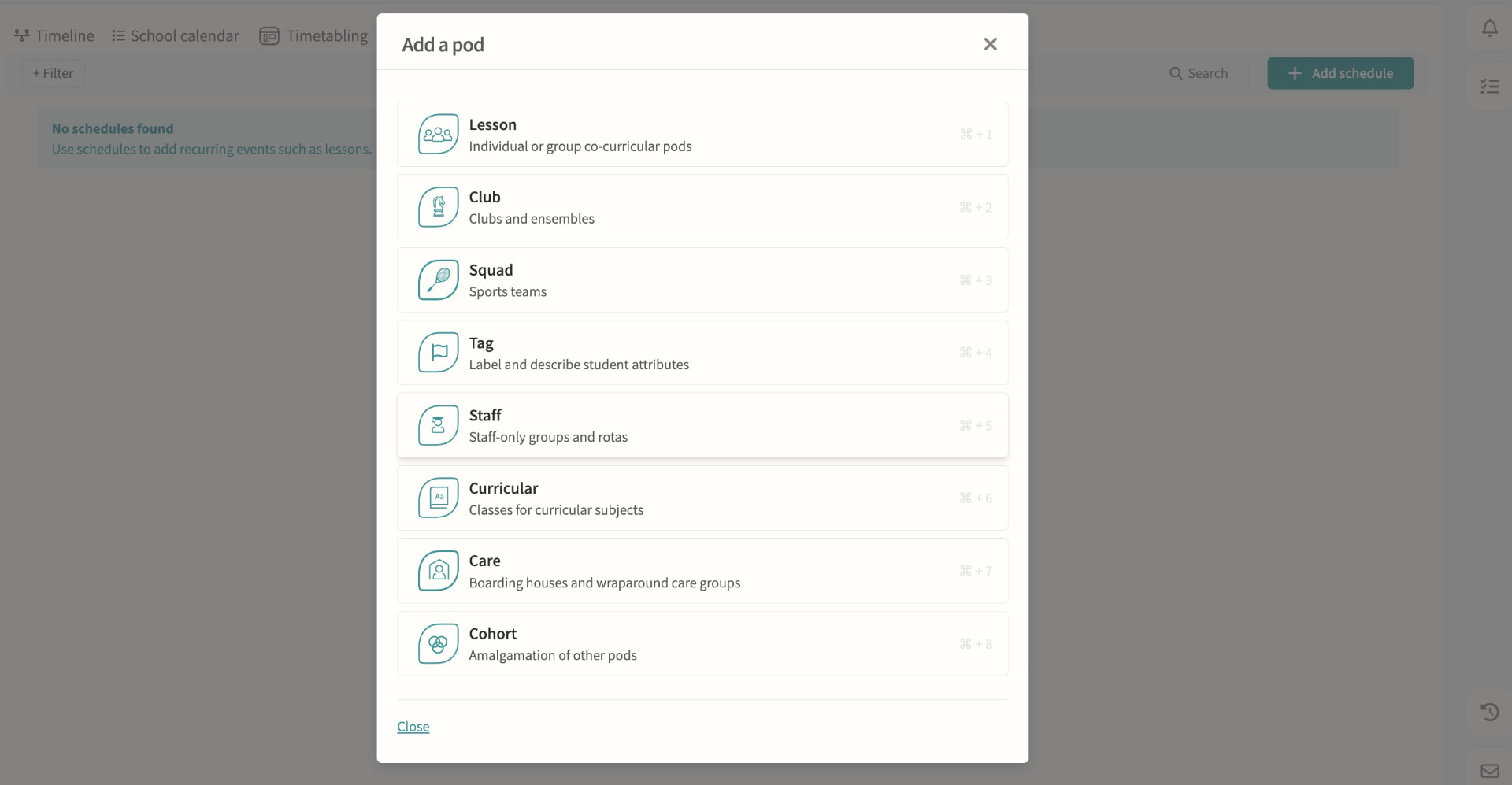
Every lesson, club, squad, tag, care group, cohort and staff team is built on the same pod model, each with the scheduling, membership and permission options suited to its purpose. Pods can be restricted to named teachers and administrators, combined into cohorts, and reused as the basis for schedules that feed straight into Magic Scheduling and clash detection.
06 — Feature area
Co-curricular & activities
Clubs, music, fixtures, trips and support lessons managed with the same rigour as the academic timetable.
Co-curricular is where schools differentiate and where modular systems give up. Here it shares the timetable, the consent forms and the payment rails.
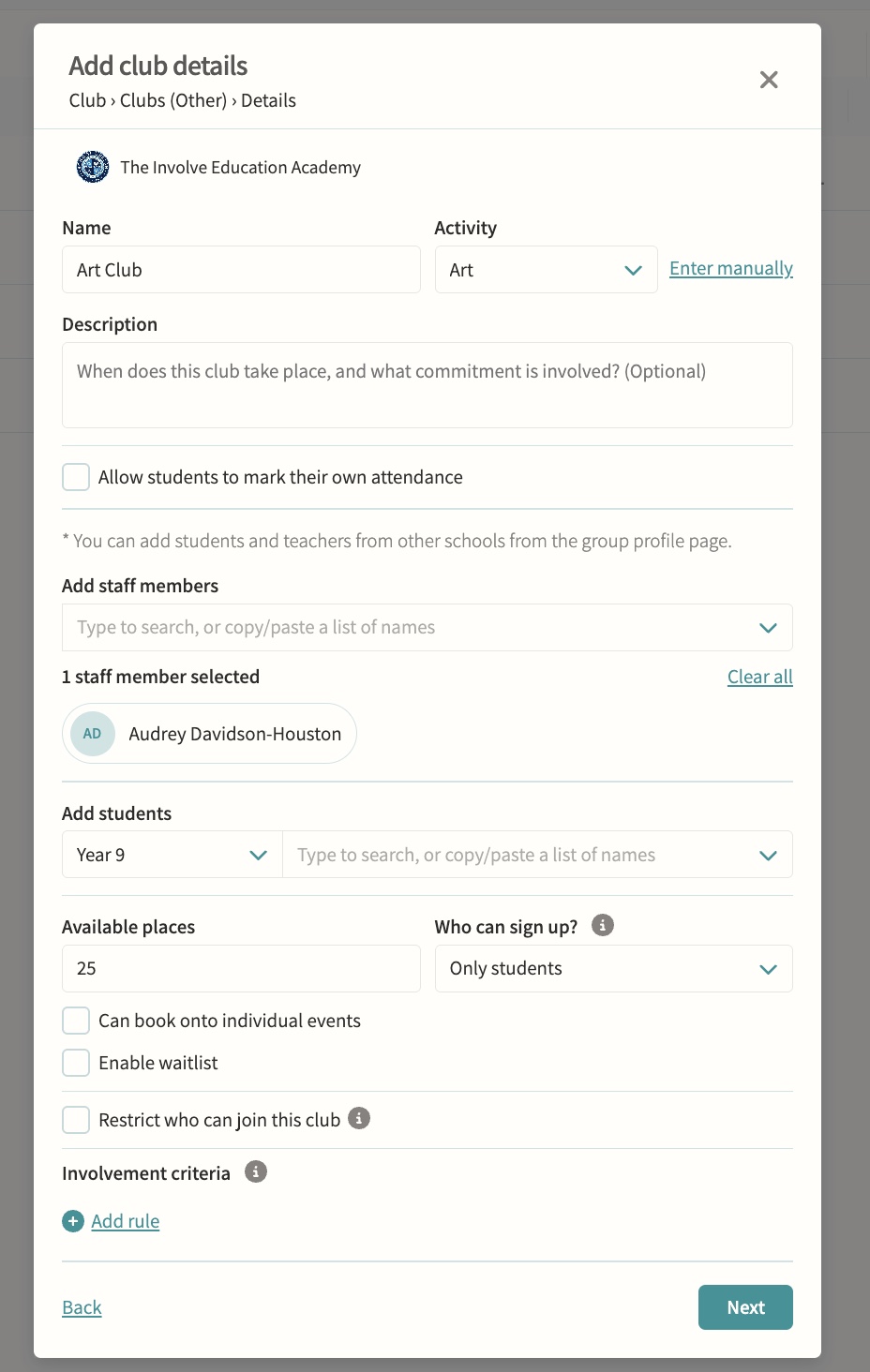
Clubs
Self-signup with eligibility checks, capacity limits and approval controls. Available places, who can sign up, single-session booking, allowed and excluded pods, and reserved involvement criteria are all configurable, and a waitlist can queue interested students automatically when a club is full or a sign-up window closes.
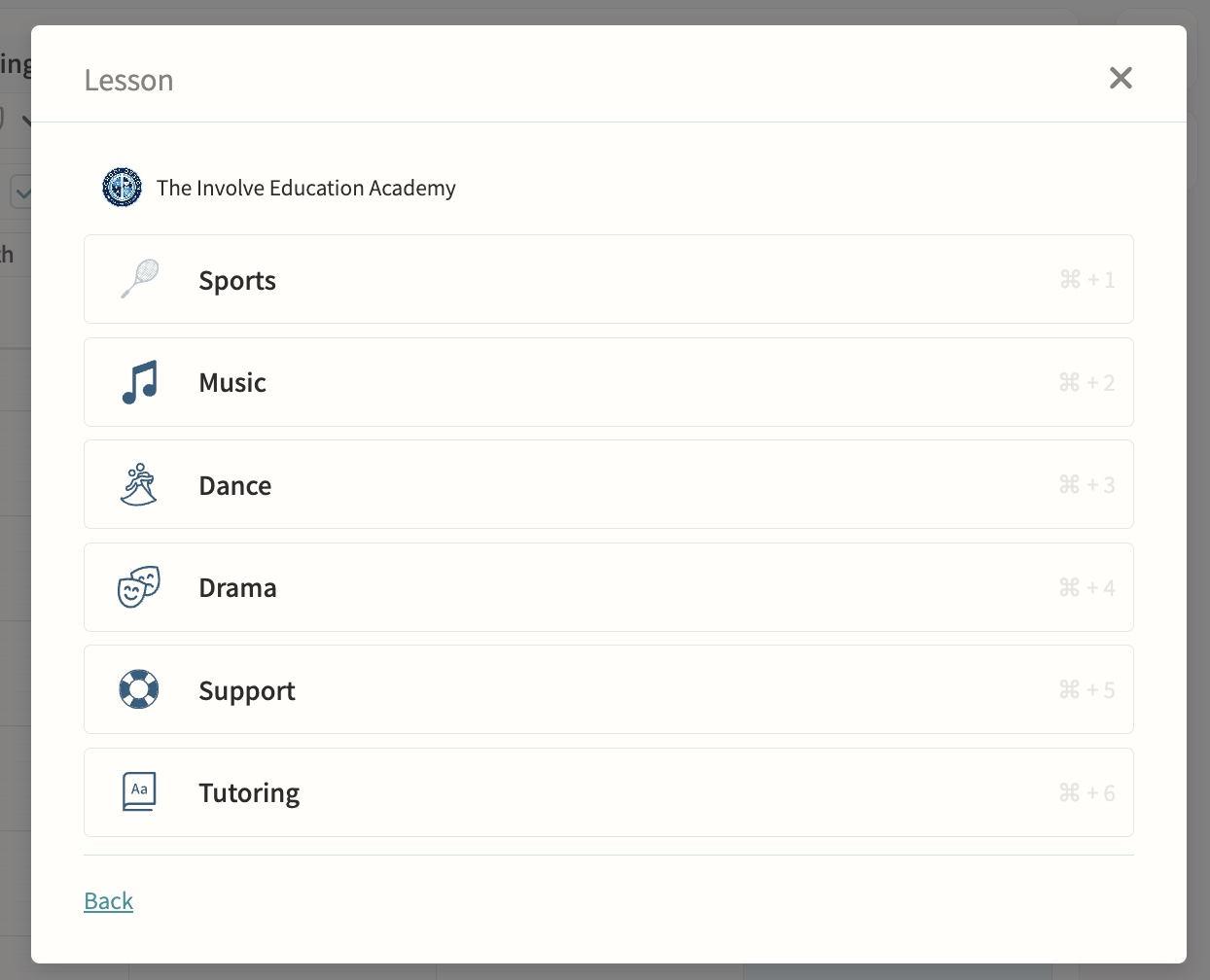
Music lessons, dance and drama
One-to-one and small-group teaching sessions sit alongside clubs and lessons on the same calendar, with lesson length set automatically from the teacher's default or the school's default and adjustable per session. Peripatetic teachers are assigned automatically, and music admin staff can be notified of any changes or clashes against visiting lessons.
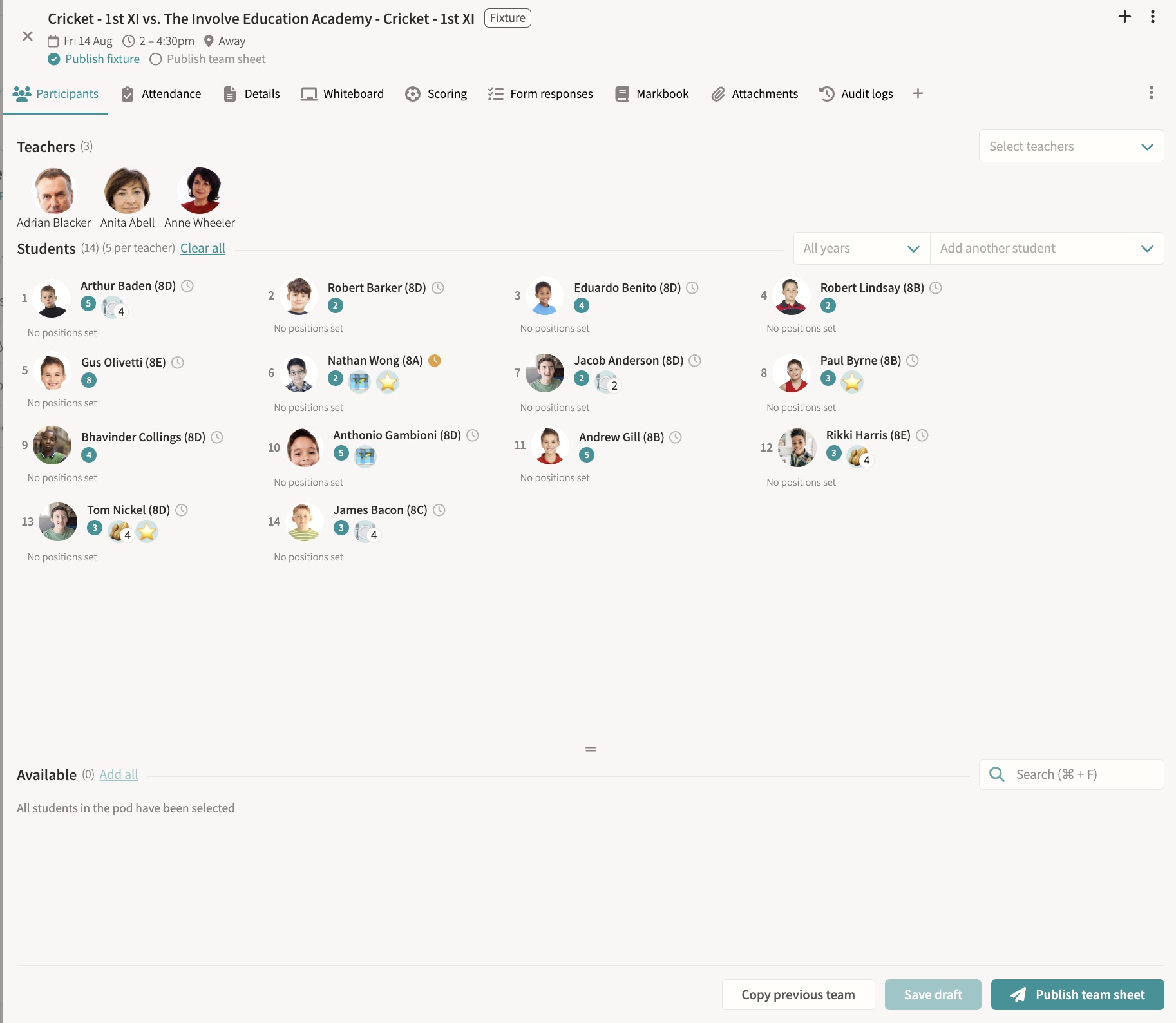
Fixtures & squads
Team selection, results, team sheets and fixture packs, SOCS sync, attendance and consent, bulk cancellation, a tactics whiteboard, and results feeding straight to digital signage. Students can be marked off games for a set period or indefinitely, so no one accidentally selects them for a fixture or training during that time. Draft team sheets block students for clash detection without notifying them until published, live scoring and a shareable public score link keep parents updated in real time, and SOCS-fed fixtures flag timing changes for staff review rather than overwriting them silently.
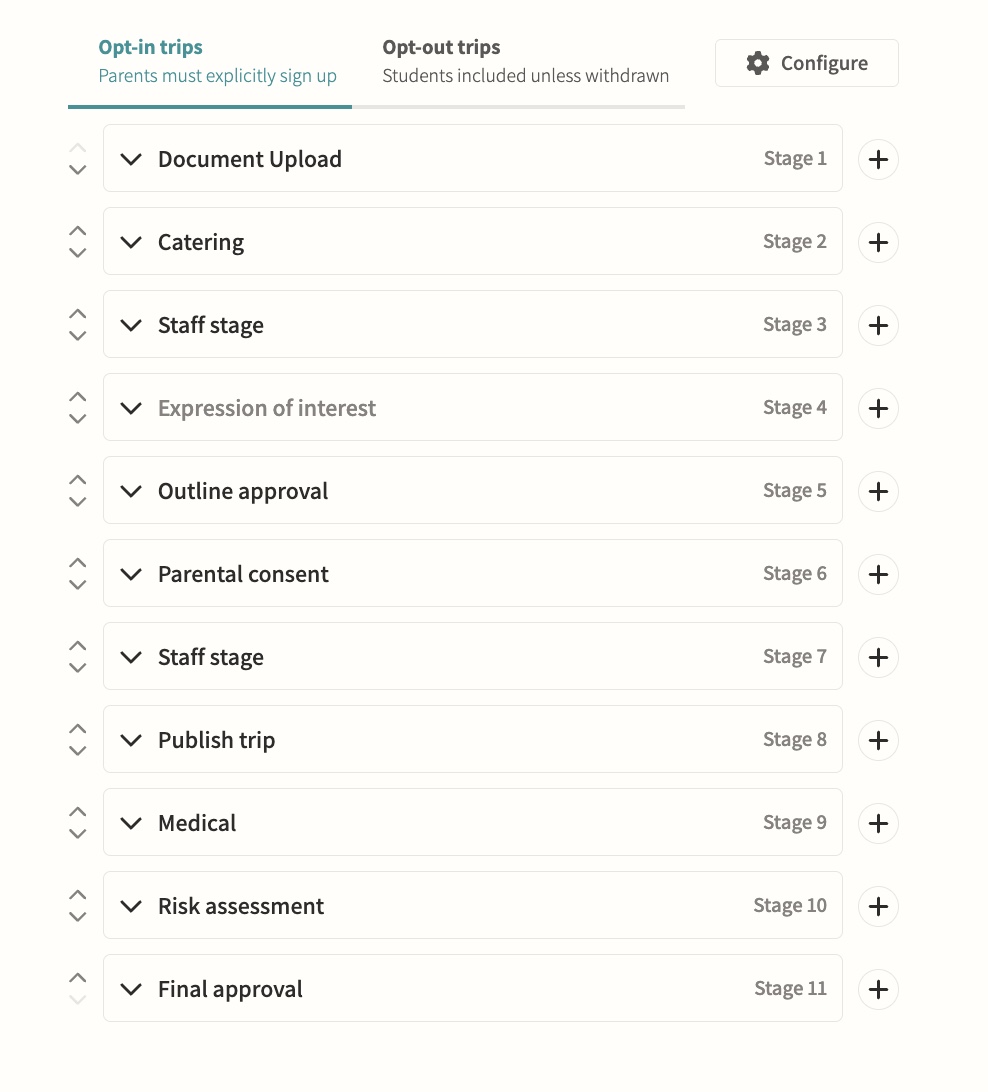
Trips
End-to-end planning including parental consent and risk assessments. Configurable opt-in or opt-out workflows move a trip through teacher, parent and publish stages with named approvers, and consent can drive attendance automatically so a parent's response adds or removes their child from the attending list without manual admin.
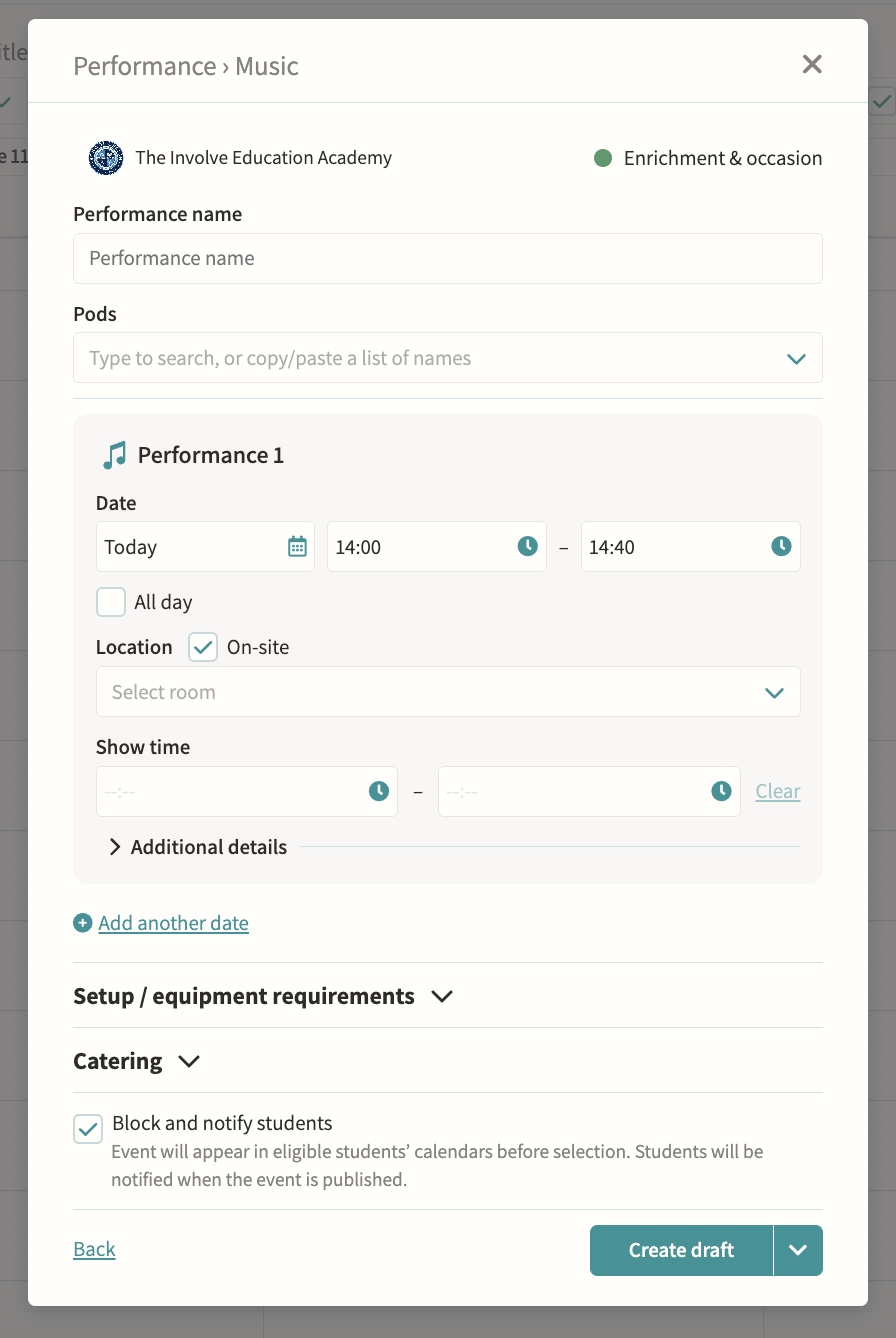
Support lessons & performances
Additional lesson types and school performances. Performances support multiple dates, on-site or off-site venues, and a separate show time shown to parents distinct from the get-in and pack-down window, with year group and form group pods addable alongside music, drama and dance pods.
Payments
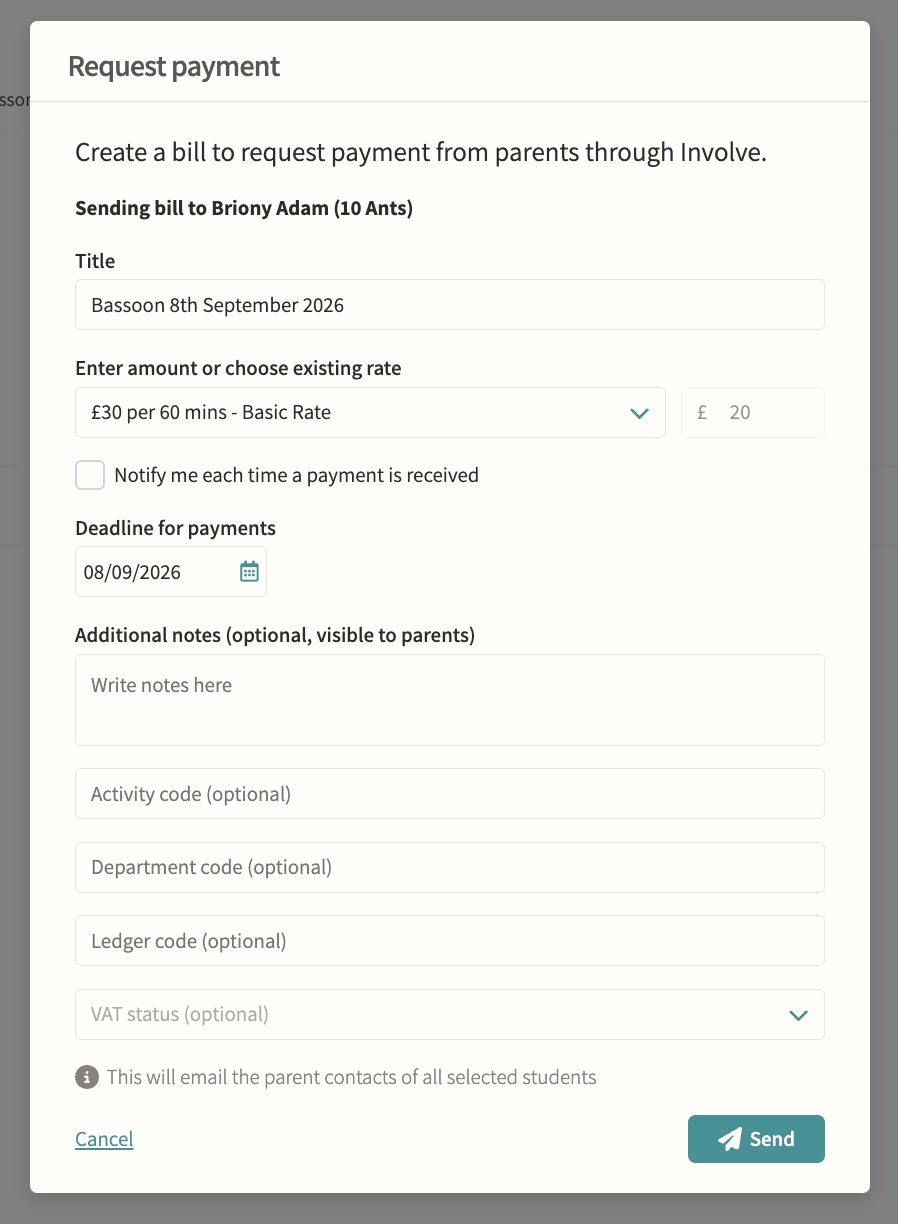
Rates, invoices and payments for clubs, care and trips. Parents pay securely inside Involve, amounts can be calculated automatically from configured billing rates and event duration, and staff can track due, paid, refunded and void status, resend reminders or void a request with an internal note.
07 — Feature area
Wraparound care & wellbeing
Wraparound care and counselling access controls safeguarded in the same platform as the school day.
Care provision is scheduled, charged and safeguarded in the same platform as the school day.
Wraparound care
Manage sessions and billing together. Care pods can run as recurring schedules such as a daily breakfast or after-school club, or as one-off sessions, with self-attendance letting children mark their own arrival and a bookable setting letting parents reserve and pay for individual sessions rather than holding permanent membership.
Counselling
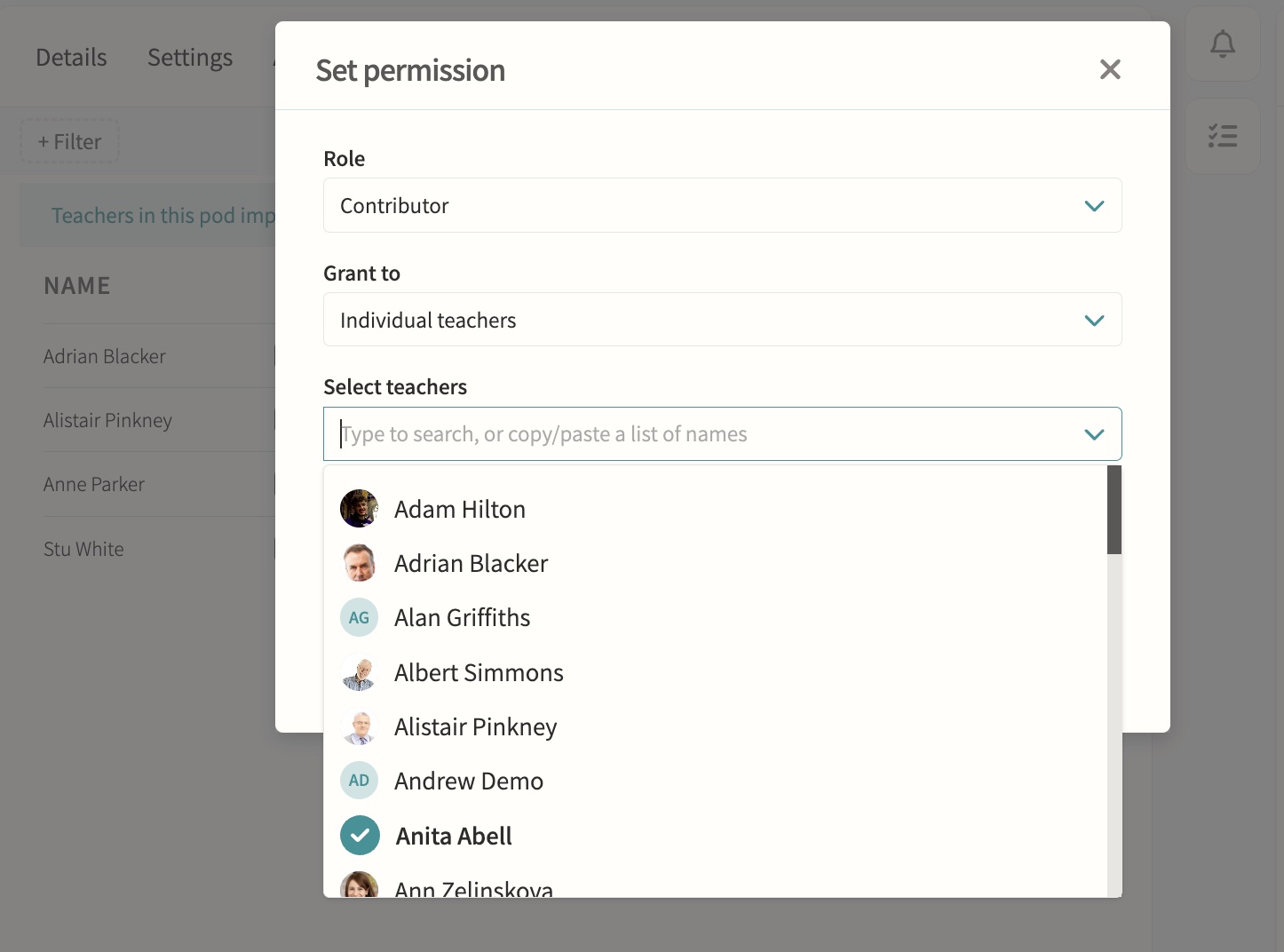
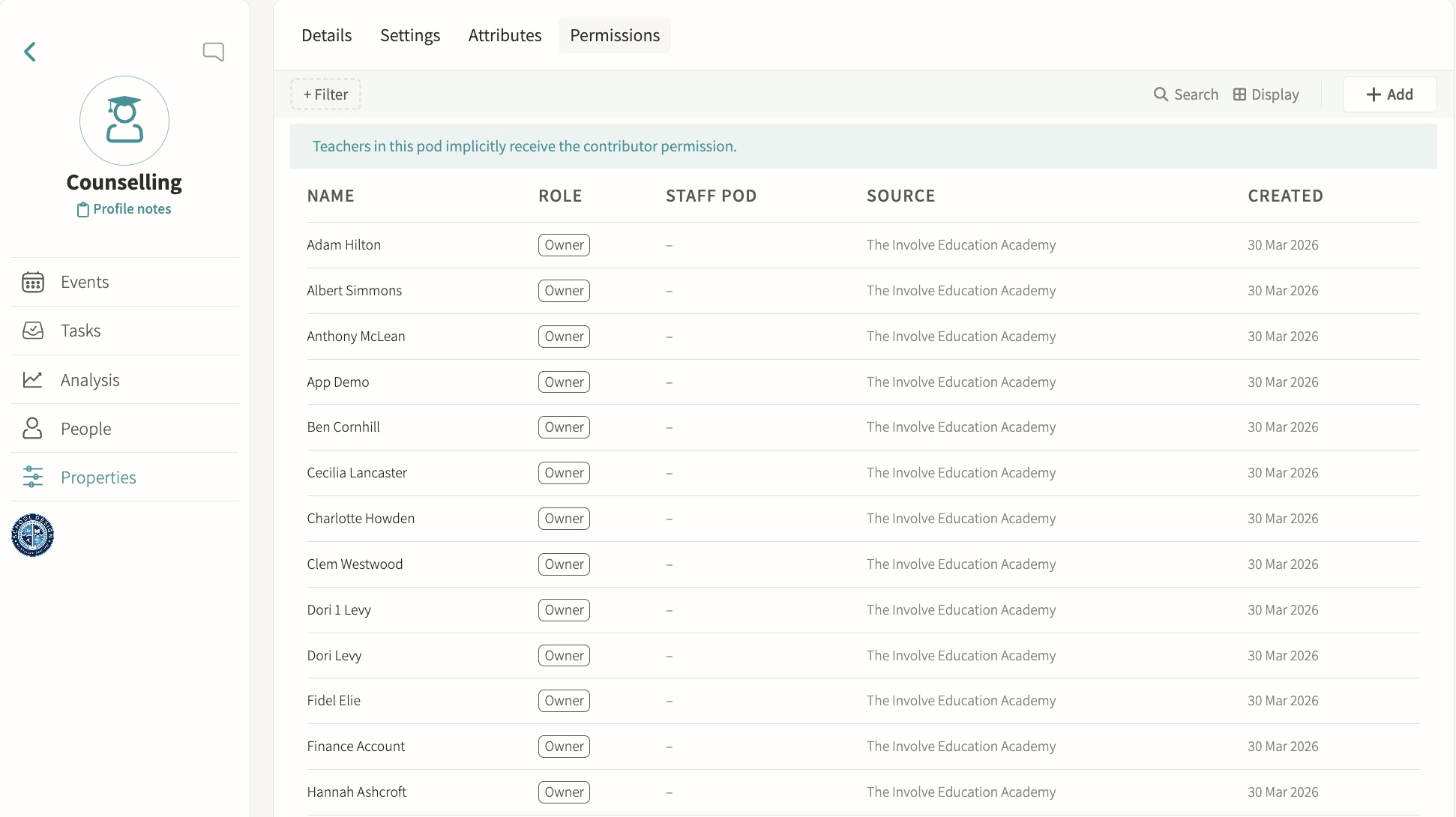
Restrict sensitive pods to authorised staff only. Pod-level permissions grant Owner, Manager or Contributor access to named staff or staff pods, so a counselling group can be limited to specific practitioners while everyone else is excluded from seeing it in the pods list or opening its page.
Medical
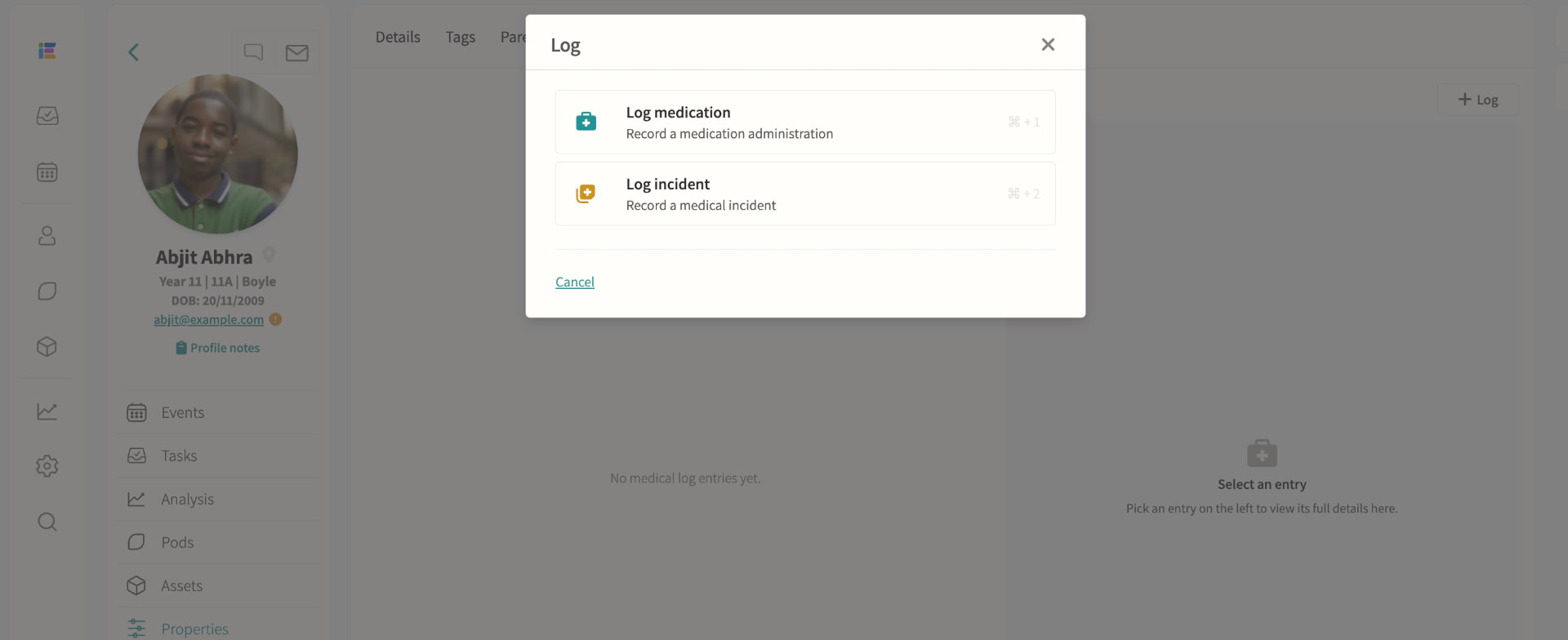
Record medical information, log medication administrations and track incidents; schedule appointments with attendance codes written back to missed lessons, visible in profiles, registers, trips and datasheets for authorised staff.
08 — Feature area
Documentation & forms
Handbooks, consent forms, reports, files and assignments distributed to the right audience.
Policy, paperwork and permission slips live where people already are, with completion tracked digitally.
Staff, student and parent handbooks
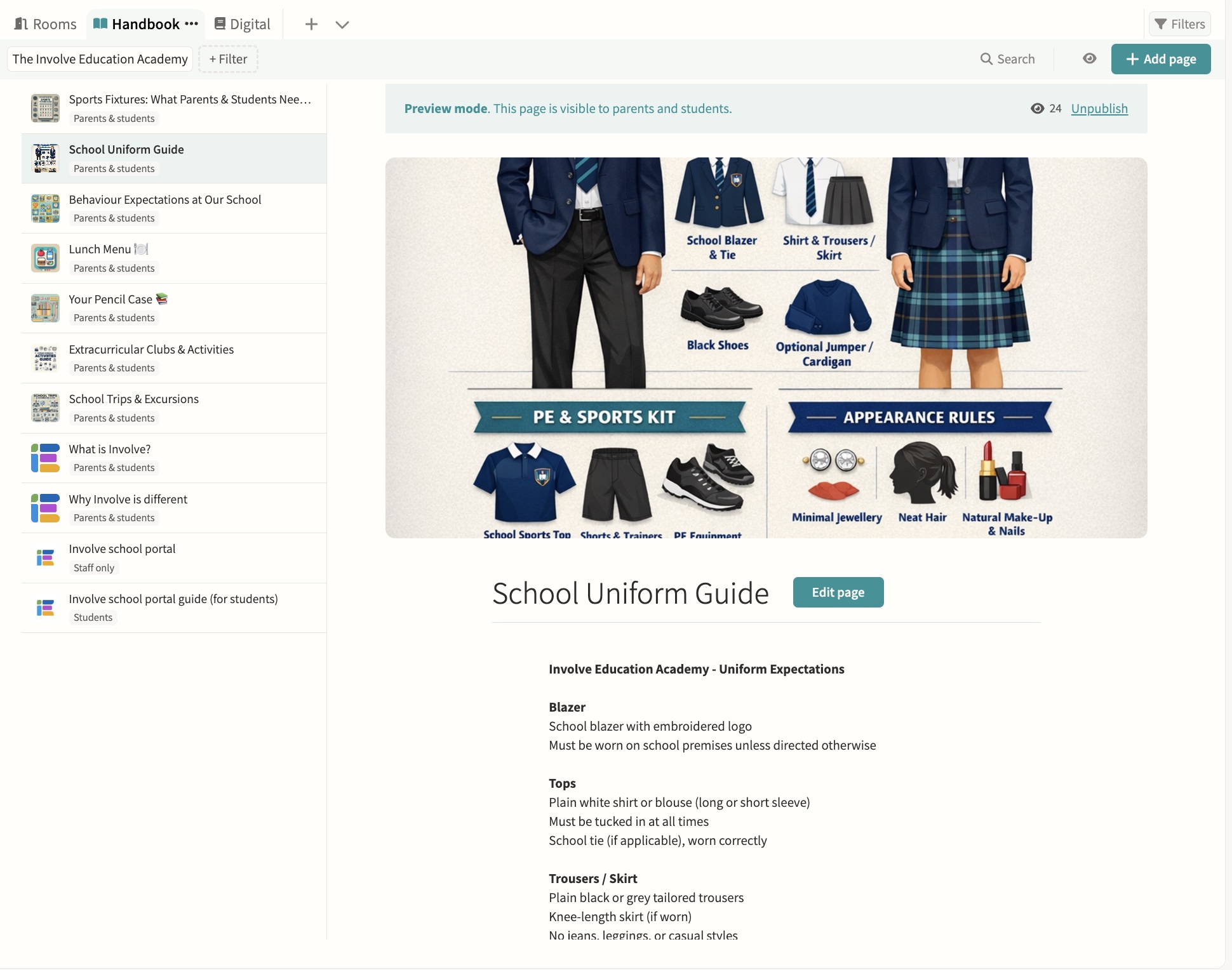
Create and share pages, attach documents and control visibility. Pages are drafted and previewed before publishing, each one can be limited to staff, parents, students or shared with everyone, and administrators can preview the handbook exactly as a parent of a specific student would see it before it goes live.
Parent and student forms
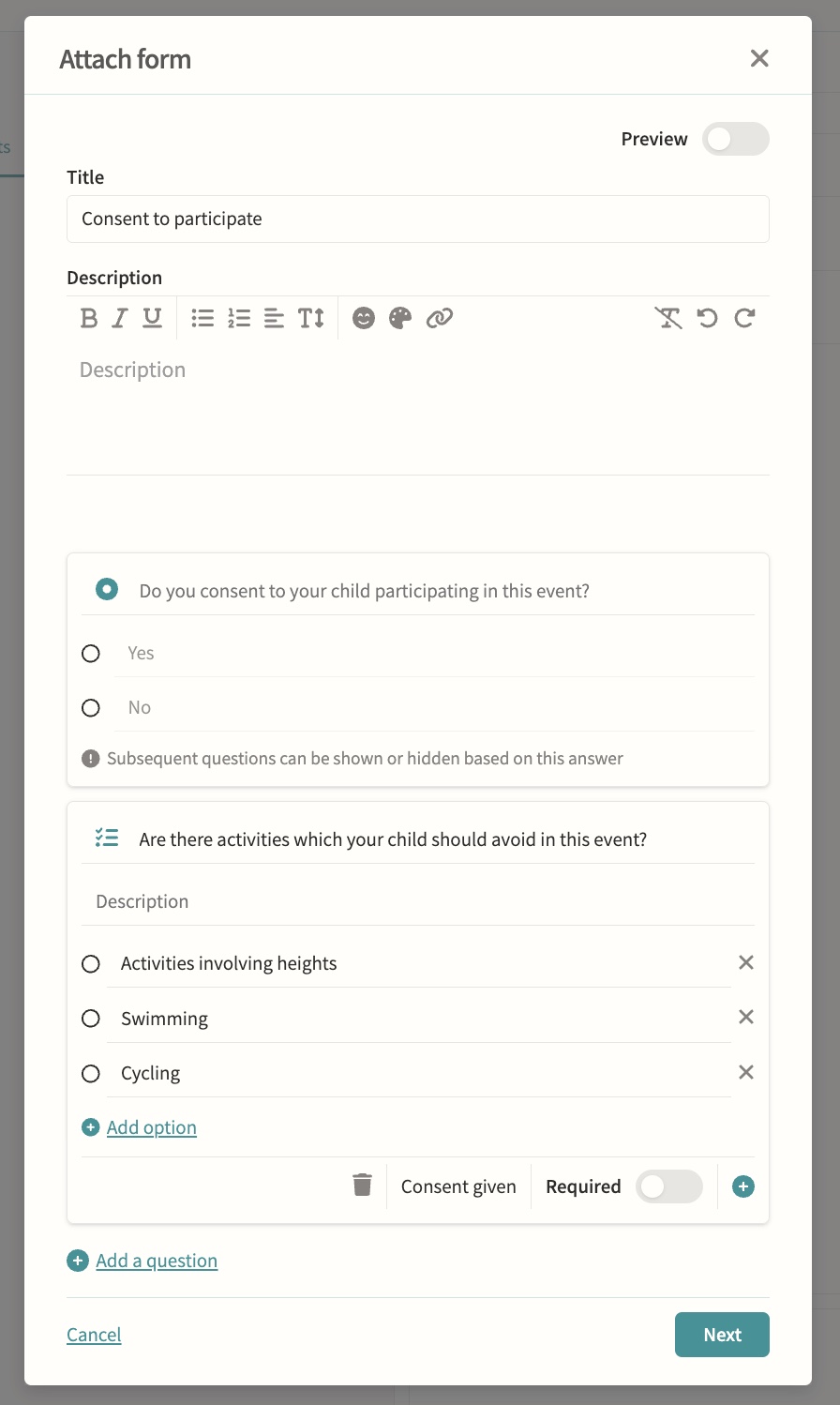
Consent for trips and activities with digital completion tracking. Build forms question by question with yes/no consent, multiple choice and checklist question types, add descriptions and rich text, mark questions as required, and branch so later questions show or hide based on an earlier answer. Forms can collect payment and chase outstanding responses with automatic reminders that switch to daily as the deadline approaches, while staff track who has responded from a single status view.
Student reports & files
Central document management and policy repository, with exam results and report cycles synced from iSAMS for distribution. Files can be shared with parents only, students only, both or hidden, visibility can be overridden file by file within a distribution, and staff can see when a parent or student has actually opened what was sent to them.
Assignments, including Microsoft integration
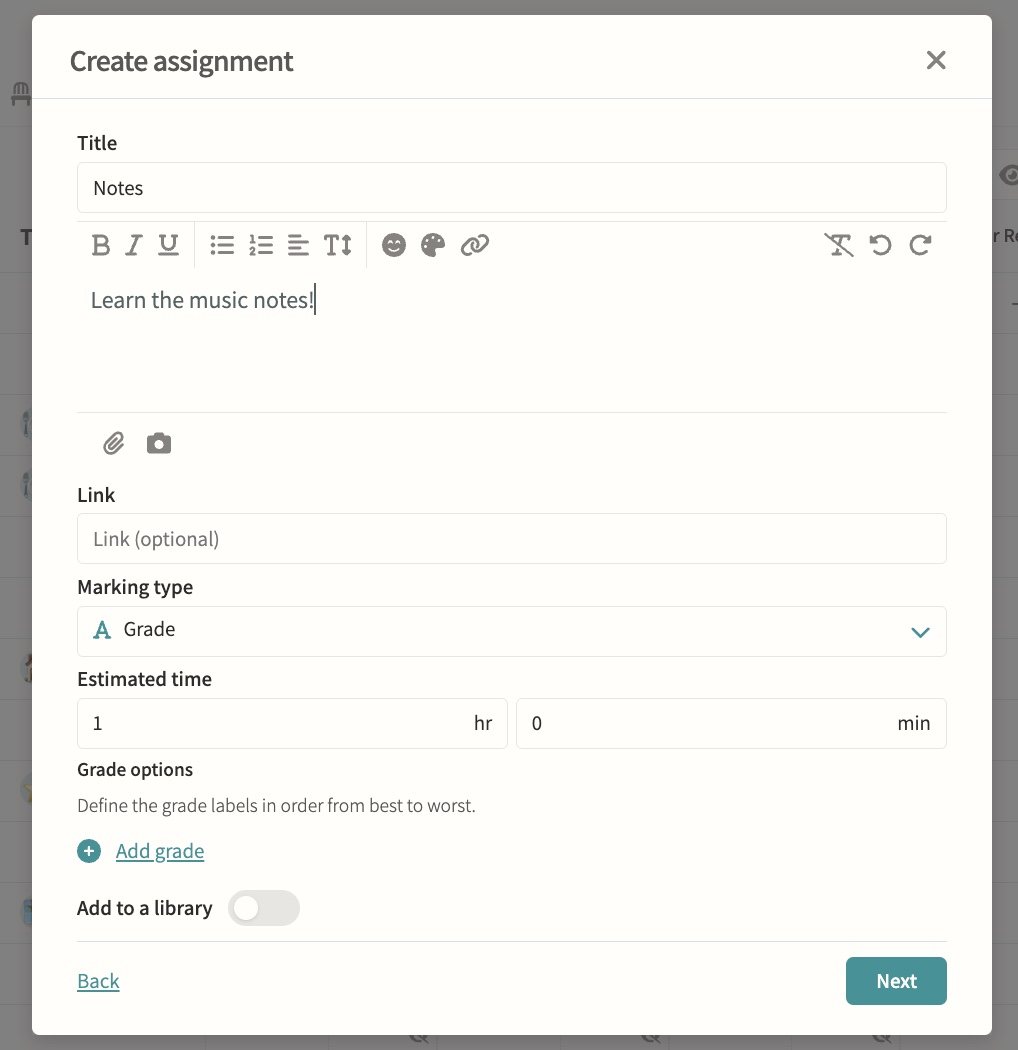
Set in pods and tracked through the markbook. Assignments can be marked by number, grade or simple yes/no completion, carry an optional due and release date, and students submit by file upload, link or as work handed in elsewhere, with marks published to the markbook only once a teacher chooses to make them visible.
09 — Feature area
Facilities & catering
Room and asset bookings, external hire, catering requests and MIS-synced rooms on one site plan.
The estate is scheduled alongside the school day, so an external hire cannot quietly land on top of a lesson.
Facilities hiring management
Bookings for rooms and assets, internal or external hire. External hires use a dedicated staff-only event type that reserves exactly one room, follows the same clash rules as any other booking, and never appears to students, parents or public displays, while rooms flagged as requiring approval route the request to named staff or staff pod approvers before it is confirmed.
Catering events
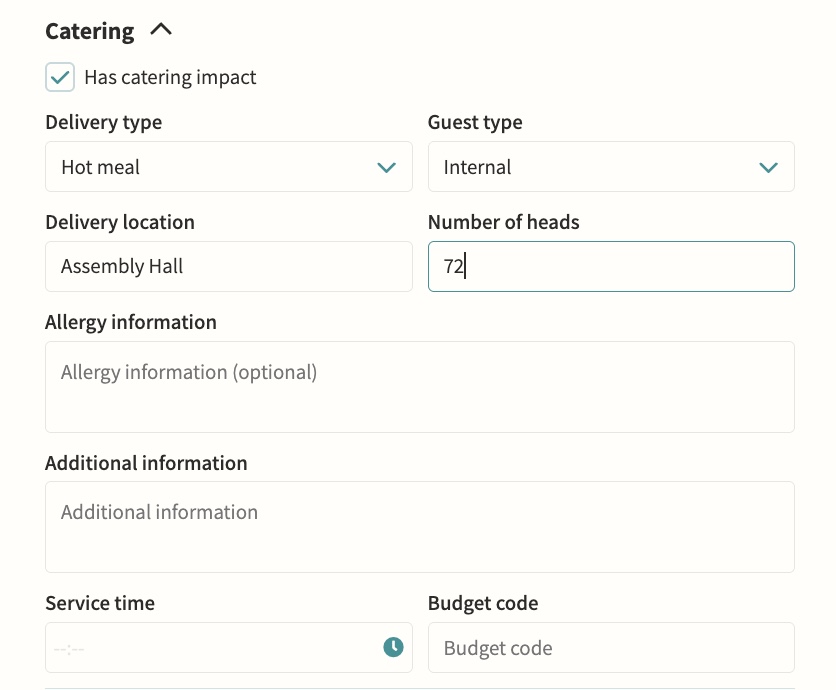
Request and track catering support for events. Switching on an event's catering impact automatically asks every member of the school's configured catering office to confirm feasibility, and the request is reset to pending if the event's date, time or catering details later change, with the decision and full history recorded on the event's timeline.
MIS-synced rooms
Rooms sync from your MIS alongside manually created ones. Synced rooms show a lock icon and cannot be deleted while active; if a room drops out of the MIS feed it is marked unsynced with an orange badge so it can be tidied up, and it reverts automatically if the room reappears in a later sync.