Teams · Leadership
For senior leadership
Numbers you can act on, available instantly.
Attendance, attainment, behaviour, staffing and finance in one view.
Leadership decisions stall when two reports disagree. One platform means one answer.
Relevant feature areas
6 key areas, one unified platform
01 — Feature area
Data & analytics
Attendance, behaviour, involvement and exam data in interactive dashboards, with AI-generated charts.
When every process shares one record, reporting stops being a project and becomes a screen.
Analysis dashboards
Attendance, behaviour, involvement and exam data in one interactive view. Because MIS, activities and messaging all share one record, dashboards update as events happen rather than needing a separate reporting project, giving leadership and pastoral teams a single, current picture instead of exports stitched together after the fact.
Insights
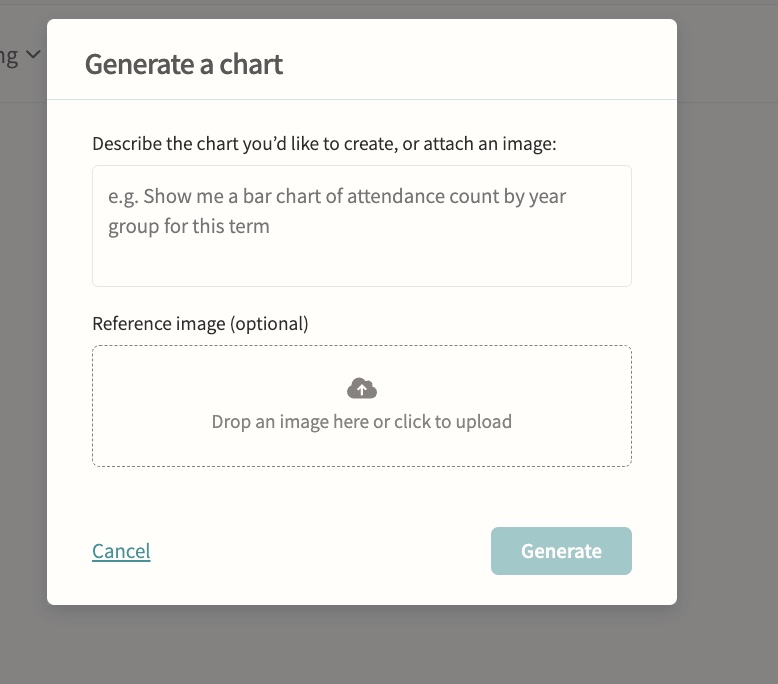
Attendance insights surfaced automatically, plus AI-powered chart generation for ad-hoc analysis. Student-level insights break down attendance by lesson and club and calculate curriculum time missed to clashes with trips, fixtures and other activities, filterable by term and department, so staff can prepare evidence for a parent meeting without building a report from scratch.
02 — Feature area
Attendance & safeguarding
Registration in seconds, live dashboards and automatic alerts, and the pastoral record that sits behind it.
Attendance data is only useful if it is complete and fast to record. Involve captures it live and puts the safeguarding context beside it, with strict need-to-know access.
Registration
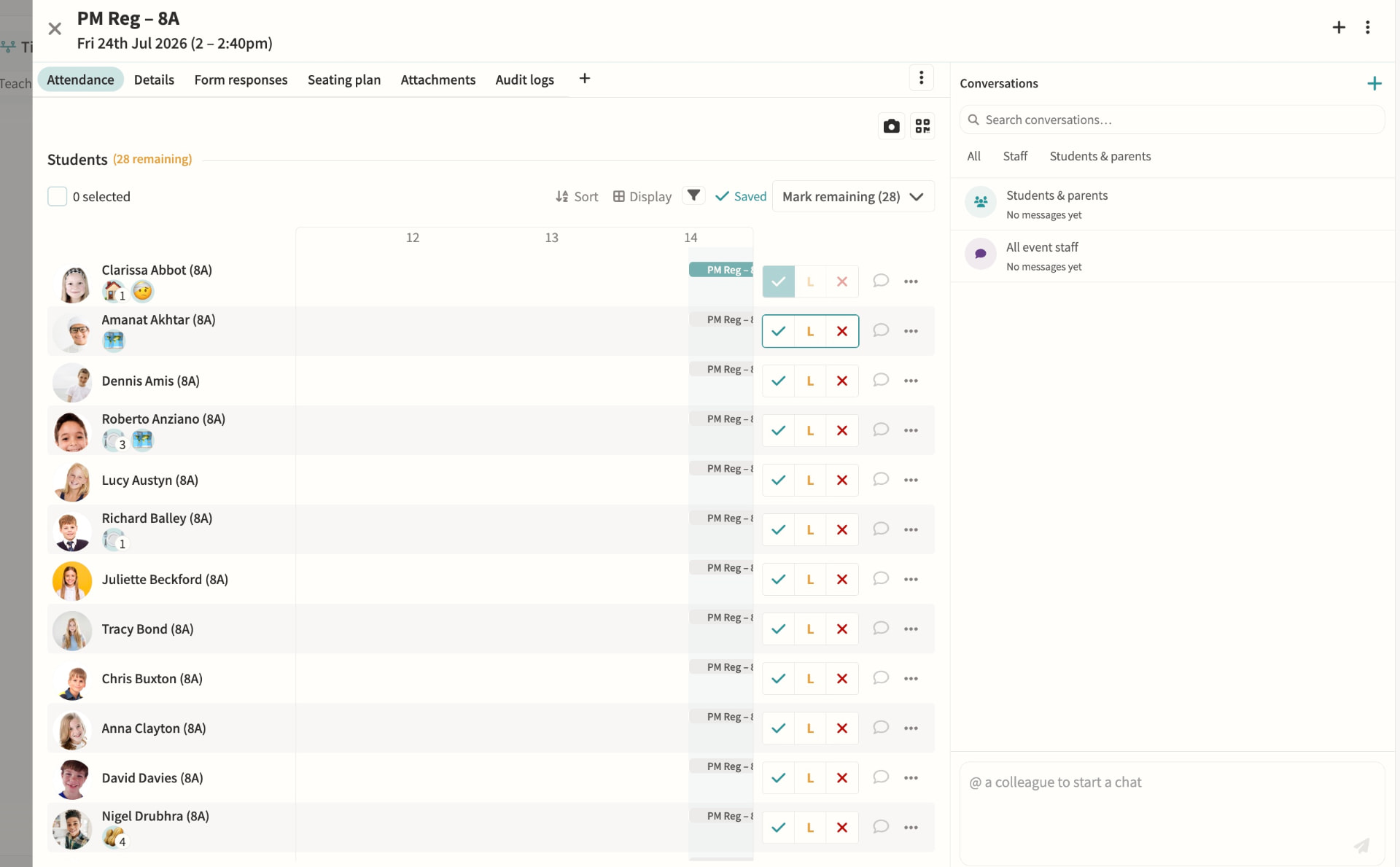
Teachers mark present, late or absent with a single tap or keyboard shortcut, with movements tracked as students arrive or leave mid-lesson and dismissal recorded for clubs, fixtures and performances. Marks sync back to your MIS automatically, while attendance officers can override codes and dashboards flag overdue registers and unaccounted students in real time.
Attendance dashboards & monitoring
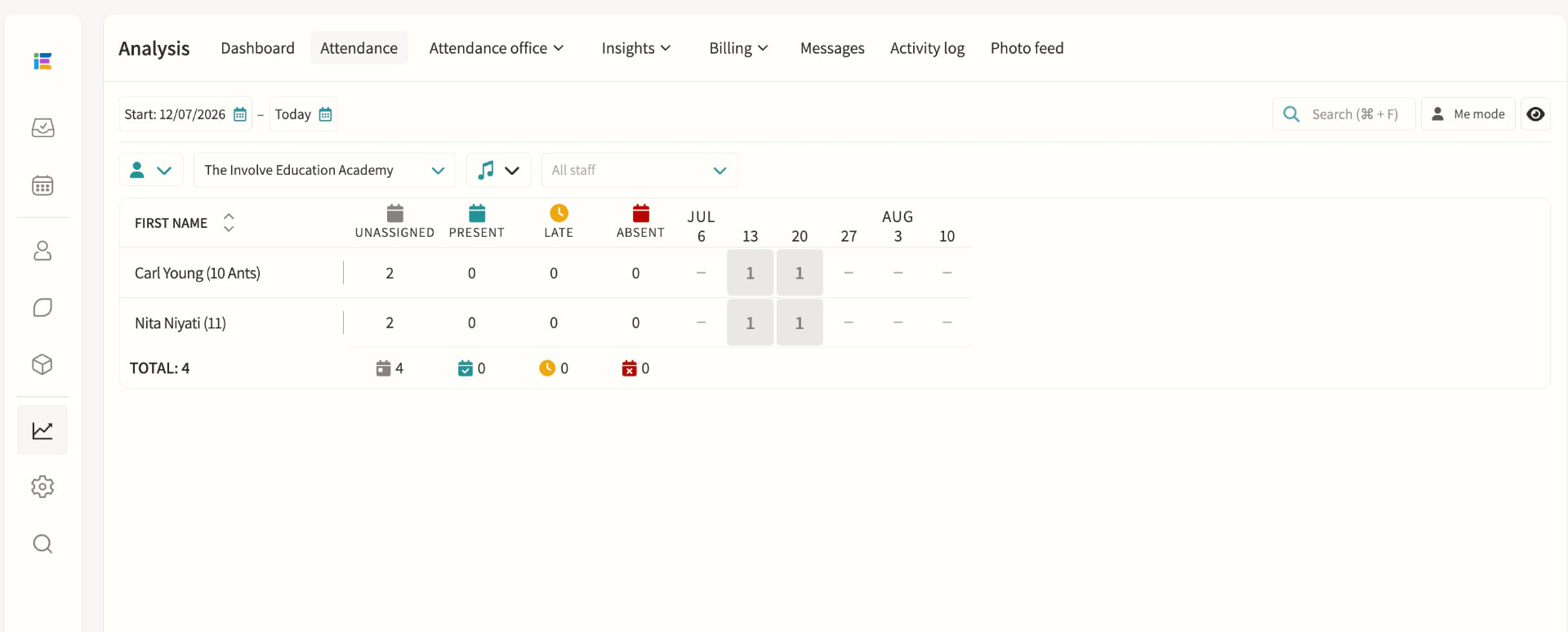
Attendance officers get a single view of incomplete registers, unaccounted students and unexplained absences, colour-coded by urgency and updating live through the school day. Filters by year group, house, session and attendance code make it quick to spot patterns, resolve a mark or message affected parents directly from the dashboard.
Student absence
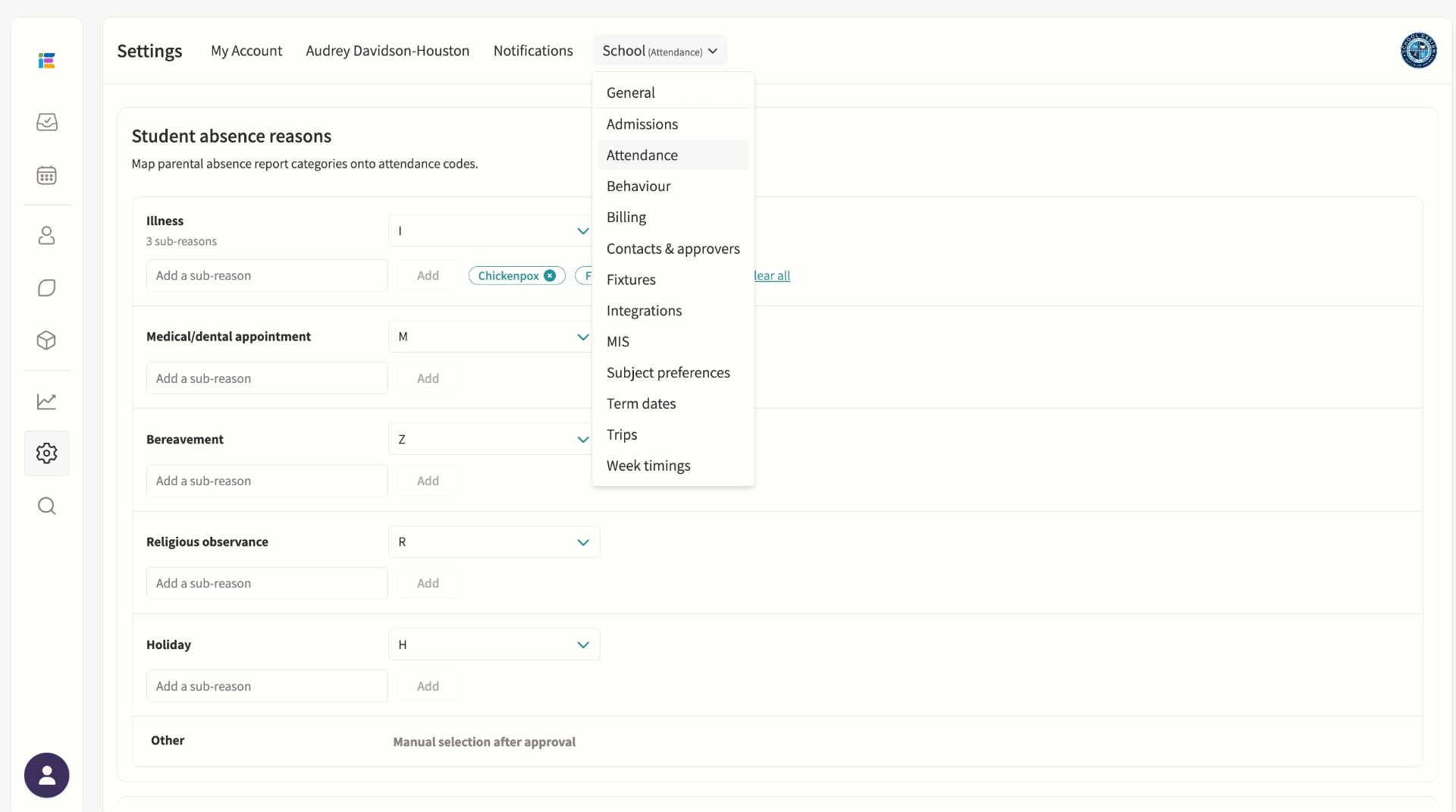
Parents submit absence requests with a reason and optional subcategory, which staff on the absence pod can approve or decline with a note sent straight back to the family. Once published, the absence writes the correct attendance code to every overlapping lesson and register, including recurring patterns for known ongoing appointments.
Staff absence & cover management
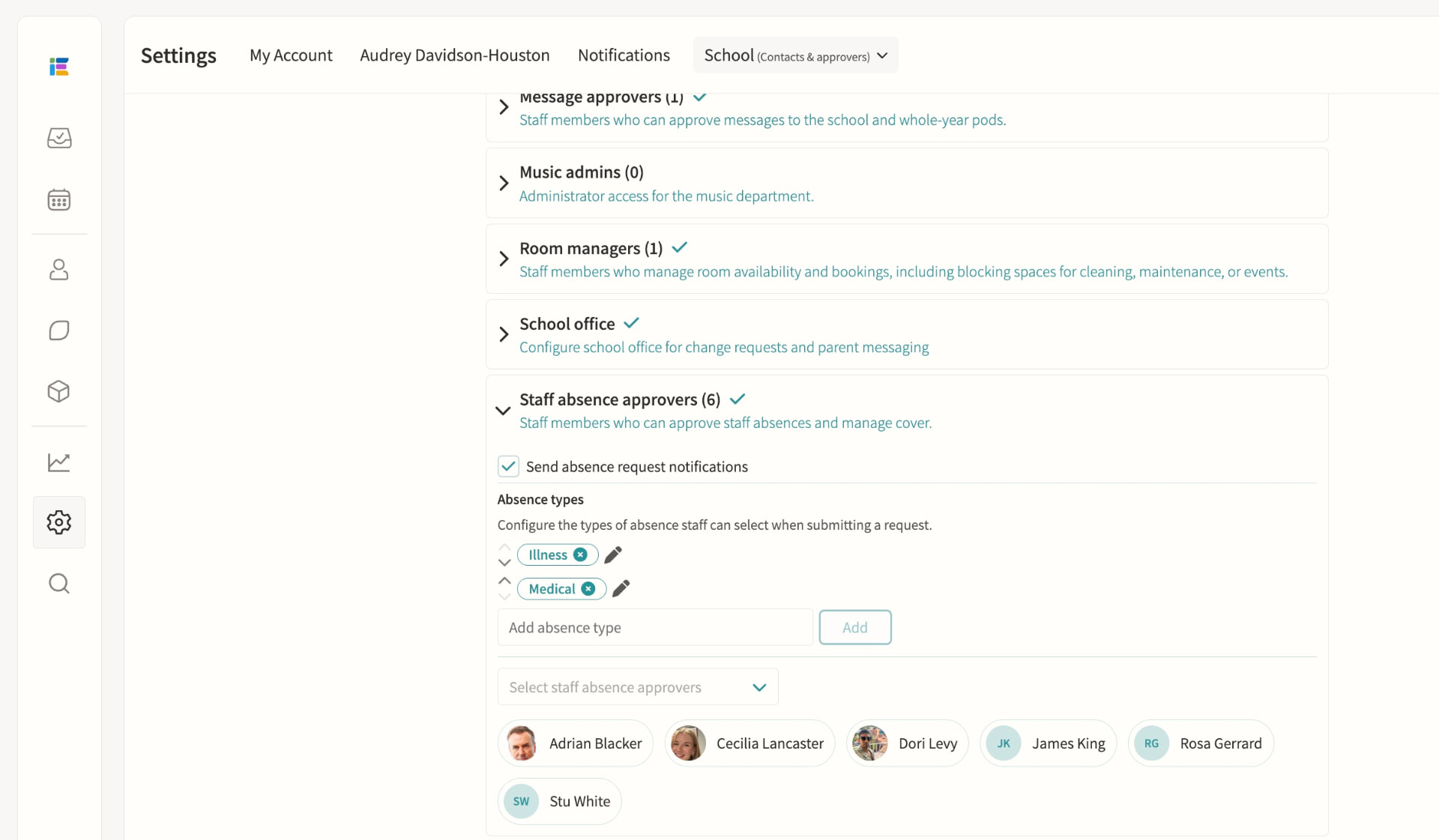
Staff submit leave requests for approval by staff absence officers, who are automatically routed by division so each team only sees relevant cases. Once approved, cover can be assigned from a ranked list showing each teacher's availability, weekly and yearly utilisation and when they last covered, including split cover across time segments for longer events.
Tag pods, including SEND
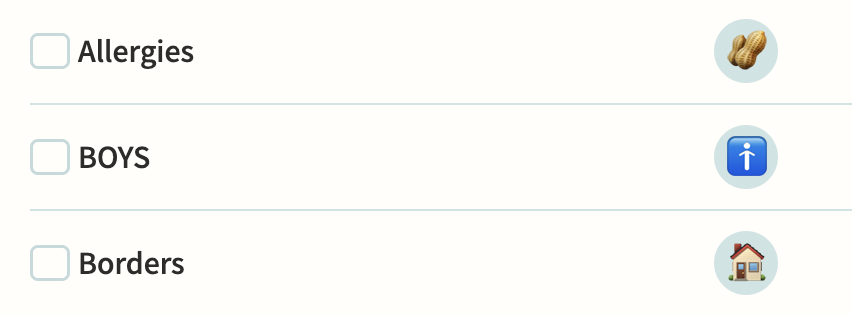
Tag pods flag shared attributes such as SEND, EAL or Pupil Premium, some synced automatically from your MIS, and can carry multiple attributes with their own levels and note history. Enable "Show in registers" so teachers see the relevant tags beside each student, and use tags to control eligibility for clubs or to target notifications to form tutors and heads of year.
Behaviour
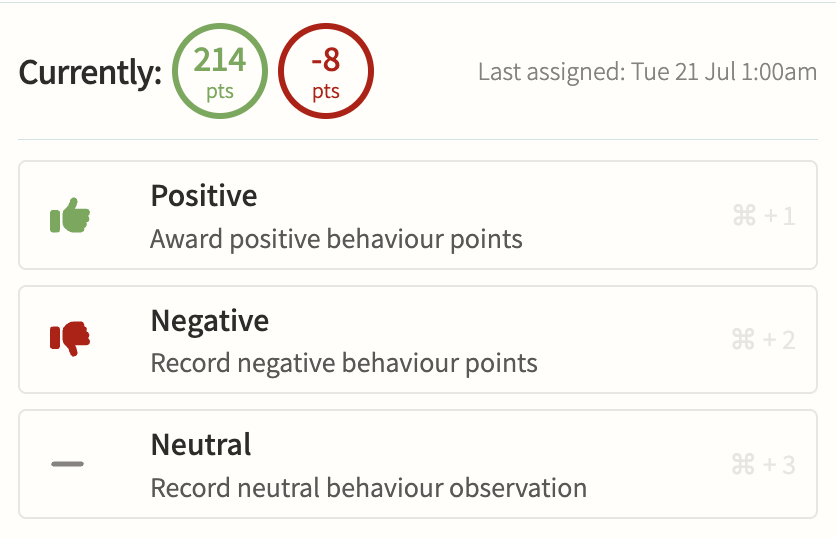
Record positive, negative and neutral behaviour points against a tag, score and optional note, with internal-only tags kept hidden from parents while still alerting safeguarding staff instantly when a serious tag is used. Points can trigger threshold alerts, link straight to a detention, and roll up into per-student and per-group reports for spotting patterns over a term.
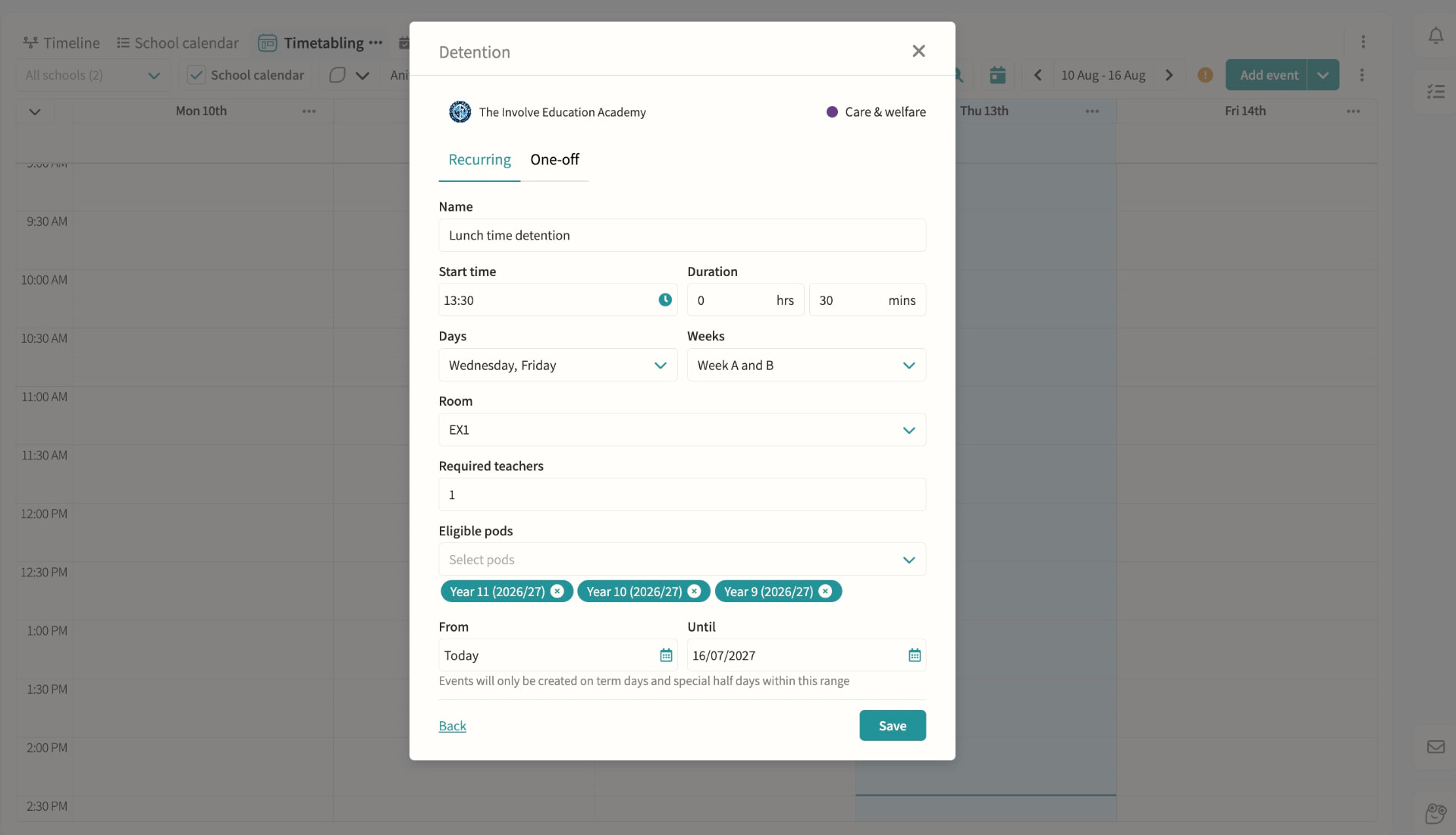
Detentions
Create recurring or one-off detentions with a room and supervising staff, then add students manually, by pod, or straight from a behaviour record with automatic clash checking against their other commitments. Parents and students are notified with the reason, and attendance at the detention itself is tracked alongside cover if the supervisor is unavailable.
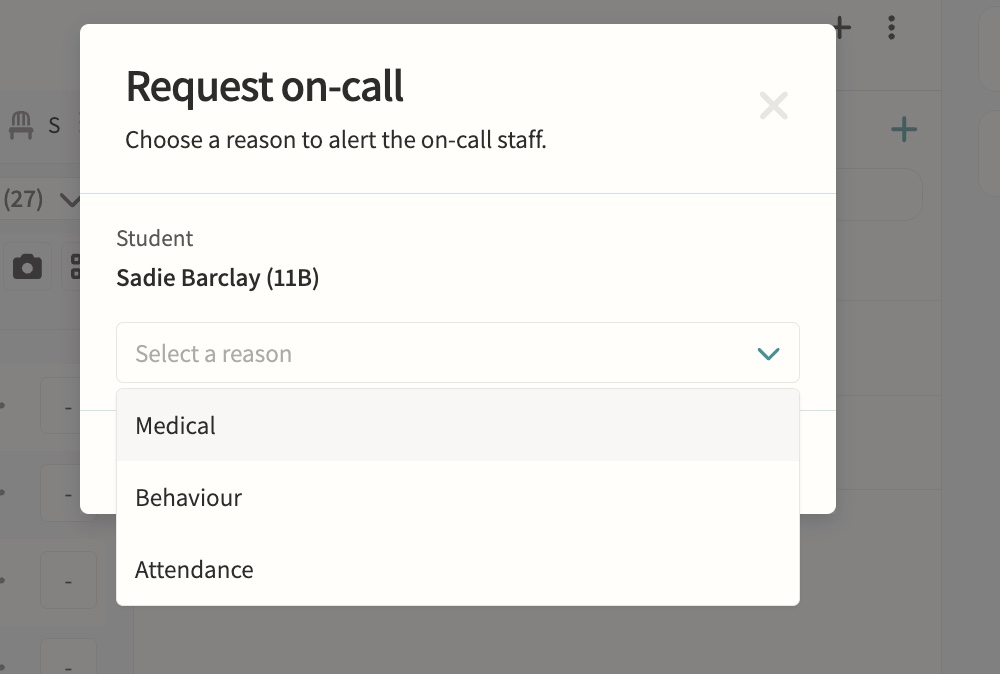
On-call requests
Teachers request medical, behaviour or attendance support during lessons directly from the register or seating plan.
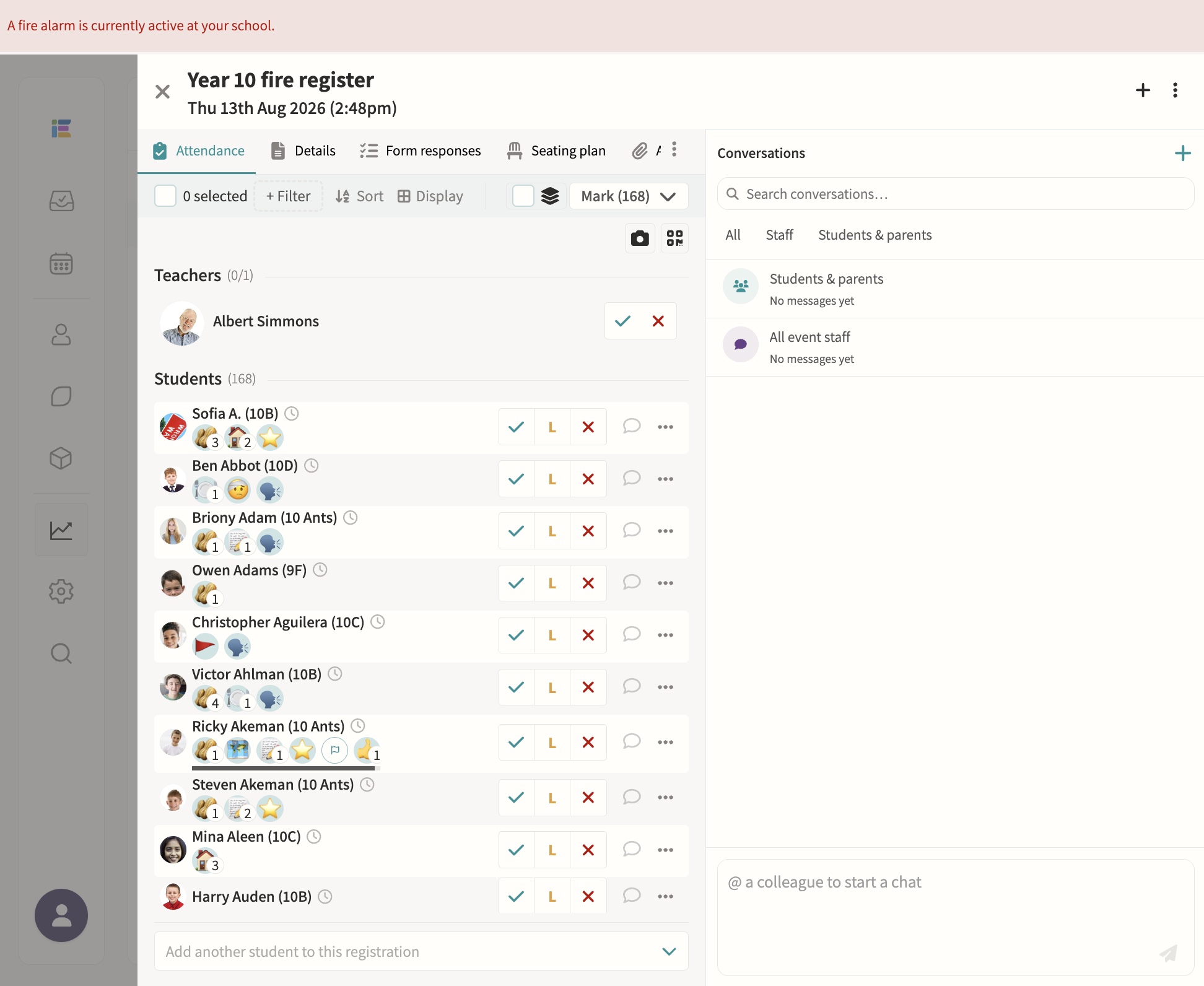
Fire alarms
Starting a fire alarm bulk-creates roll-call registers for every pod and notifies the assigned teachers instantly, with a live dashboard showing who's present, absent or off-site, refreshing automatically until the register is complete. Blank registers can be printed at any time for backup, and every past alarm is kept with full completion times for review.
Safeguarding record keeping
Secure notes and records with access controls.
03 — Feature area
Teaching & learning
Markbooks, lesson planning, report cycles, goals and a single task inbox for every user.
The teaching workflow is the one most punished by modular software. Involve is designed to be the only tab that needs to be open.
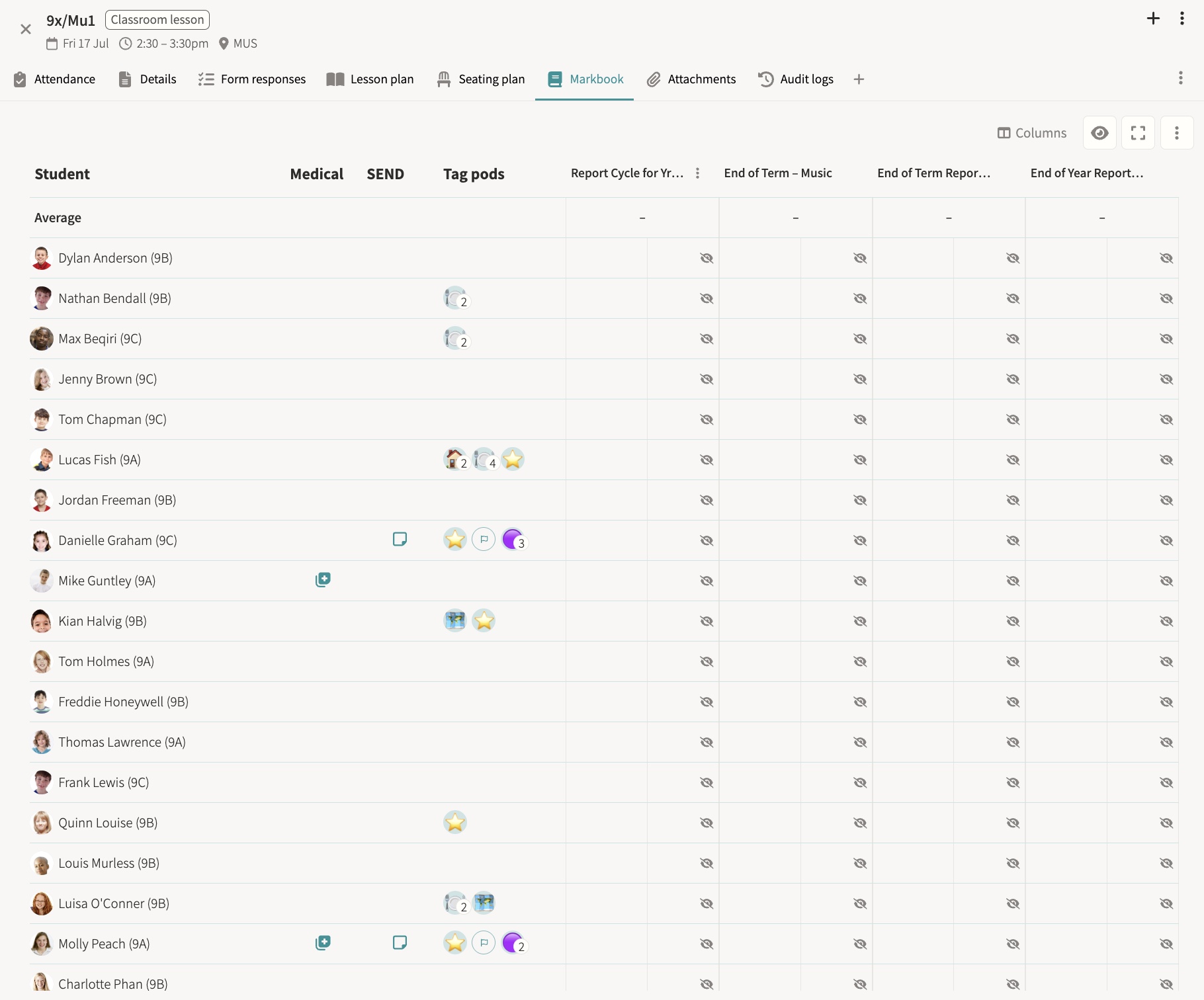
Markbooks
Students and parents see published results with scores, grades and feedback. Marks stay hidden until a teacher publishes them, at which point they appear in a read-only table with due dates, percentages and grade labels, and both the student and their parents are notified by email and in-app.
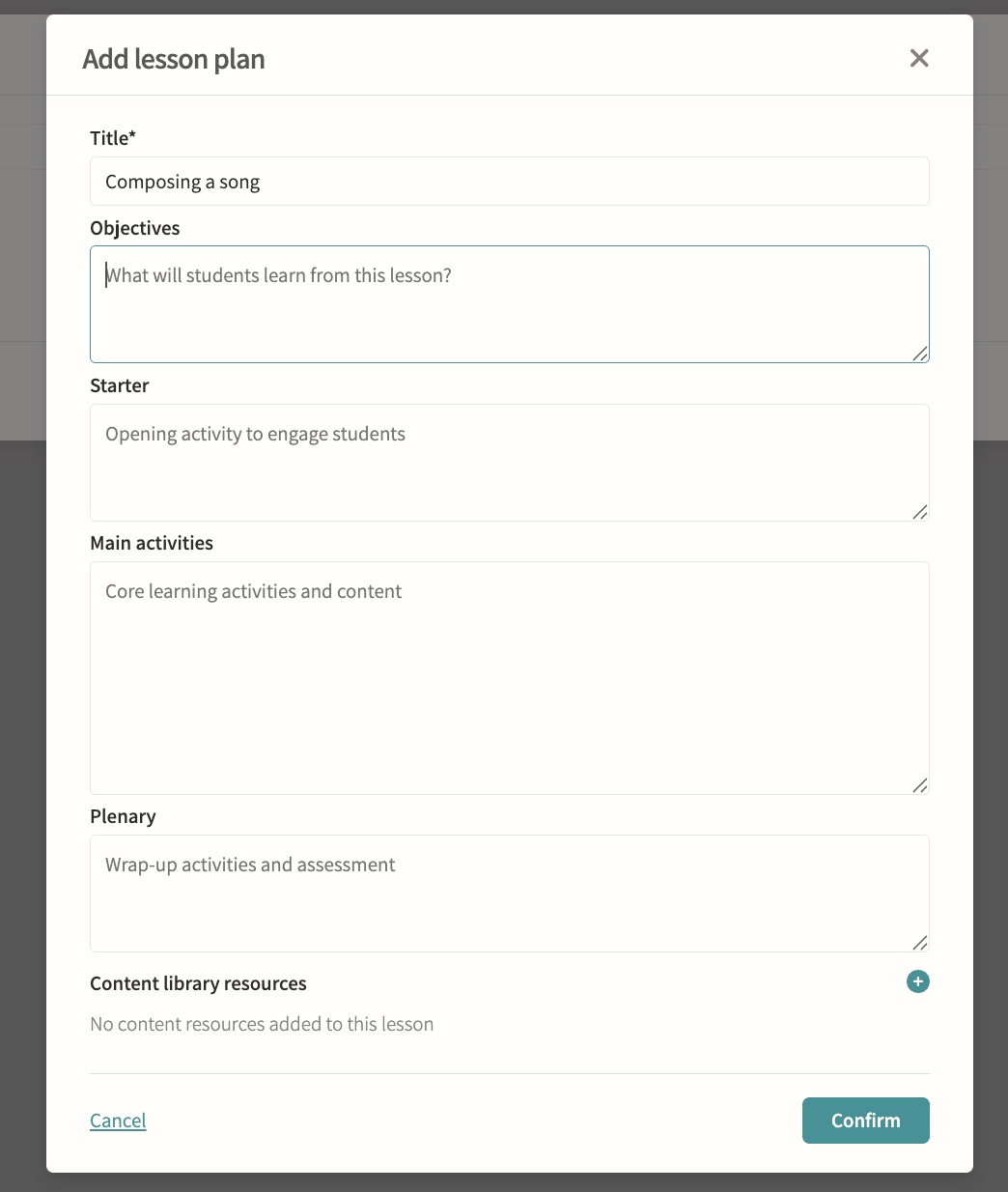
Lesson planning & content library
Build plans, attach them to lessons, organise into modules and reuse them from personal or school libraries. Plans follow a consistent structure of objectives, starter, main activities and plenary, and attaching one to an event creates an independent copy, so later edits to the library plan never disturb what has already been taught.
Report cycles & distributions
Sync results and cycles from iSAMS and distribute to students and parents. Creating a report cycle sets up its own workflow automatically, populates the relevant classes and student list, and on publication generates a branded HTML report per student that is delivered on a chosen date, or held back silently for historic content.
Progress tracking & goals
Assignments and goals set in pods, tracked through the markbook. Each goal can carry several targets with their own progress rings, so a teacher can record milestones towards an objective for an individual student or a whole group and mark the goal complete once it is reached.
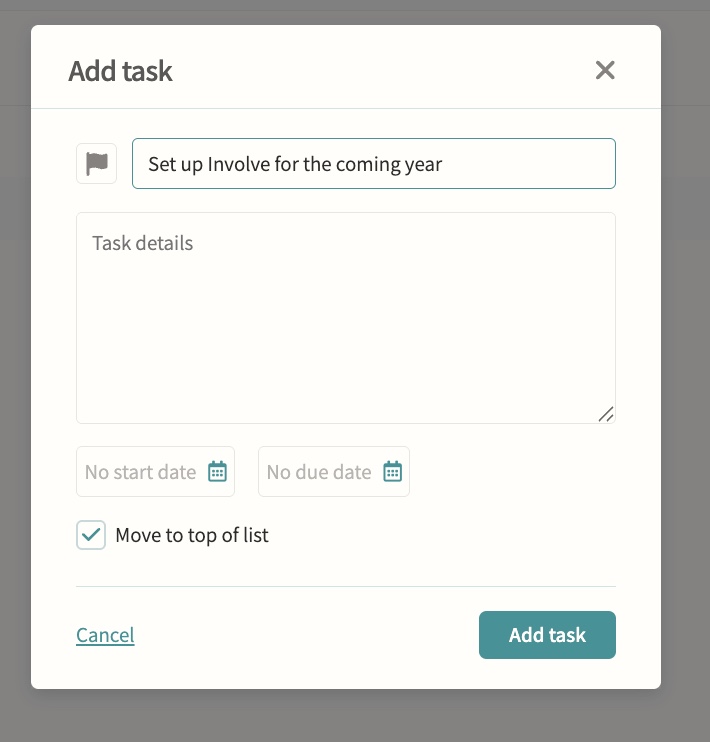
Personal task inbox
Automatic tasks from assignments, forms, bookings, payments and reports for staff, students and parents. Every task lands in one filterable, searchable inbox with priority flags and a personal running order, so nothing set for a person gets missed among separate assignment, form and payment lists.
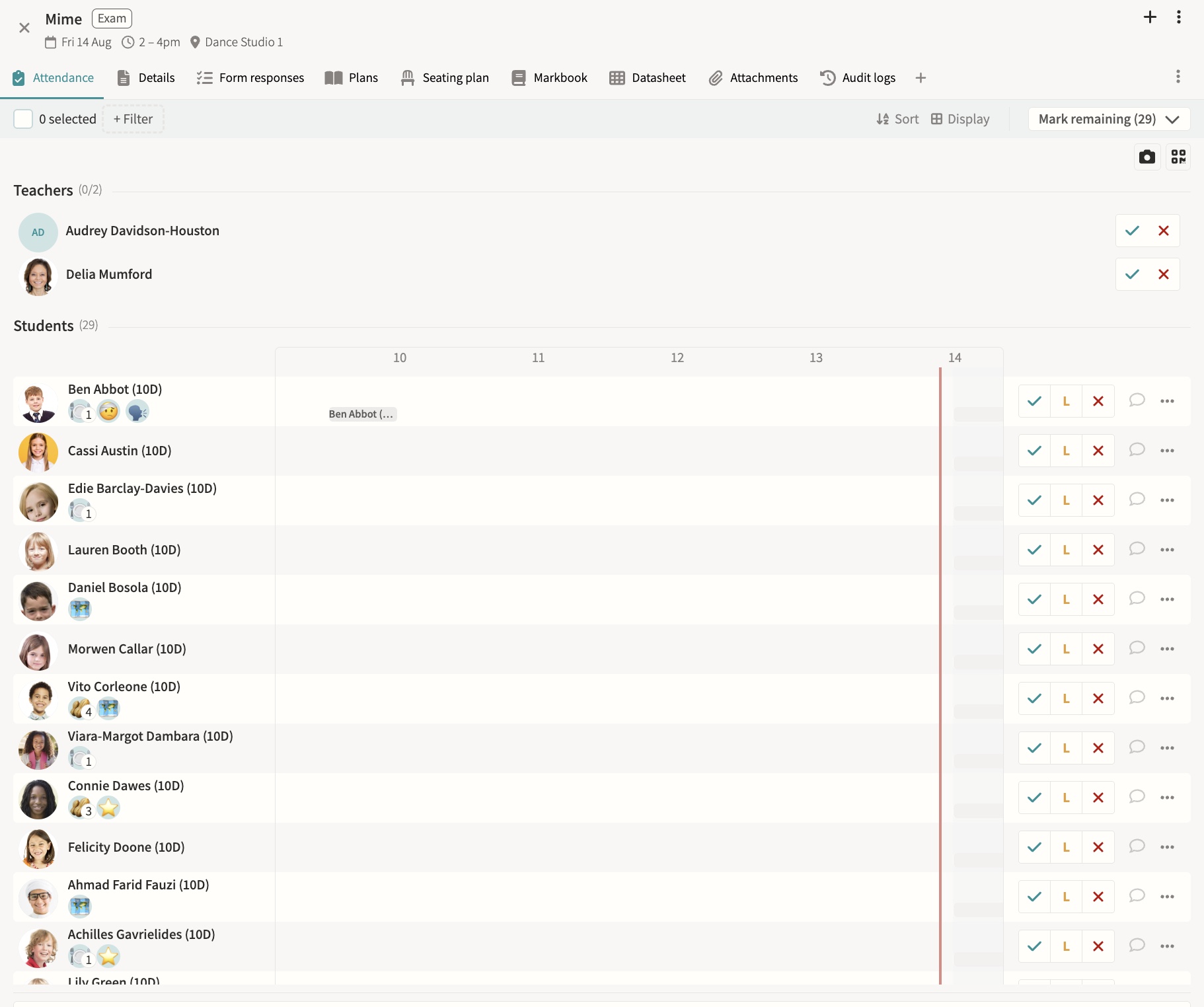
Exams
Book internal and external exams, build seating plans, track attendance, publish to calendars and feed analysis dashboards. External exams can sync nightly from iSAMS with board, qualification and student data pulled through automatically, and exams generate clash warnings against co-curricular events rather than blocking them outright.
04 — Feature area
People & admin
Contacts, permissions, invitations and audit trails for every adult and student in the school.
One place to decide who can see what, and a record of everything they did with it.
Contacts & approvers
Manage and export parent and staff contact details ready for comms and mail merge, and assign roles such as Event Approver, Message Approver and Attendance Officer. The parents list surfaces email delivery issues, parental responsibility and last login for every guardian, while special roles such as Attendance Officer, Duties Manager and Room Manager add capabilities on top of a staff member's base permission level without removing anything else.
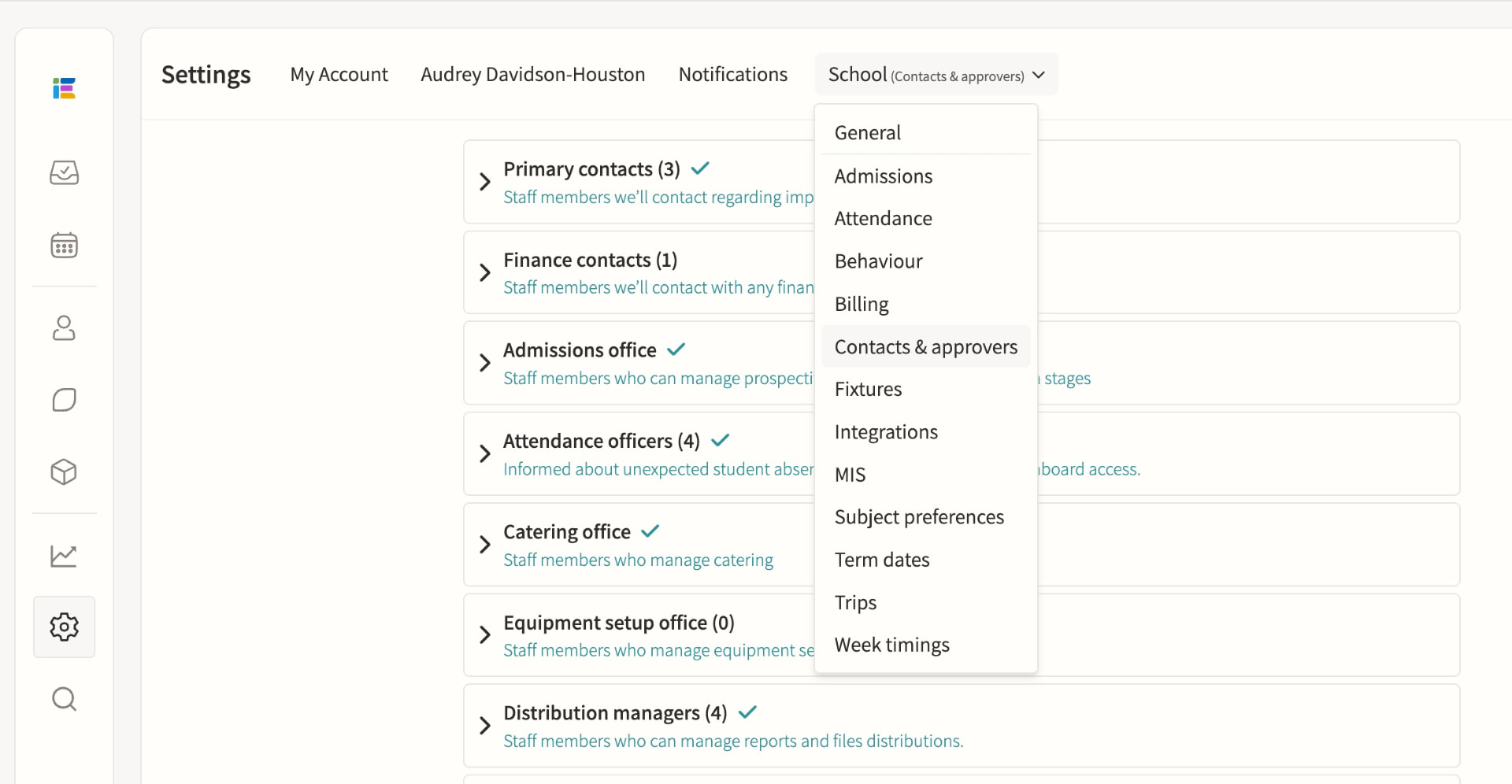
Staff permissions
Fine-grained permissions, including special roles. Admin, Teacher and Restricted teacher levels set base access to events, calendars, students and settings, with department and division assignment narrowing what each person sees; a staff member can hold multiple special roles at once, and permission changes take effect immediately without needing to log out.
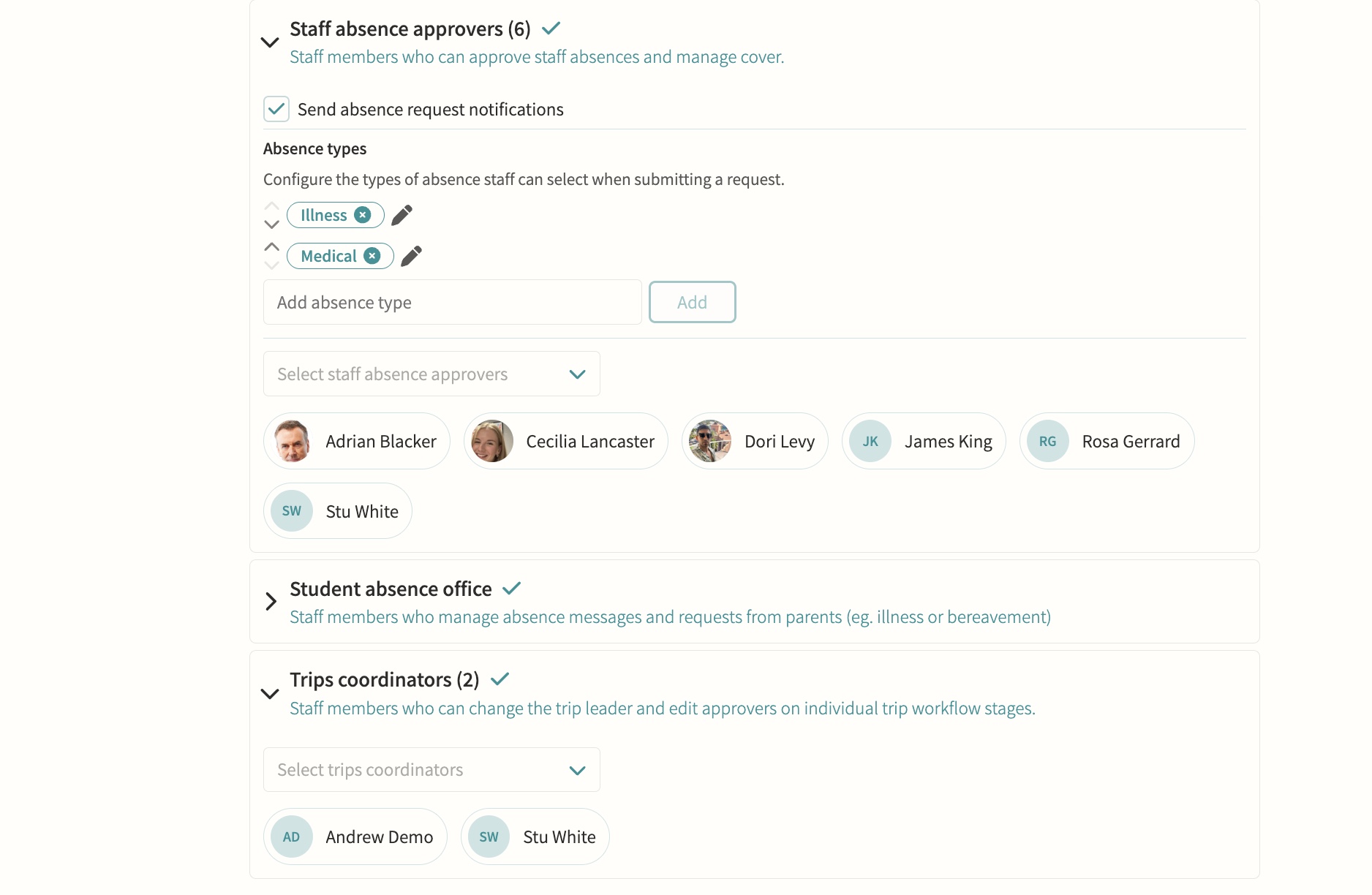
Staff users, including peripatetic/restricted teachers
Limited visibility and permissions for visiting staff. Restricted teachers can only see the groups and events where they are explicitly assigned as a teacher, with all data queries filtered automatically at that level, so they cannot browse the full student list, other staff's calendars or school-wide reports.
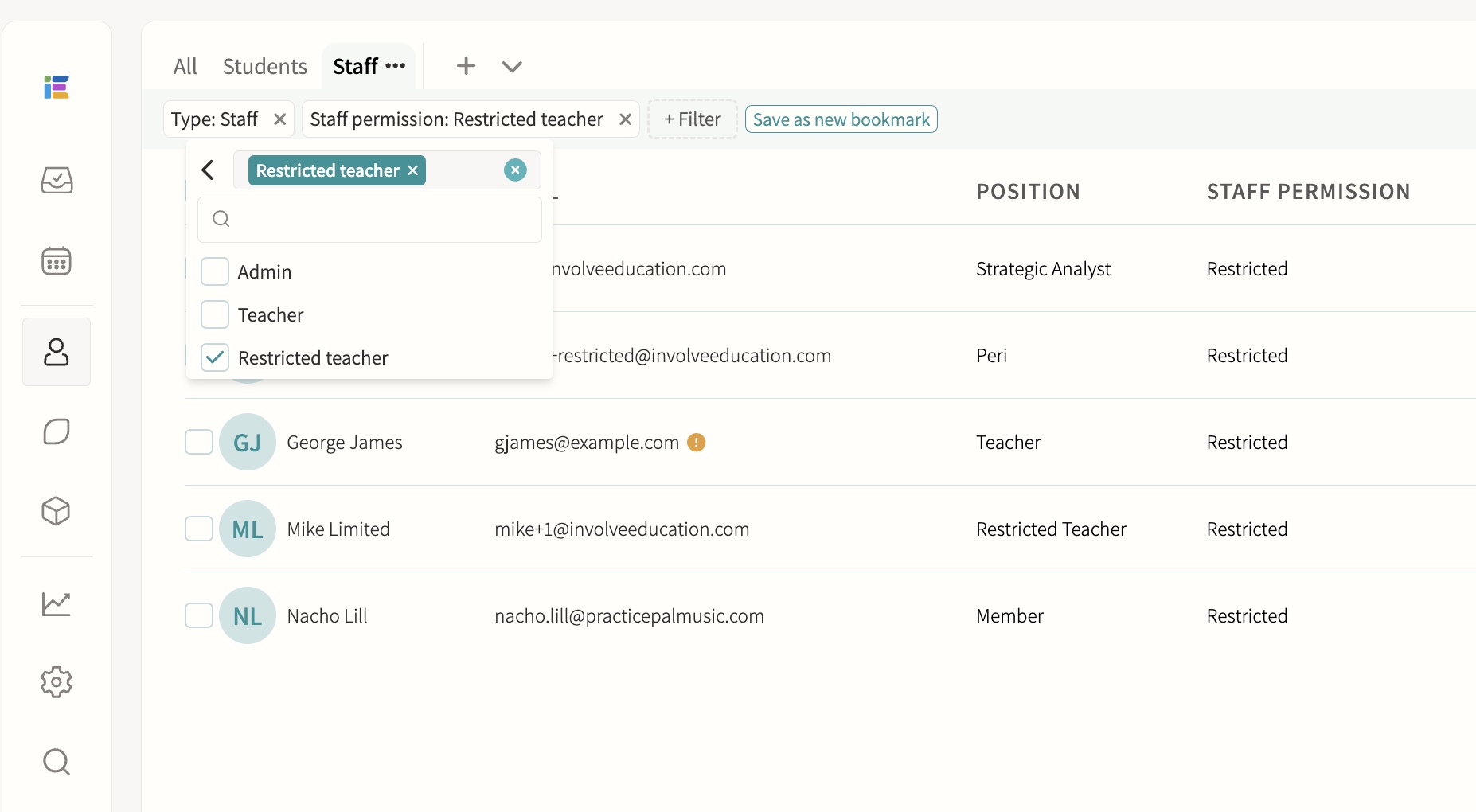
Account management & invites
Manage accounts and send invitations. Accounts can be created via MIS sync, manual entry or parent self-registration with a child's passcode, and support email/password, Microsoft or Google SSO; individual or bulk invitations can be sent and resent, and pending, active and inactive-email statuses are visible in the staff and student lists. Each contact record shows priority, title, relationship, phone, address and email, with a clear "Not yet registered" state and one-click options to send an invitation, send an email or trigger a notification.
Staff absence & leave
HR and staff absence officers receive leave requests routed automatically by division, so each team only sees the cases it owns, and can approve or decline with a note and supporting documentation on the employee record. Approved absence flows straight into cover management, where cover is assigned from a ranked list showing each teacher's availability, weekly and yearly utilisation and when they last covered.
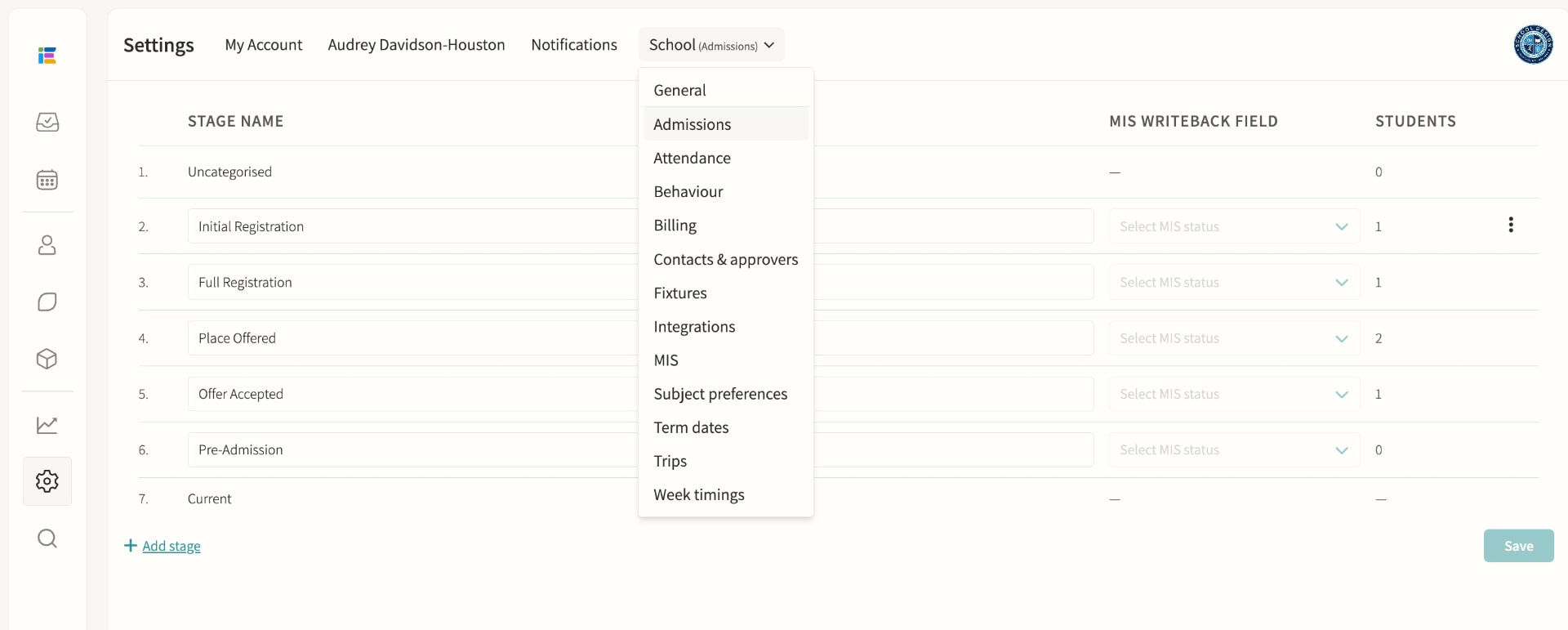
Admissions
Manage the admissions process. Schools configure their own custom stages, each with an optional MIS writeback mapping, attached forms and a personalised email using merge fields; a public admissions form captures enquiries without a login, and iSAMS schools can sync prospective students and write status changes back to their MIS automatically.
Audit logs
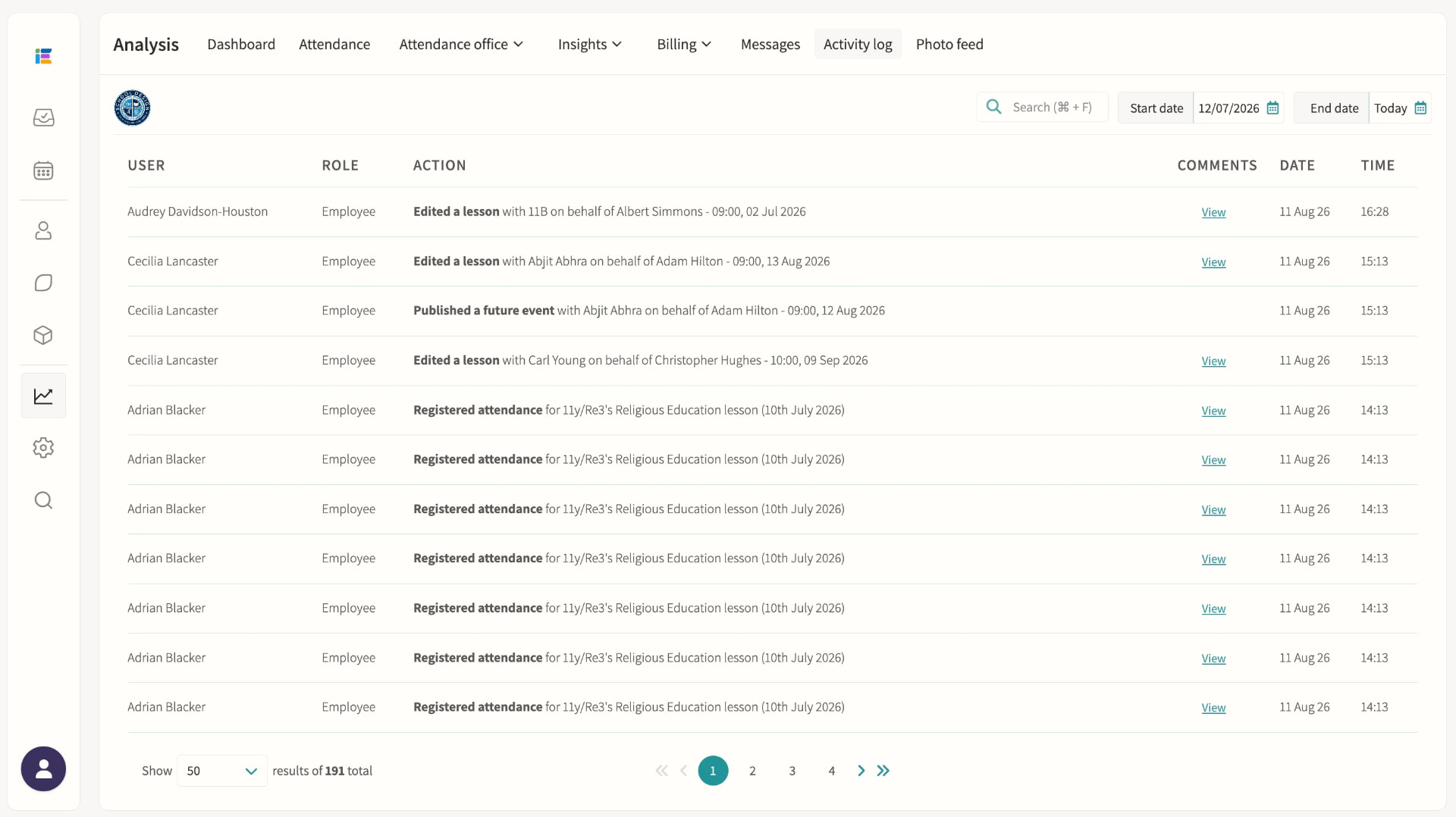
Attendance changes, messaging and approvals logged for accountability. The activity log records who did what and when, including lesson edits, attendance changes and group membership changes, with before-and-after detail available for many entries and filtering by date range or keyword search.
05 — Feature area
Communication & parent engagement
Messaging, bulletins, consent forms and a parent portal that keeps every conversation on the record.
Parents get one home for everything; staff get one outbox with an audit trail.
Communications
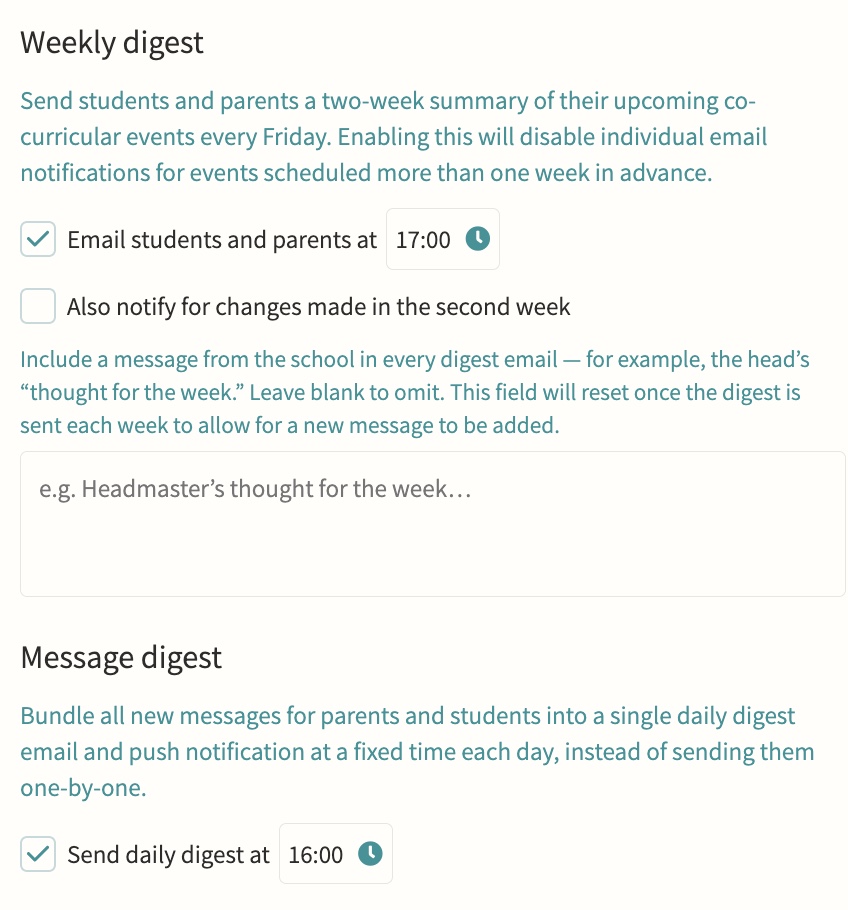
Direct or bulk teacher-to-parent and teacher-to-student messaging, kept on record, with parent bulletins, automated notifications and alerts, parent messaging offices, secure media and report sharing, consent forms, divisions for multi-division schools, and handbooks for staff, student and parent audiences. Every message is threaded, trackable per recipient, and can be scheduled in advance or bundled into a daily digest so parents get one email rather than a flood, with an option to switch off replies once a message has said what it needs to.
Parents' evenings & meetings
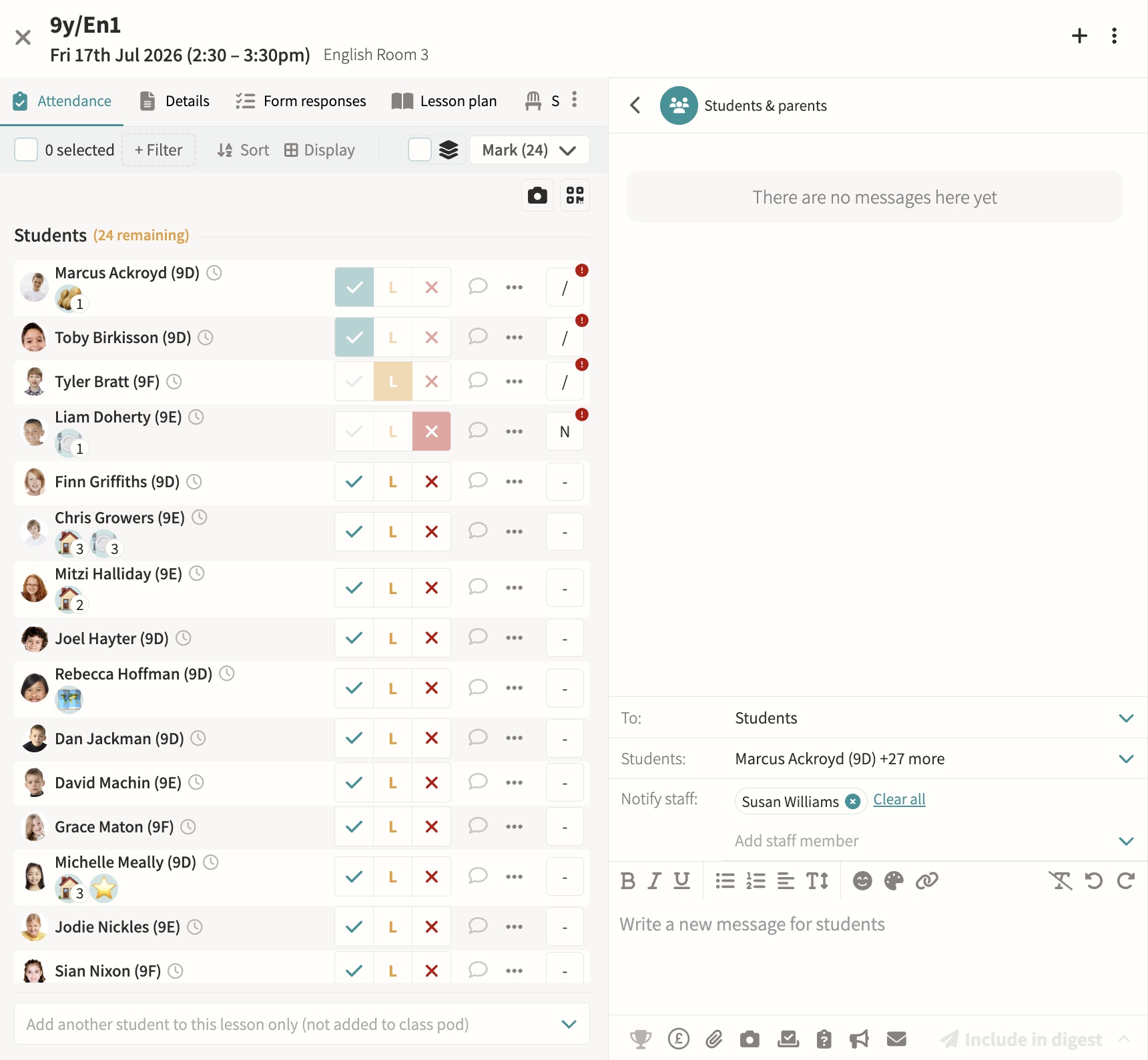
Schedule and manage meetings, with booking via shareable links. Meetings can run online, in person or as a hybrid of both, with back-to-back appointment slots, automatic reminders to parents who have not yet booked, and a travel gap on in-person days so a parent moving between several teachers is never double-booked.
Parent app / portal
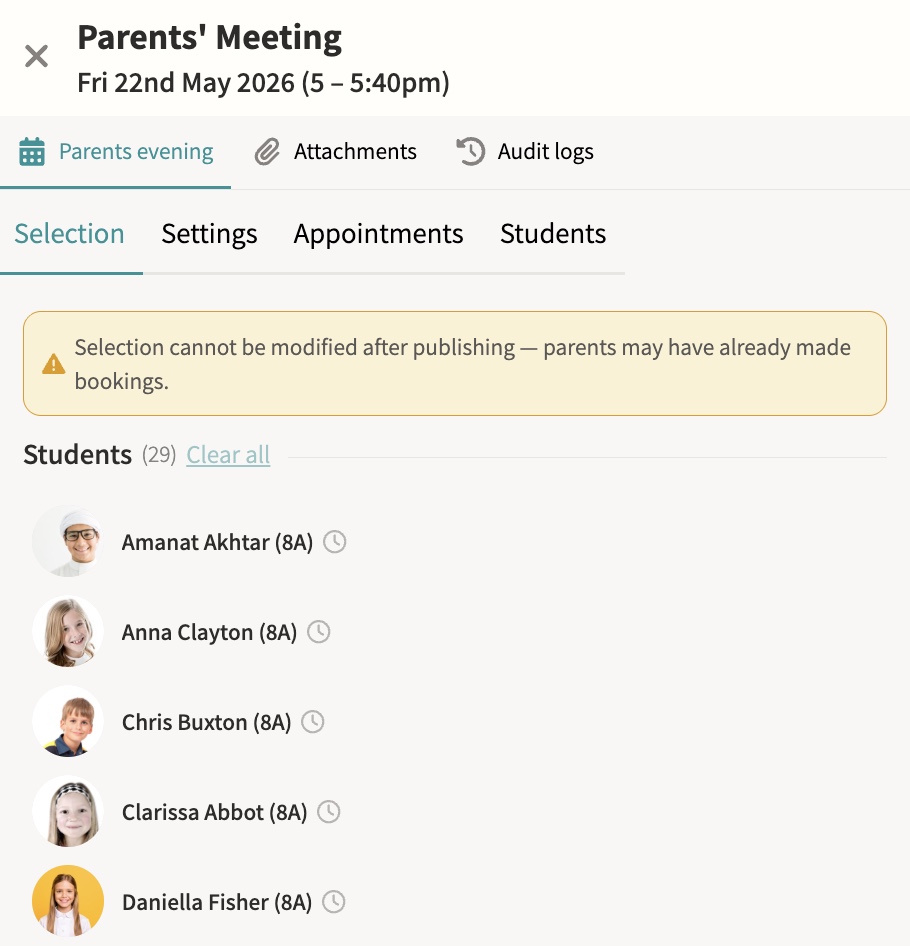
Calendars, attendance, reports and messages in one place, so a parent with several children at the school sees everything for every child without switching accounts or logging in separately for each one.
Staff chat
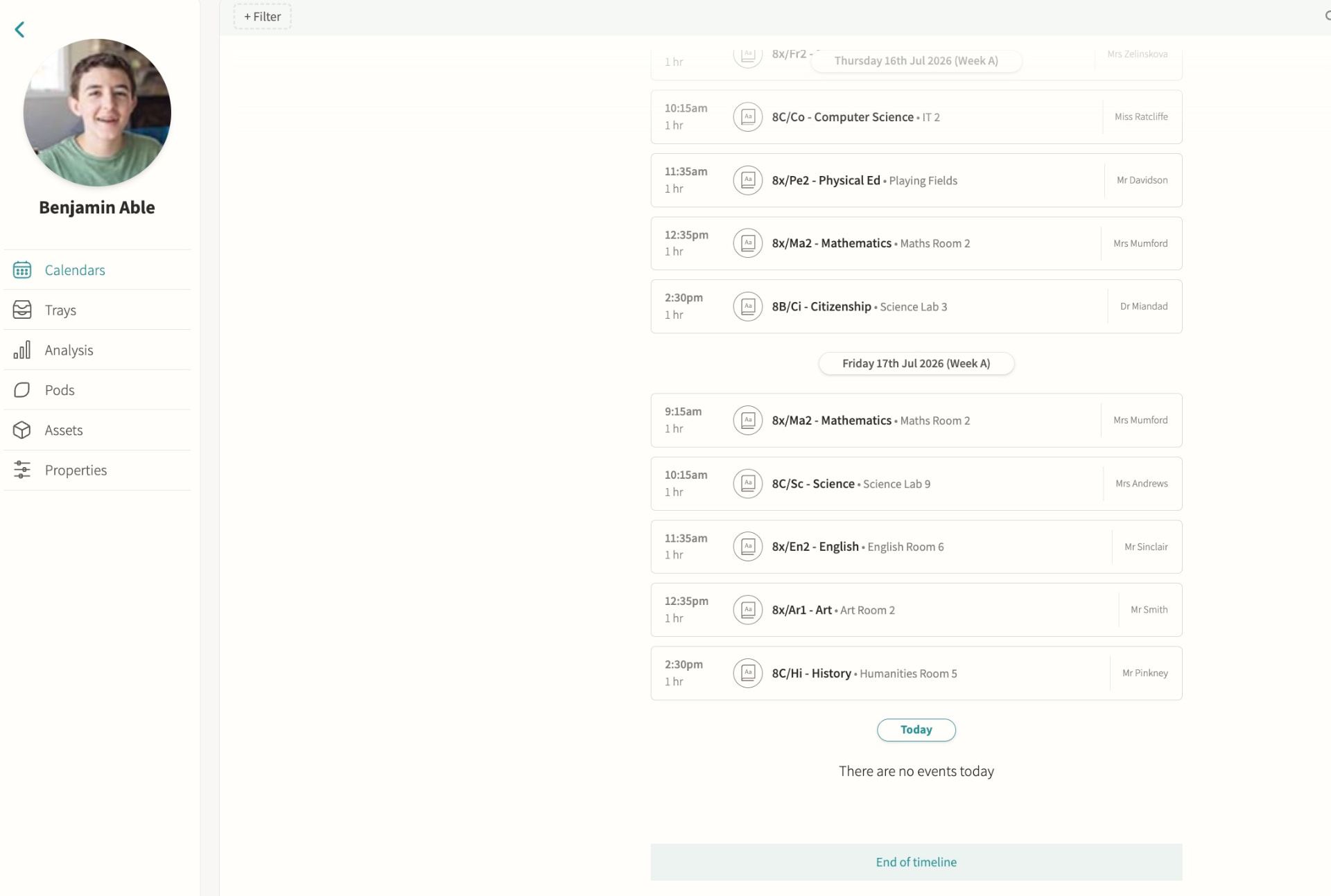
Internal staff-to-staff messaging, scoped to the event, pod or student it concerns rather than a single generic inbox, so a conversation about a trip, a class or a student stays attached to that context and any colleague who needs it can find it later.
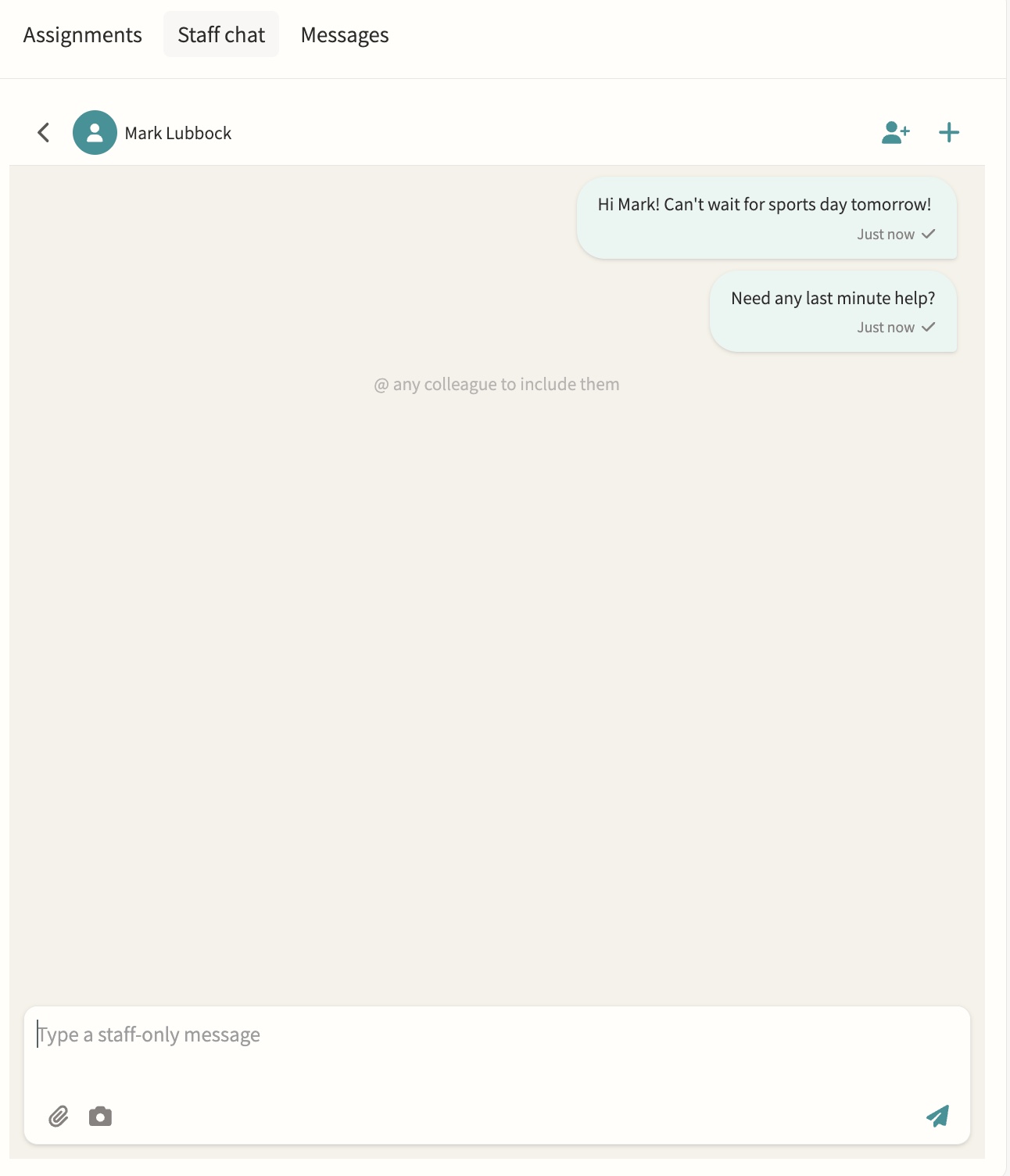
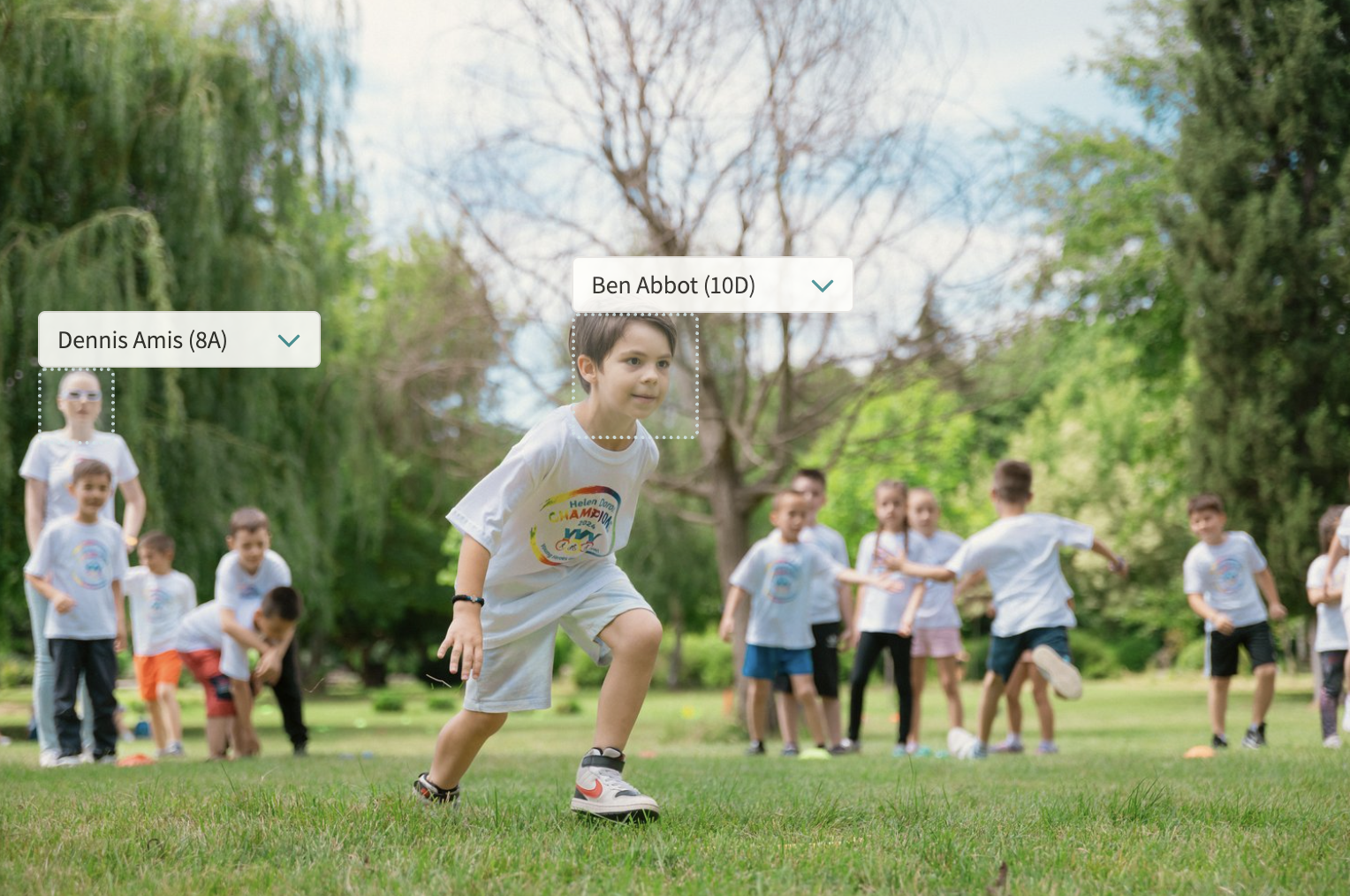
Photo feed
A shared feed for the school community, pulling together every photo uploaded to event notes with automatic face detection so students can be tagged quickly, and consent filters that only surface images for internal or marketing use once every tagged student's photo permission allows it.
Digest emails
Automated clash and event digests showing what's coming, what clashes and who is leaving class, sent to staff on a schedule so a form tutor or head of year can see at a glance which of their students have an overlapping activity or are due out of a lesson, without checking every calendar individually.
06 — Feature area
Wraparound care & wellbeing
Wraparound care and counselling access controls safeguarded in the same platform as the school day.
Care provision is scheduled, charged and safeguarded in the same platform as the school day.
Wraparound care
Manage sessions and billing together. Care pods can run as recurring schedules such as a daily breakfast or after-school club, or as one-off sessions, with self-attendance letting children mark their own arrival and a bookable setting letting parents reserve and pay for individual sessions rather than holding permanent membership.
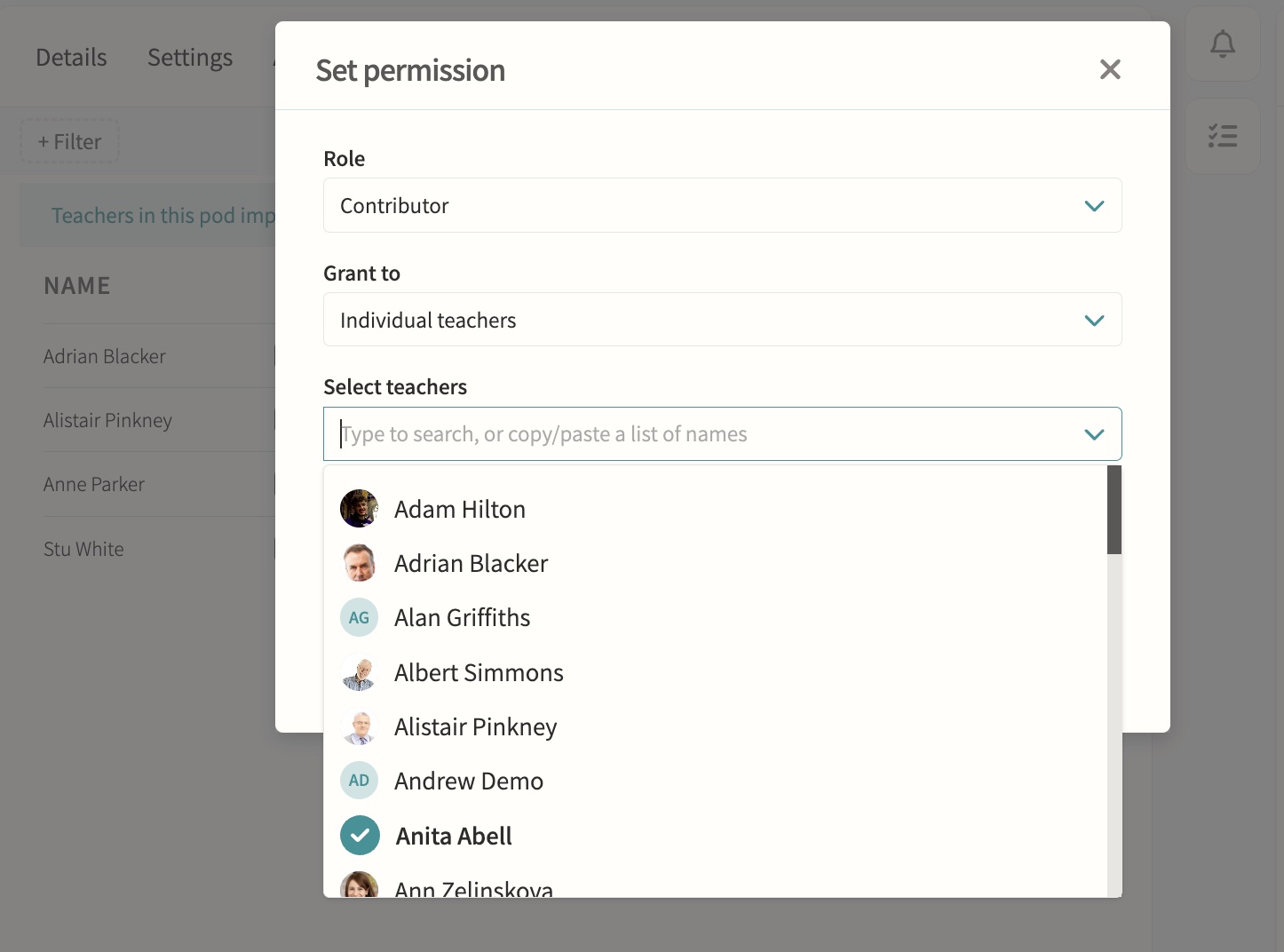
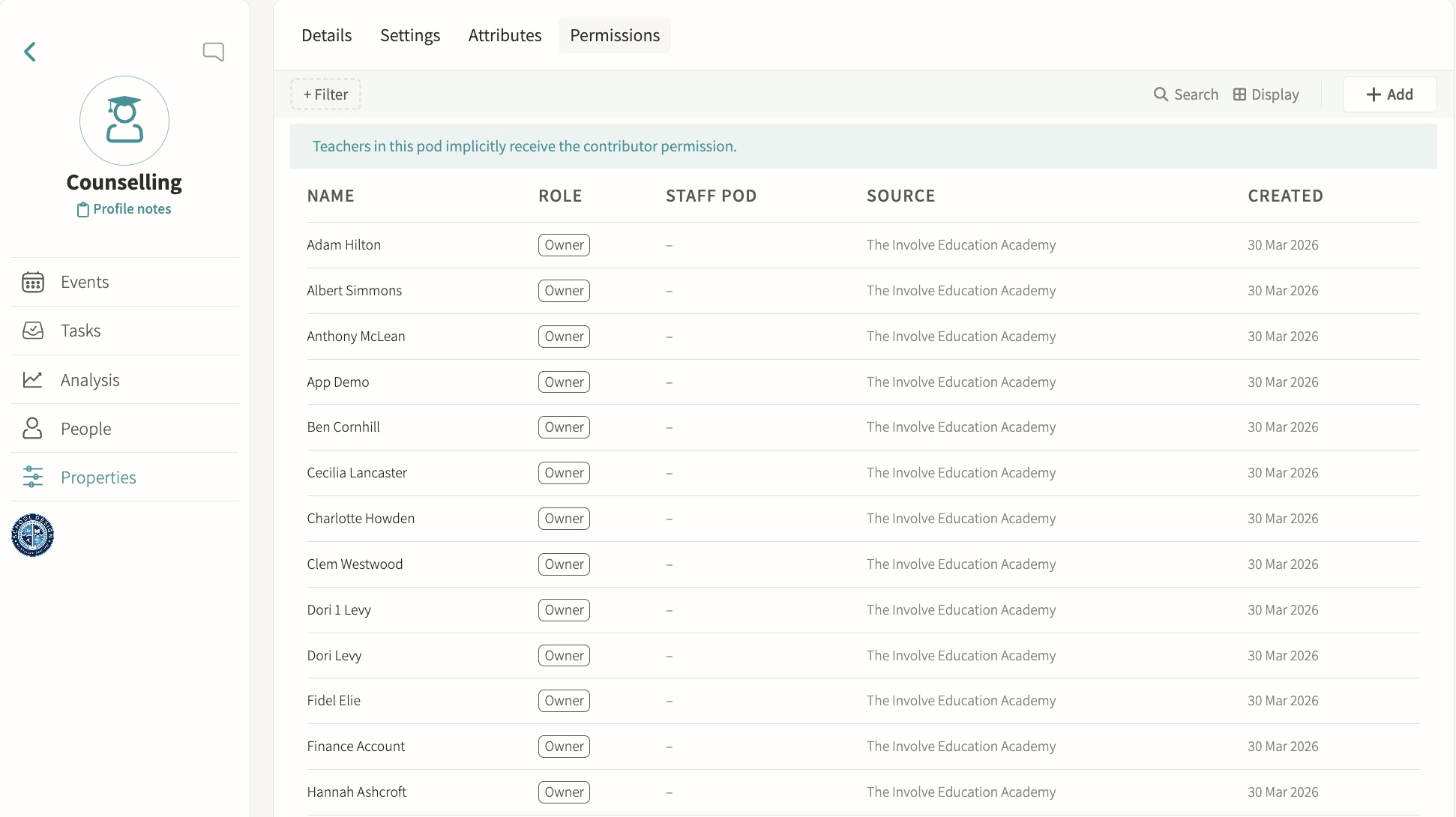
Counselling
Restrict sensitive pods to authorised staff only. Pod-level permissions grant Owner, Manager or Contributor access to named staff or staff pods, so a counselling group can be limited to specific practitioners while everyone else is excluded from seeing it in the pods list or opening its page.
Medical
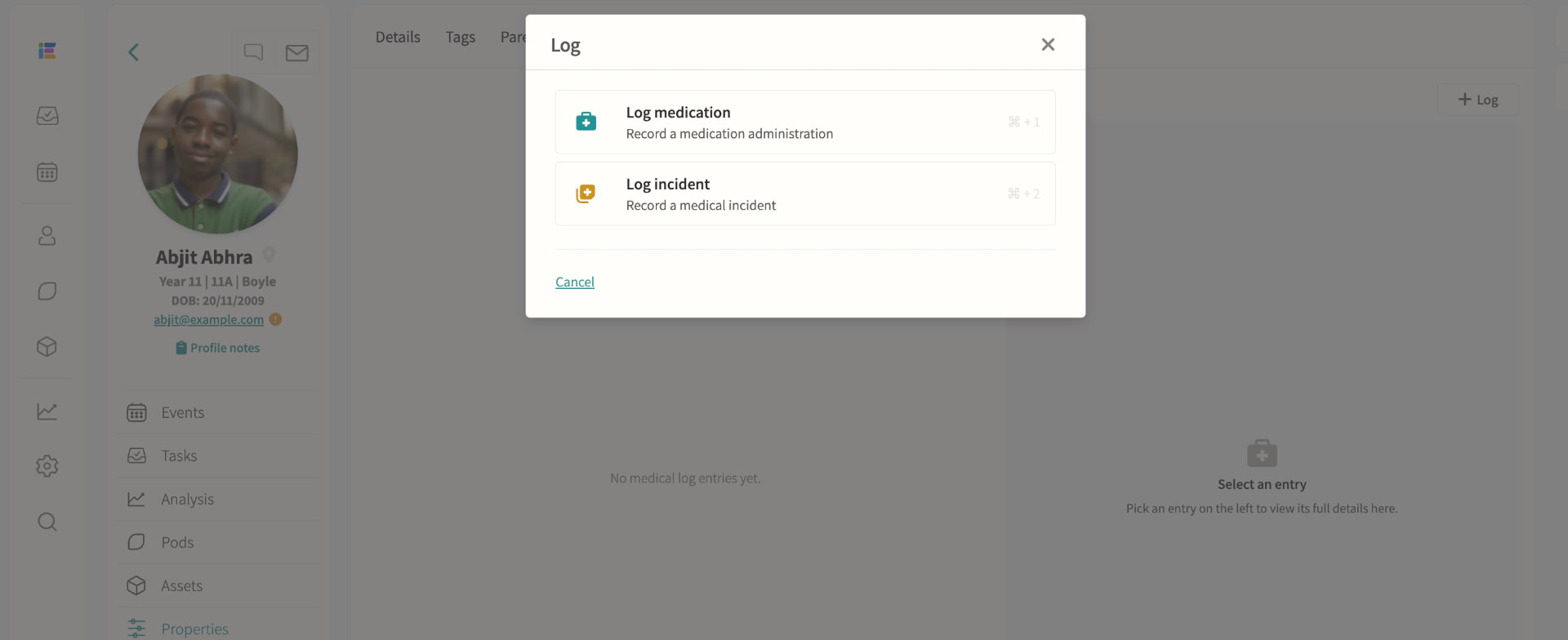
Record medical information, log medication administrations and track incidents; schedule appointments with attendance codes written back to missed lessons, visible in profiles, registers, trips and datasheets for authorised staff.