Teams · Pastoral
For pastoral teams
Welfare, behaviour and safeguarding in one chronology.
Concerns, attendance patterns and family context together.
Pastoral care depends on context. Involve puts the whole picture on one screen, with strict need-to-know access.
Relevant feature areas
4 key areas, one unified platform
01 — Feature area
Attendance & safeguarding
Registration in seconds, live dashboards and automatic alerts, and the pastoral record that sits behind it.
Attendance data is only useful if it is complete and fast to record. Involve captures it live and puts the safeguarding context beside it, with strict need-to-know access.
Registration
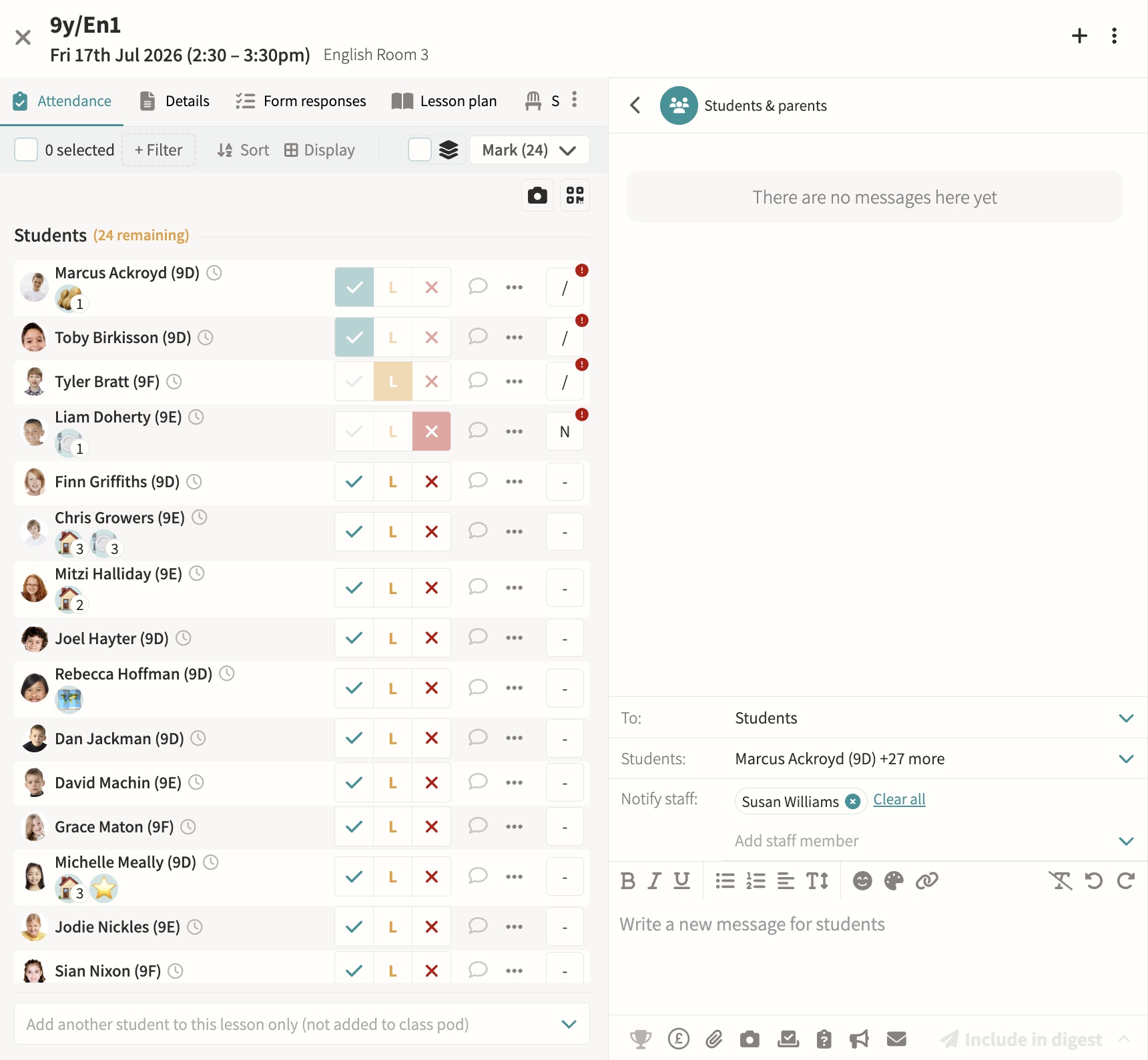
Teachers mark present, late or absent with a single tap or keyboard shortcut, with movements tracked as students arrive or leave mid-lesson and dismissal recorded for clubs, fixtures and performances. Marks sync back to your MIS automatically, while attendance officers can override codes and dashboards flag overdue registers and unaccounted students in real time.
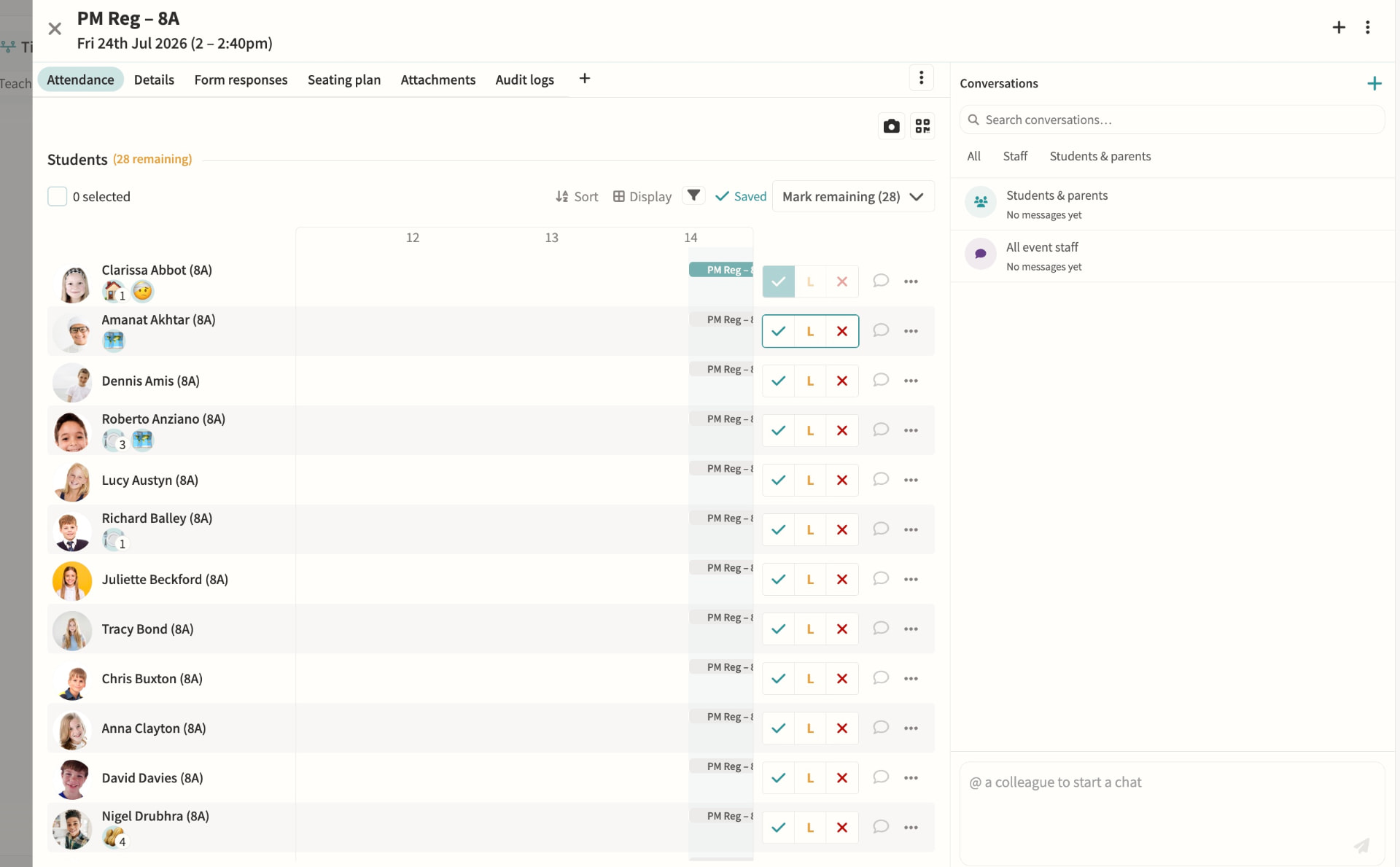
Attendance dashboards & monitoring
Attendance officers get a single view of incomplete registers, unaccounted students and unexplained absences, colour-coded by urgency and updating live through the school day. Filters by year group, house, session and attendance code make it quick to spot patterns, resolve a mark or message affected parents directly from the dashboard.
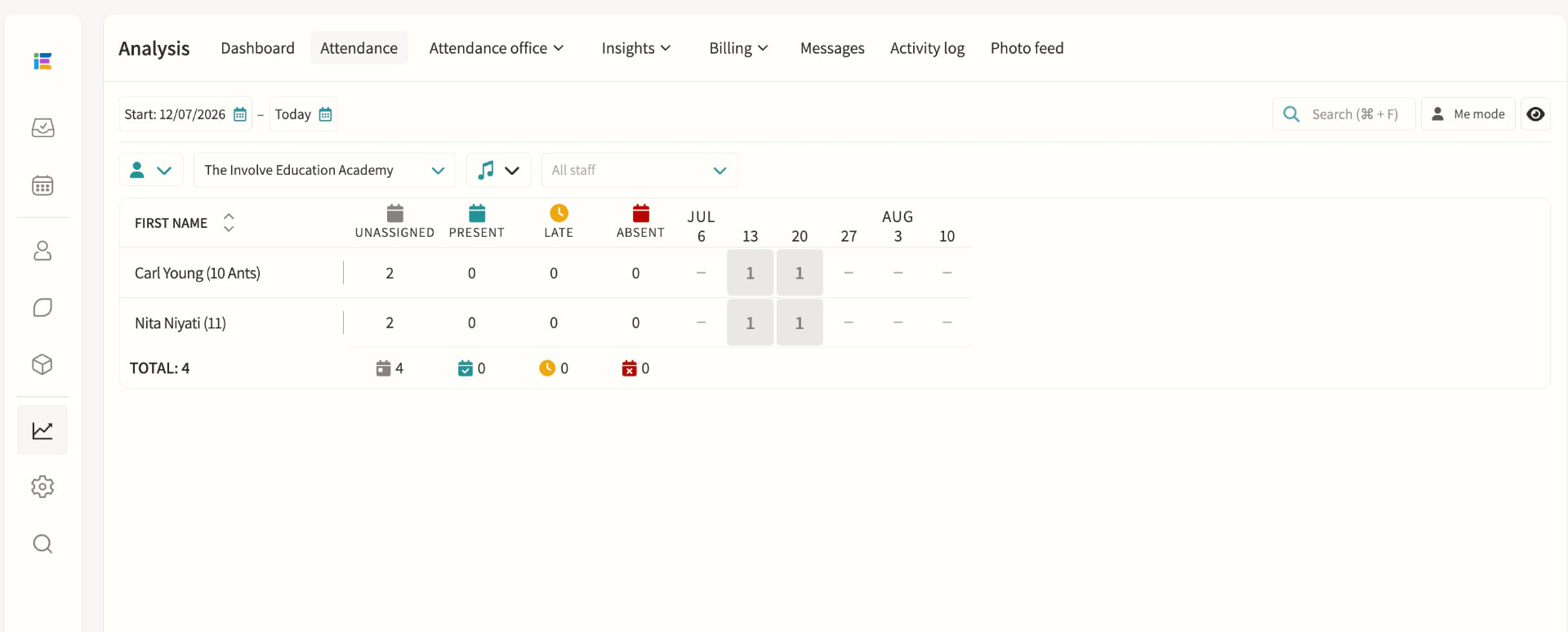
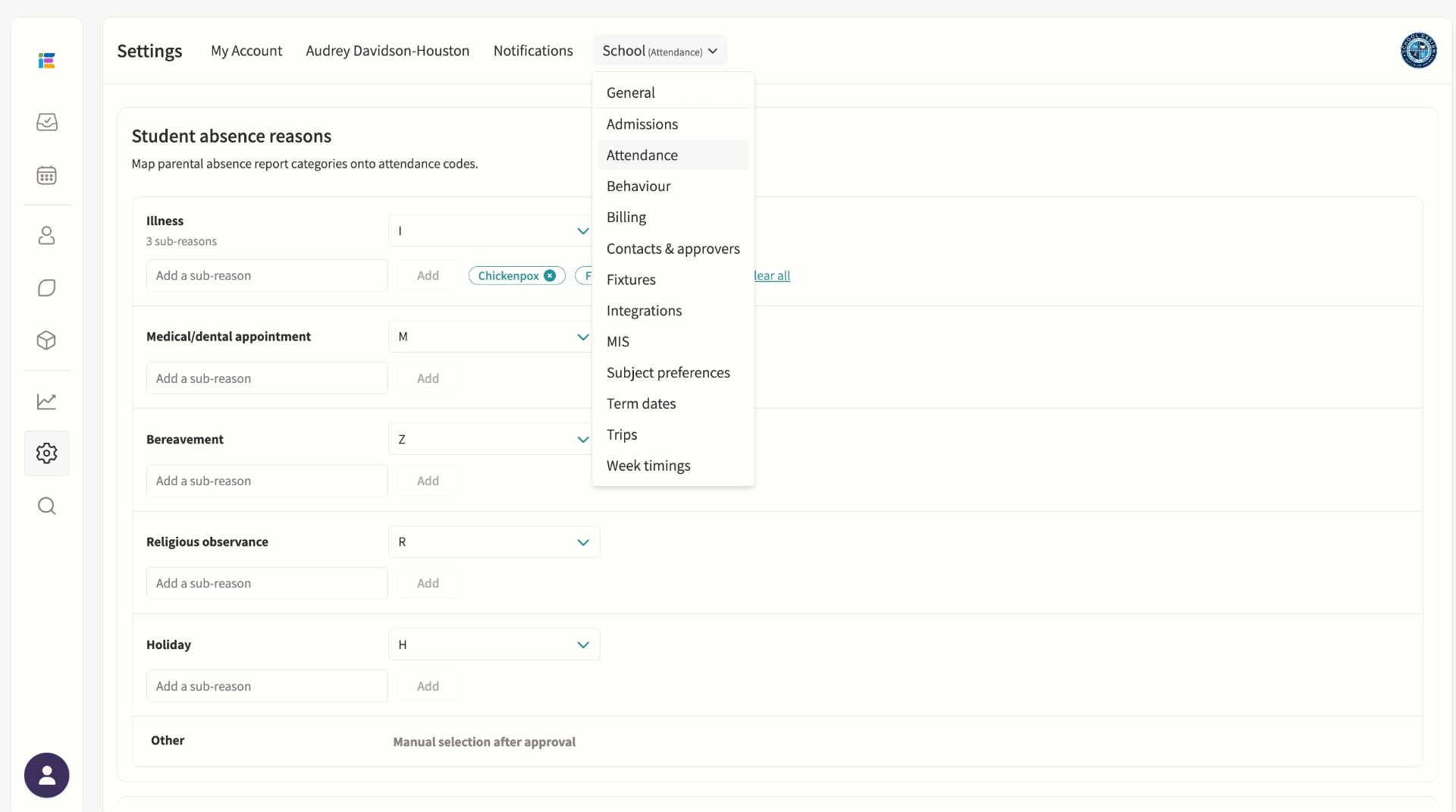
Student absence
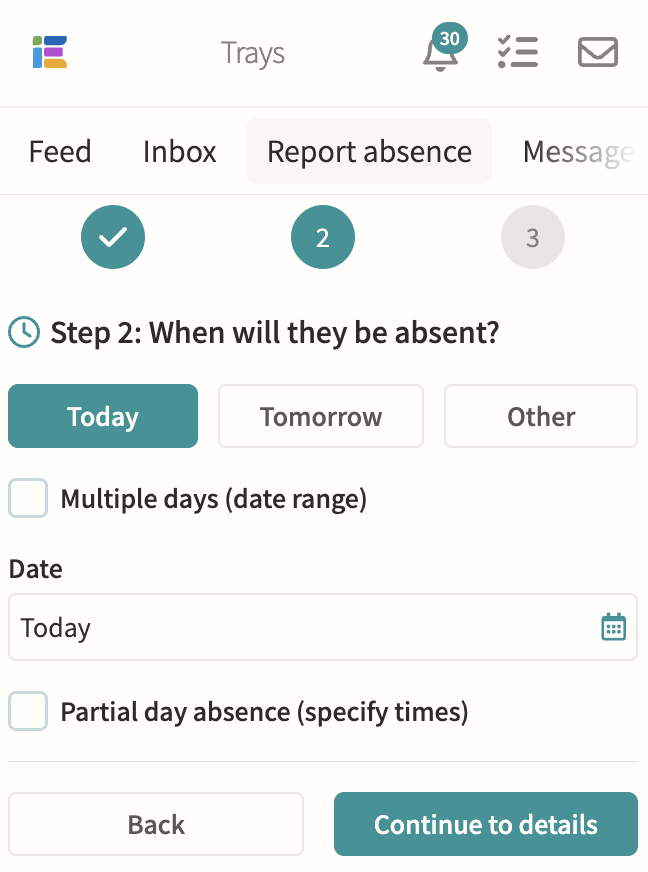
Parents submit absence requests with a reason and optional subcategory, which staff on the absence pod can approve or decline with a note sent straight back to the family. Once published, the absence writes the correct attendance code to every overlapping lesson and register, including recurring patterns for known ongoing appointments.
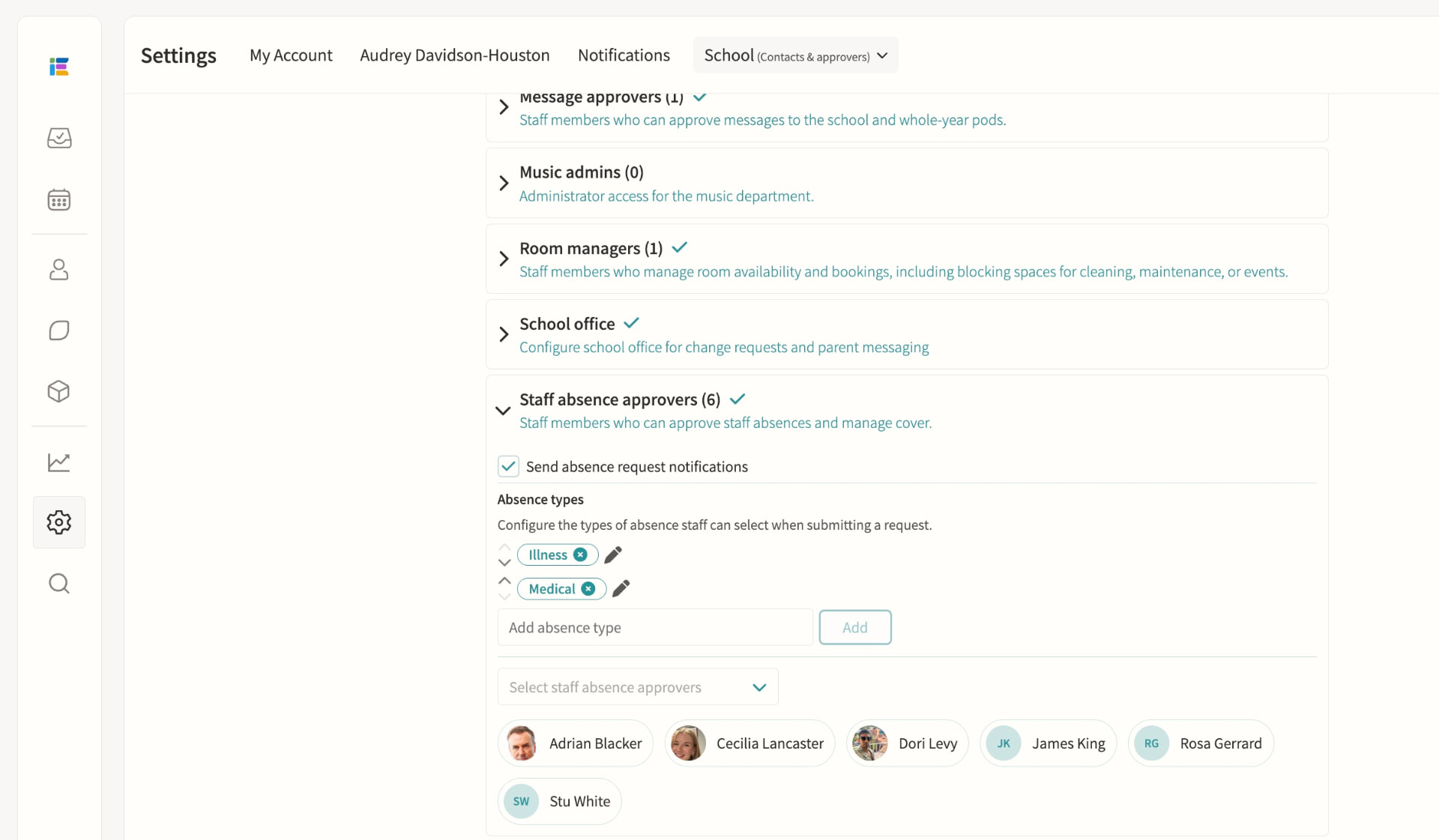
Staff absence & cover management
Staff submit leave requests for approval by staff absence officers, who are automatically routed by division so each team only sees relevant cases. Once approved, cover can be assigned from a ranked list showing each teacher's availability, weekly and yearly utilisation and when they last covered, including split cover across time segments for longer events.
Tag pods, including SEND
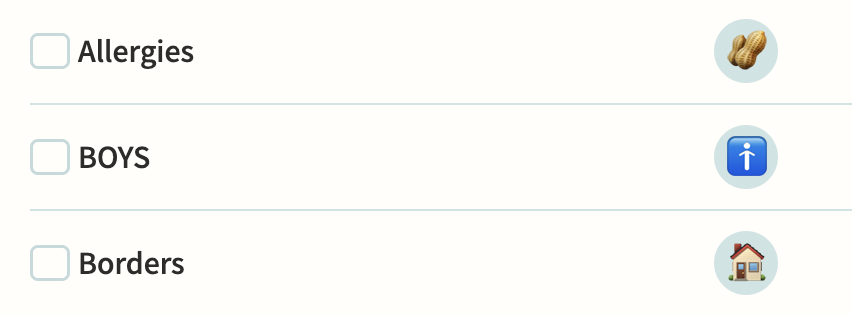
Tag pods flag shared attributes such as SEND, EAL or Pupil Premium, some synced automatically from your MIS, and can carry multiple attributes with their own levels and note history. Enable "Show in registers" so teachers see the relevant tags beside each student, and use tags to control eligibility for clubs or to target notifications to form tutors and heads of year.
Behaviour
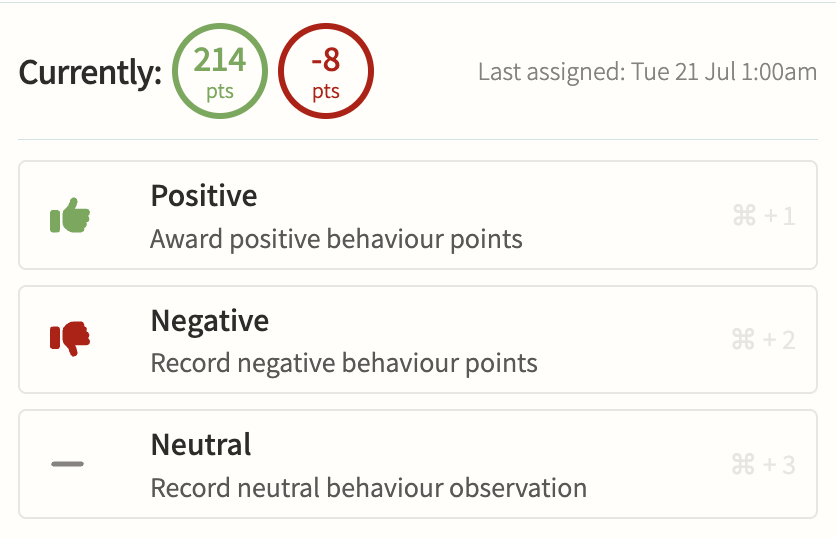
Record positive, negative and neutral behaviour points against a tag, score and optional note, with internal-only tags kept hidden from parents while still alerting safeguarding staff instantly when a serious tag is used. Points can trigger threshold alerts, link straight to a detention, and roll up into per-student and per-group reports for spotting patterns over a term.
Detentions
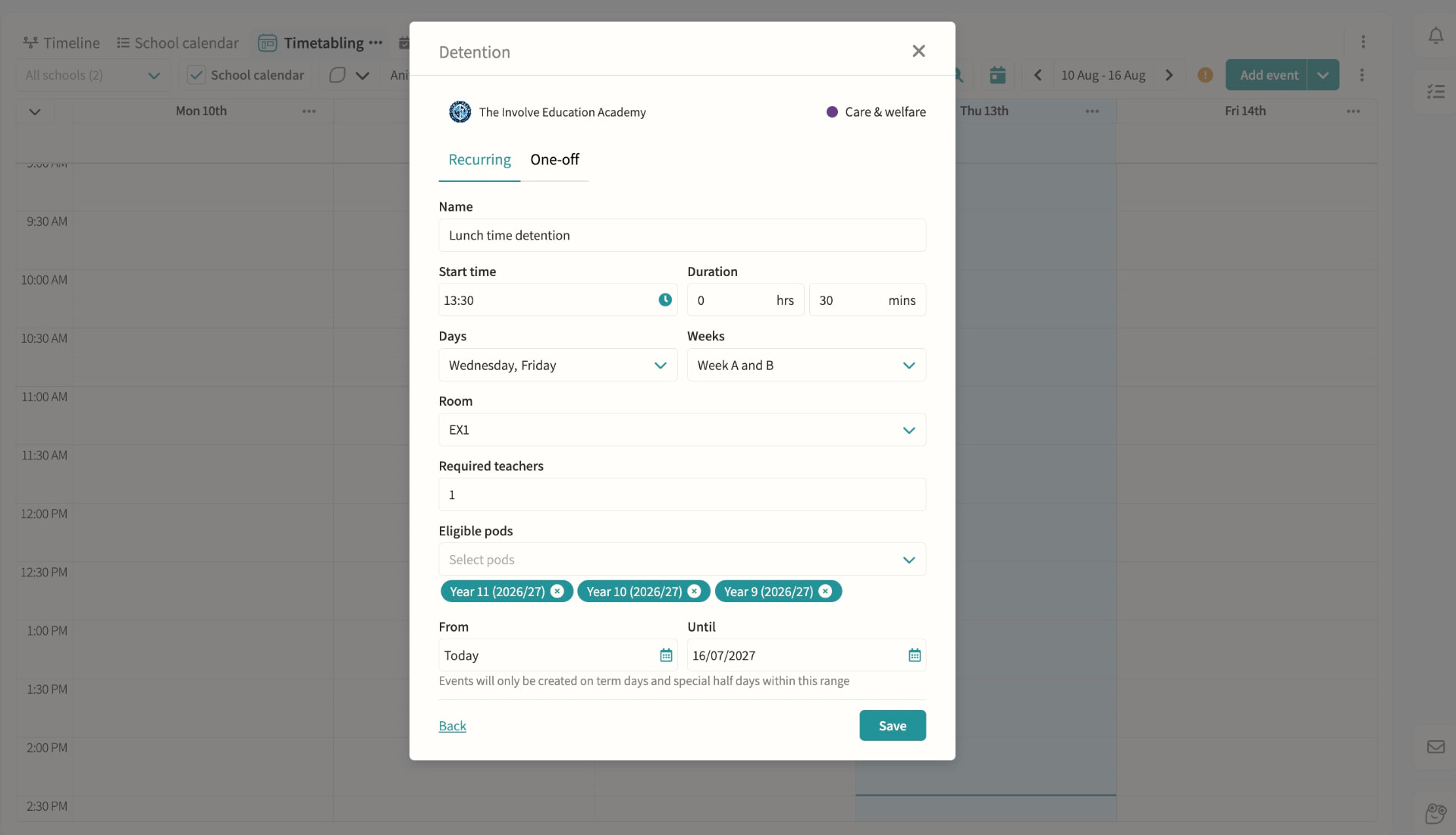
Create recurring or one-off detentions with a room and supervising staff, then add students manually, by pod, or straight from a behaviour record with automatic clash checking against their other commitments. Parents and students are notified with the reason, and attendance at the detention itself is tracked alongside cover if the supervisor is unavailable.
On-call requests
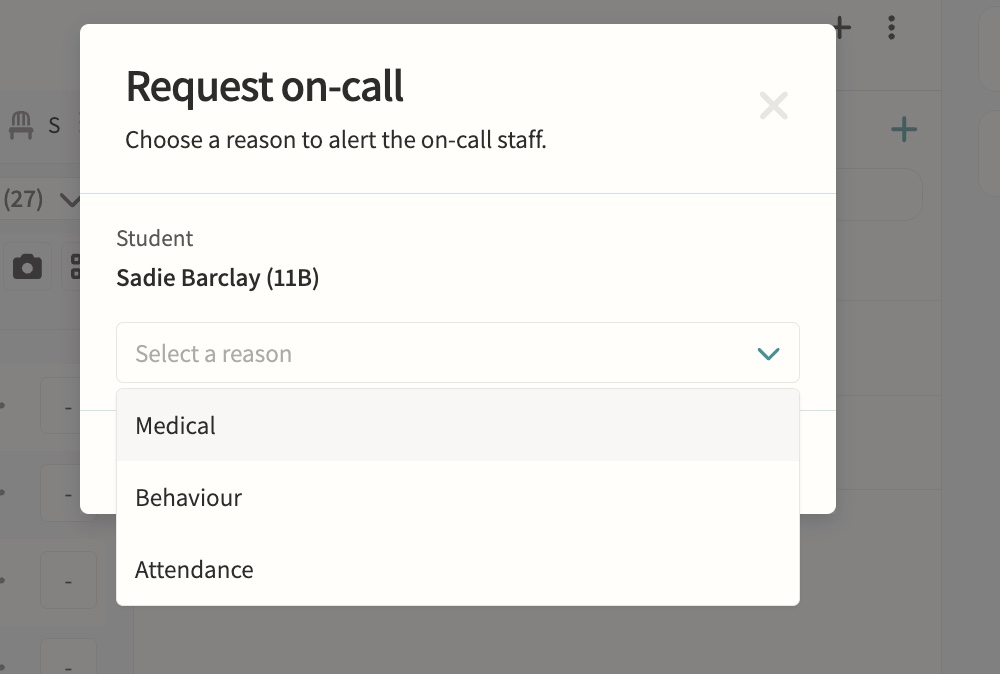
Teachers request medical, behaviour or attendance support during lessons directly from the register or seating plan.
Fire alarms
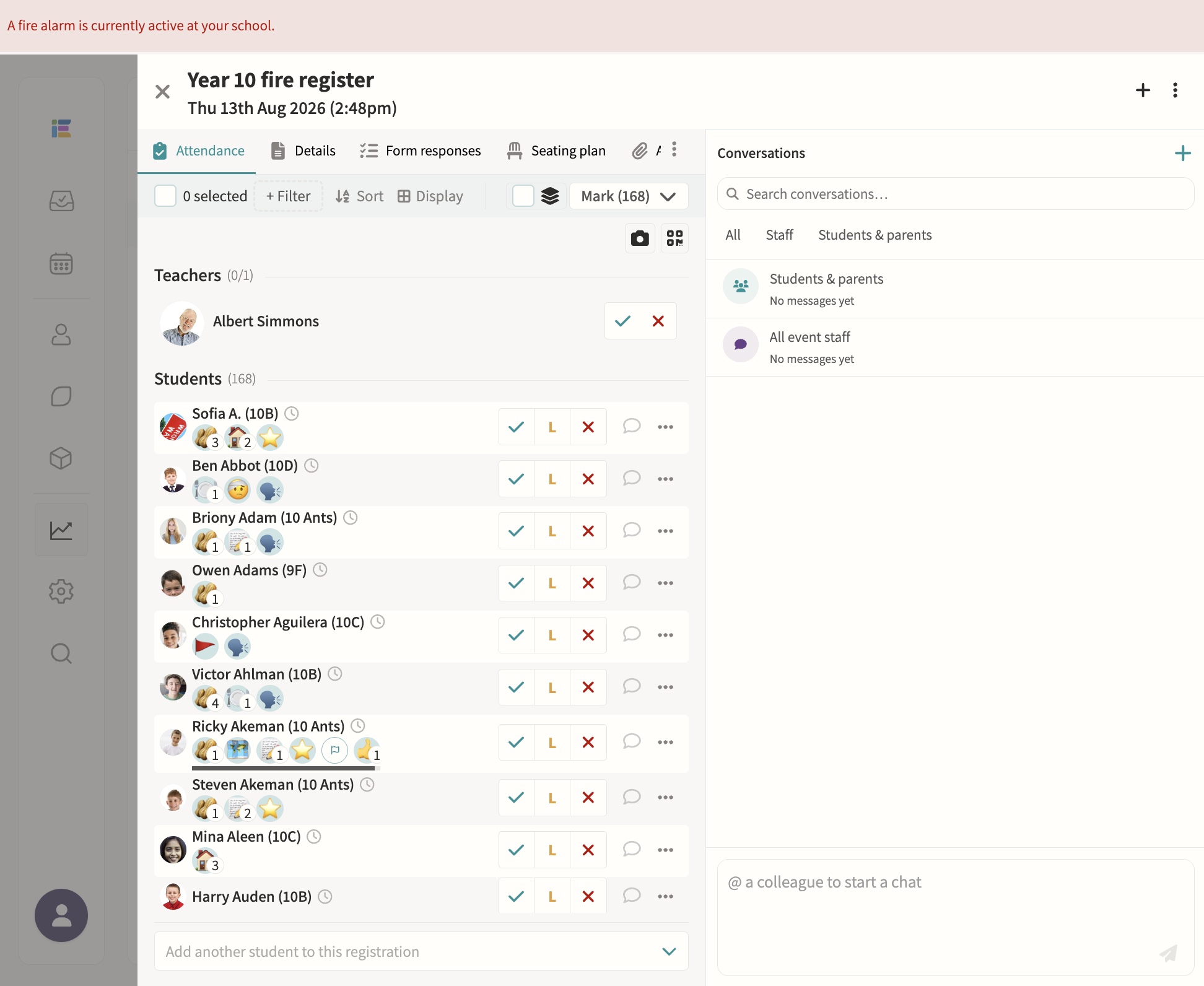
Starting a fire alarm bulk-creates roll-call registers for every pod and notifies the assigned teachers instantly, with a live dashboard showing who's present, absent or off-site, refreshing automatically until the register is complete. Blank registers can be printed at any time for backup, and every past alarm is kept with full completion times for review.
Safeguarding record keeping
Secure notes and records with access controls.
02 — Feature area
Wraparound care & wellbeing
Wraparound care and counselling access controls safeguarded in the same platform as the school day.
Care provision is scheduled, charged and safeguarded in the same platform as the school day.
Wraparound care
Manage sessions and billing together. Care pods can run as recurring schedules such as a daily breakfast or after-school club, or as one-off sessions, with self-attendance letting children mark their own arrival and a bookable setting letting parents reserve and pay for individual sessions rather than holding permanent membership.
Counselling
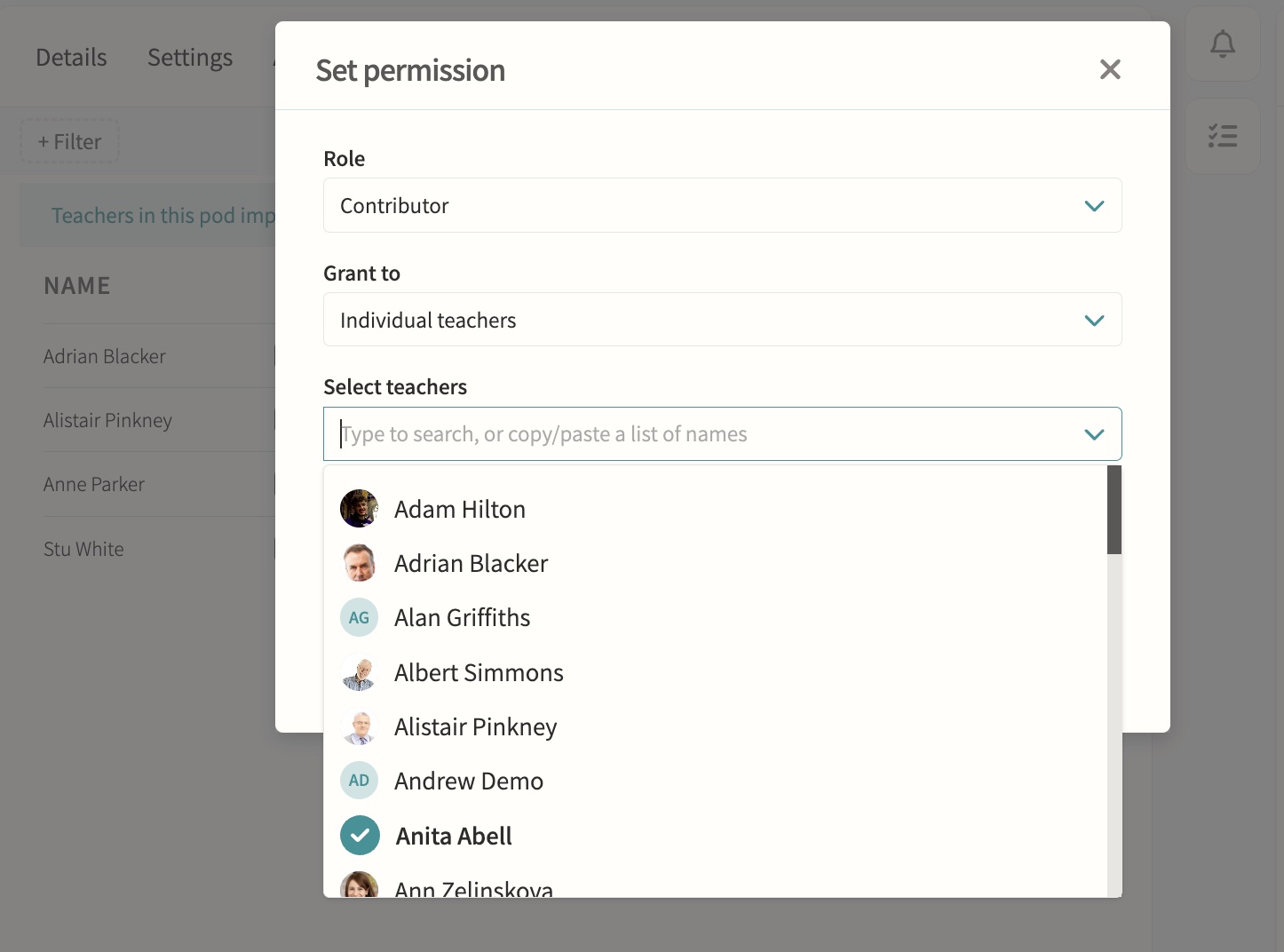
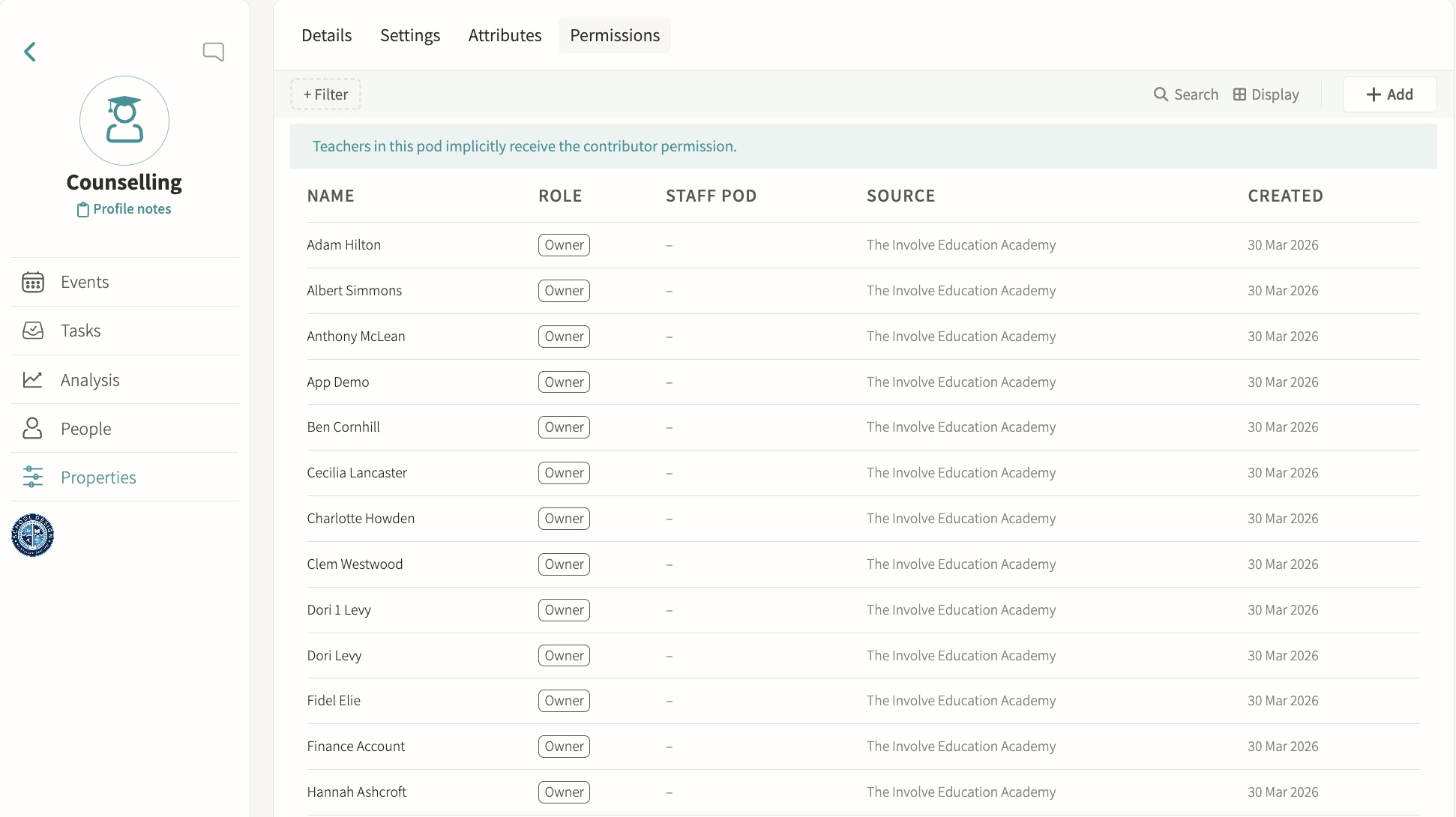
Restrict sensitive pods to authorised staff only. Pod-level permissions grant Owner, Manager or Contributor access to named staff or staff pods, so a counselling group can be limited to specific practitioners while everyone else is excluded from seeing it in the pods list or opening its page.
Medical
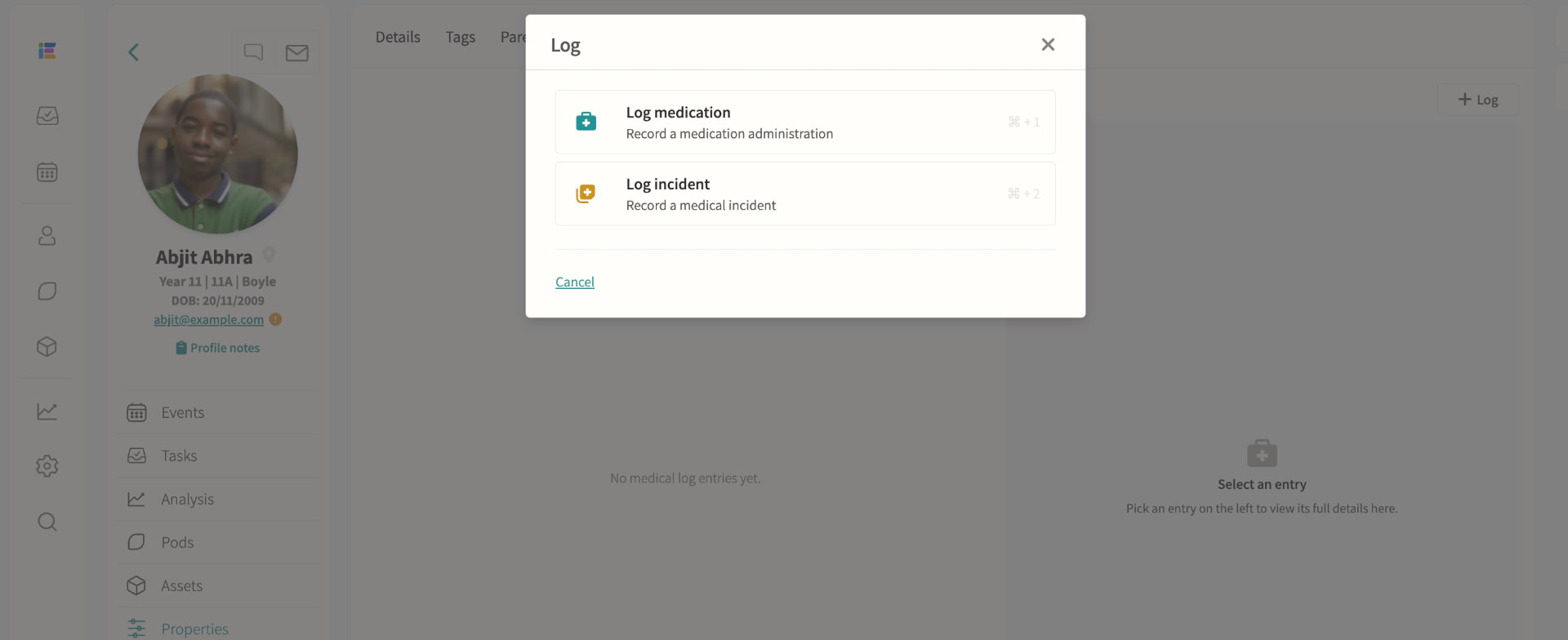
Record medical information, log medication administrations and track incidents; schedule appointments with attendance codes written back to missed lessons, visible in profiles, registers, trips and datasheets for authorised staff.
03 — Feature area
Communication & parent engagement
Messaging, bulletins, consent forms and a parent portal that keeps every conversation on the record.
Parents get one home for everything; staff get one outbox with an audit trail.
Communications
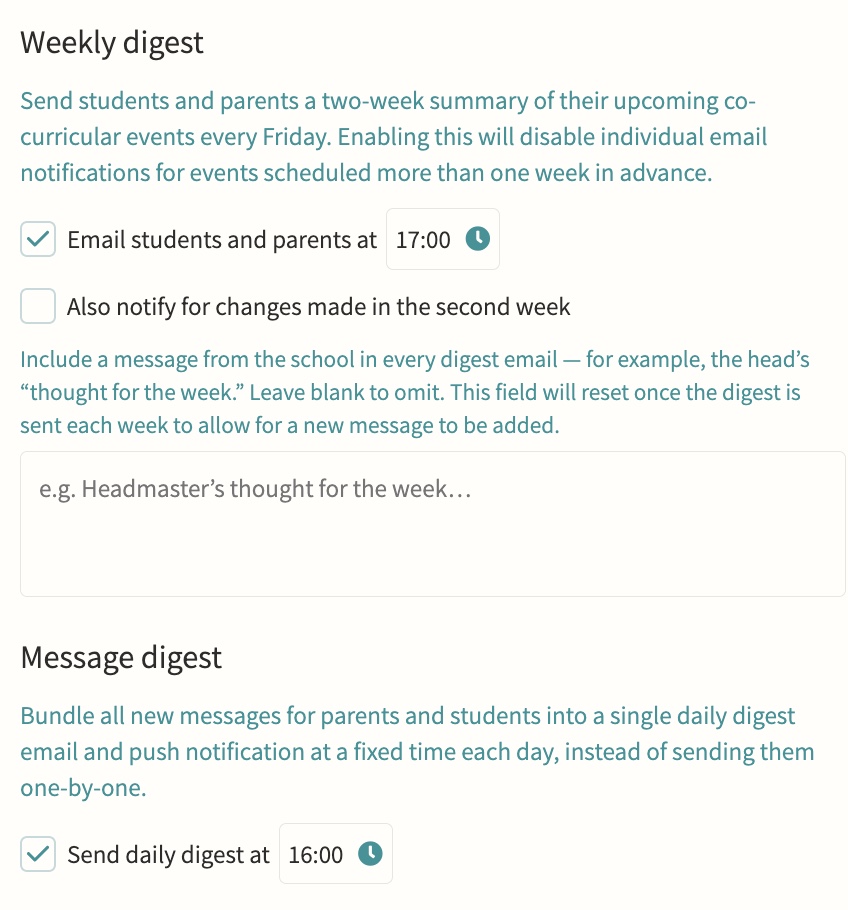
Direct or bulk teacher-to-parent and teacher-to-student messaging, kept on record, with parent bulletins, automated notifications and alerts, parent messaging offices, secure media and report sharing, consent forms, divisions for multi-division schools, and handbooks for staff, student and parent audiences. Every message is threaded, trackable per recipient, and can be scheduled in advance or bundled into a daily digest so parents get one email rather than a flood, with an option to switch off replies once a message has said what it needs to.
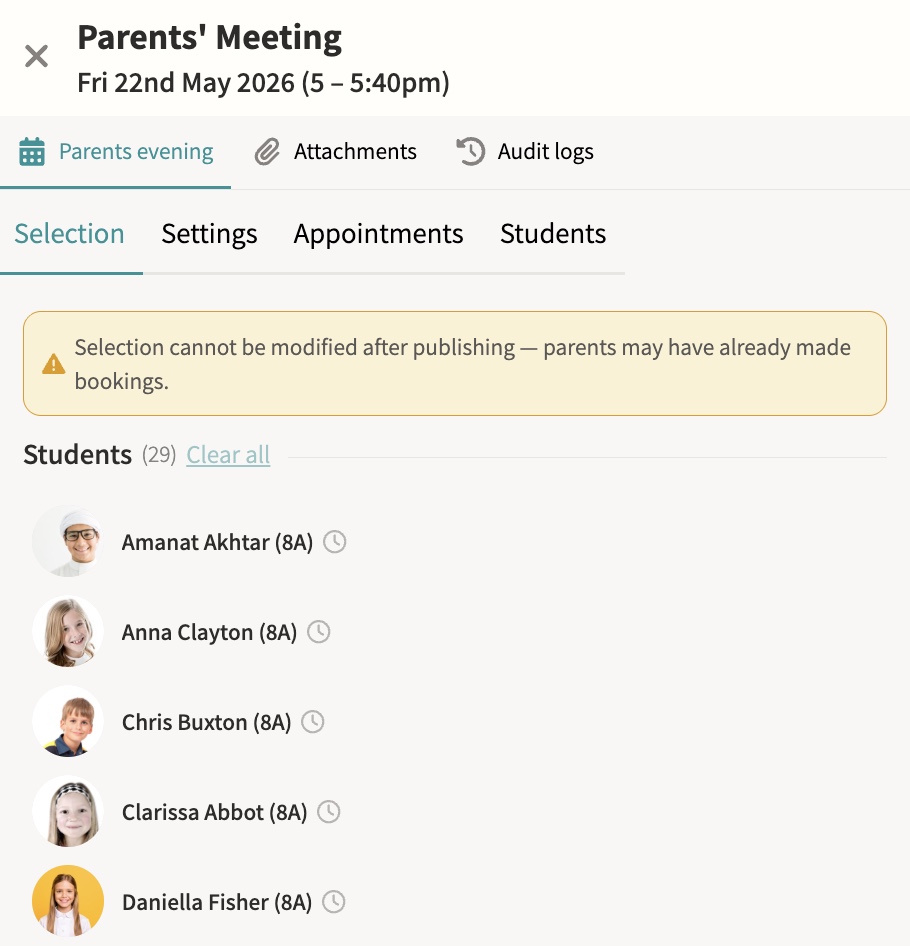
Parents' evenings & meetings
Schedule and manage meetings, with booking via shareable links. Meetings can run online, in person or as a hybrid of both, with back-to-back appointment slots, automatic reminders to parents who have not yet booked, and a travel gap on in-person days so a parent moving between several teachers is never double-booked.
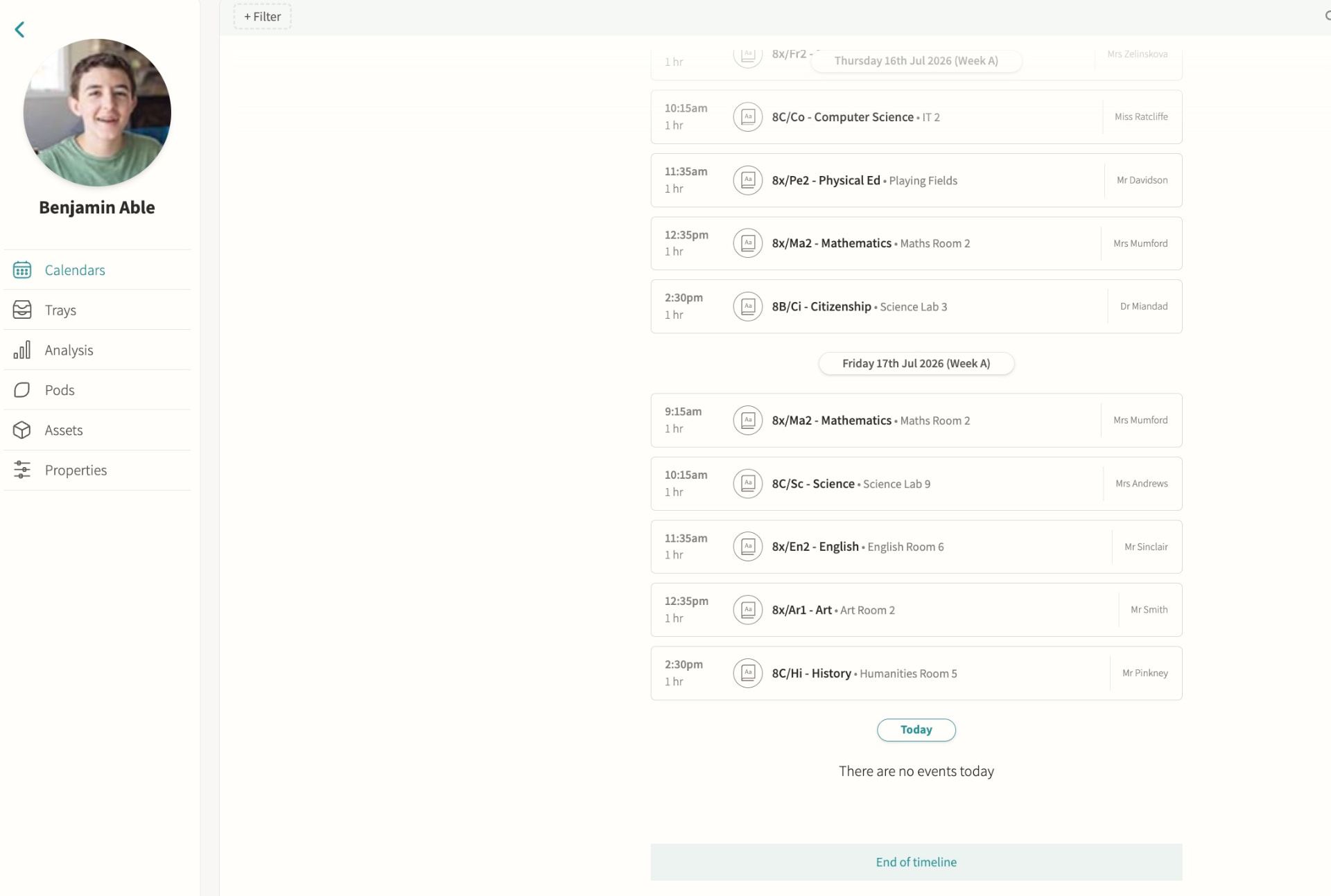
Parent app / portal
Calendars, attendance, reports and messages in one place, so a parent with several children at the school sees everything for every child without switching accounts or logging in separately for each one.
Staff chat
Internal staff-to-staff messaging, scoped to the event, pod or student it concerns rather than a single generic inbox, so a conversation about a trip, a class or a student stays attached to that context and any colleague who needs it can find it later.
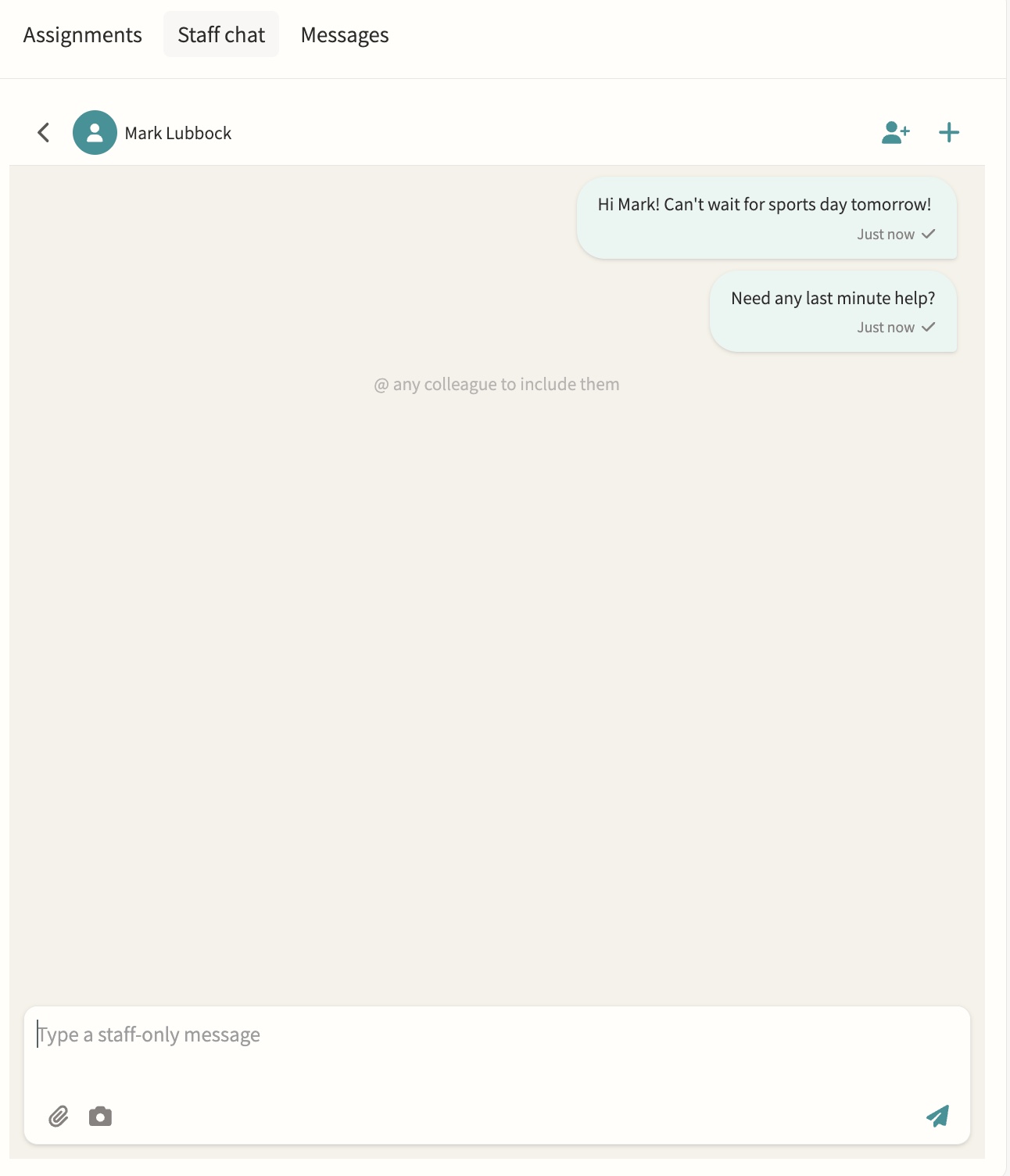
Photo feed
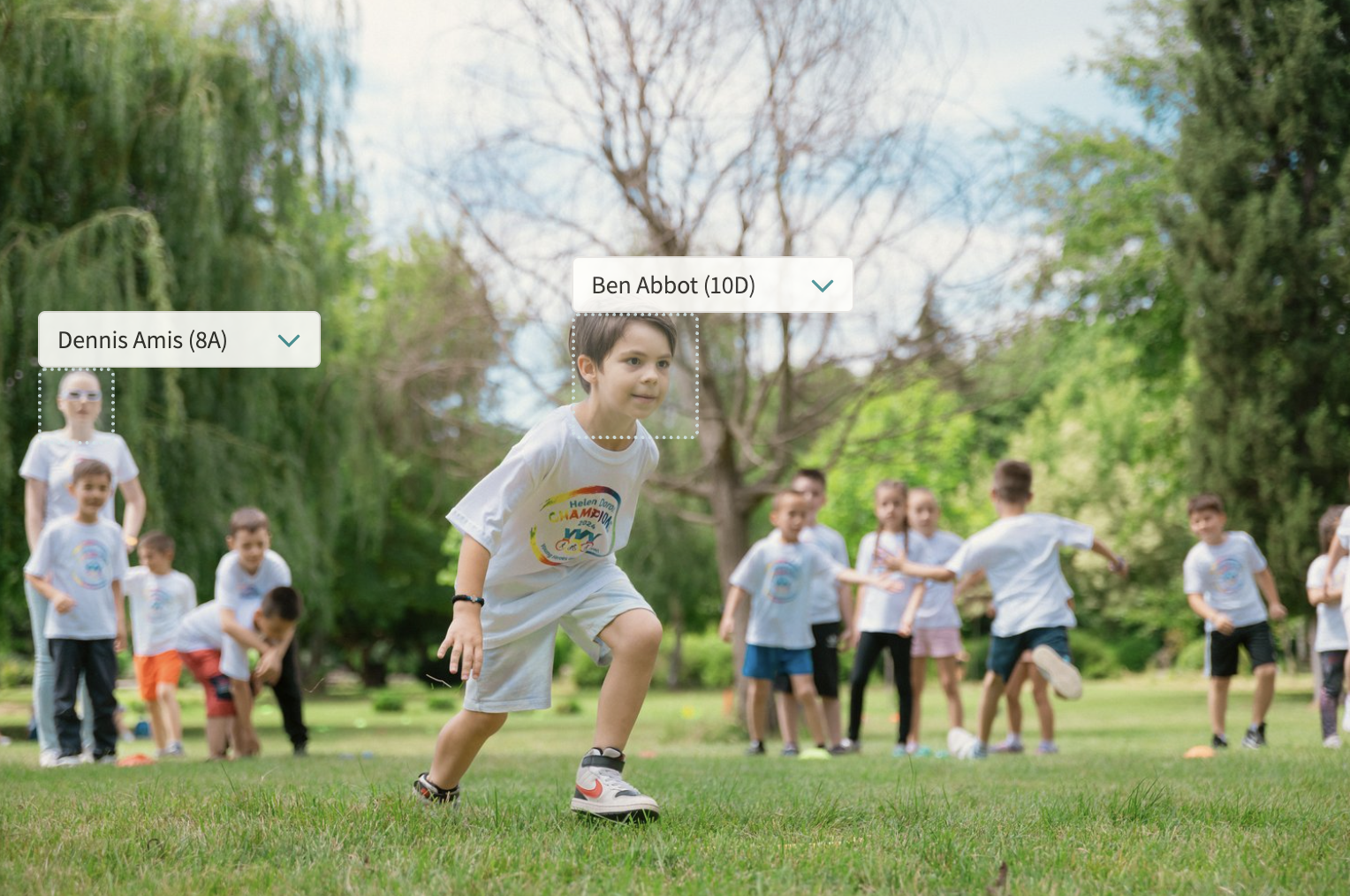
A shared feed for the school community, pulling together every photo uploaded to event notes with automatic face detection so students can be tagged quickly, and consent filters that only surface images for internal or marketing use once every tagged student's photo permission allows it.
Digest emails
Automated clash and event digests showing what's coming, what clashes and who is leaving class, sent to staff on a schedule so a form tutor or head of year can see at a glance which of their students have an overlapping activity or are due out of a lesson, without checking every calendar individually.
04 — Feature area
Boarding
Leave and exeat requests with a clear approval workflow, plus flexi boarding arrangements per student.
Boarding life runs on the same record as the academic day — on a phone, at the house door, at 10pm.
Leave and exeats
Requests with a clear approval workflow and parent visibility.
Flexi boarding
Arrangements and billing managed per student.
House rotas
Duty staff and welfare checks logged against the student record. Recurring duty slots specify how many staff are required and show as fully, partially or unstaffed, assignments move through a draft state before being published so staff only see confirmed rotas, and two-week timetables can run different staffing patterns on Week A and Week B.